
How to change the publish format?
The publish format determines how your translations are structured when served via the CDN or exported. By default, it is set to "auto", but you can also choose "nested" or "flat" formats depending on your integration needs.
Steps to change the publish format
-
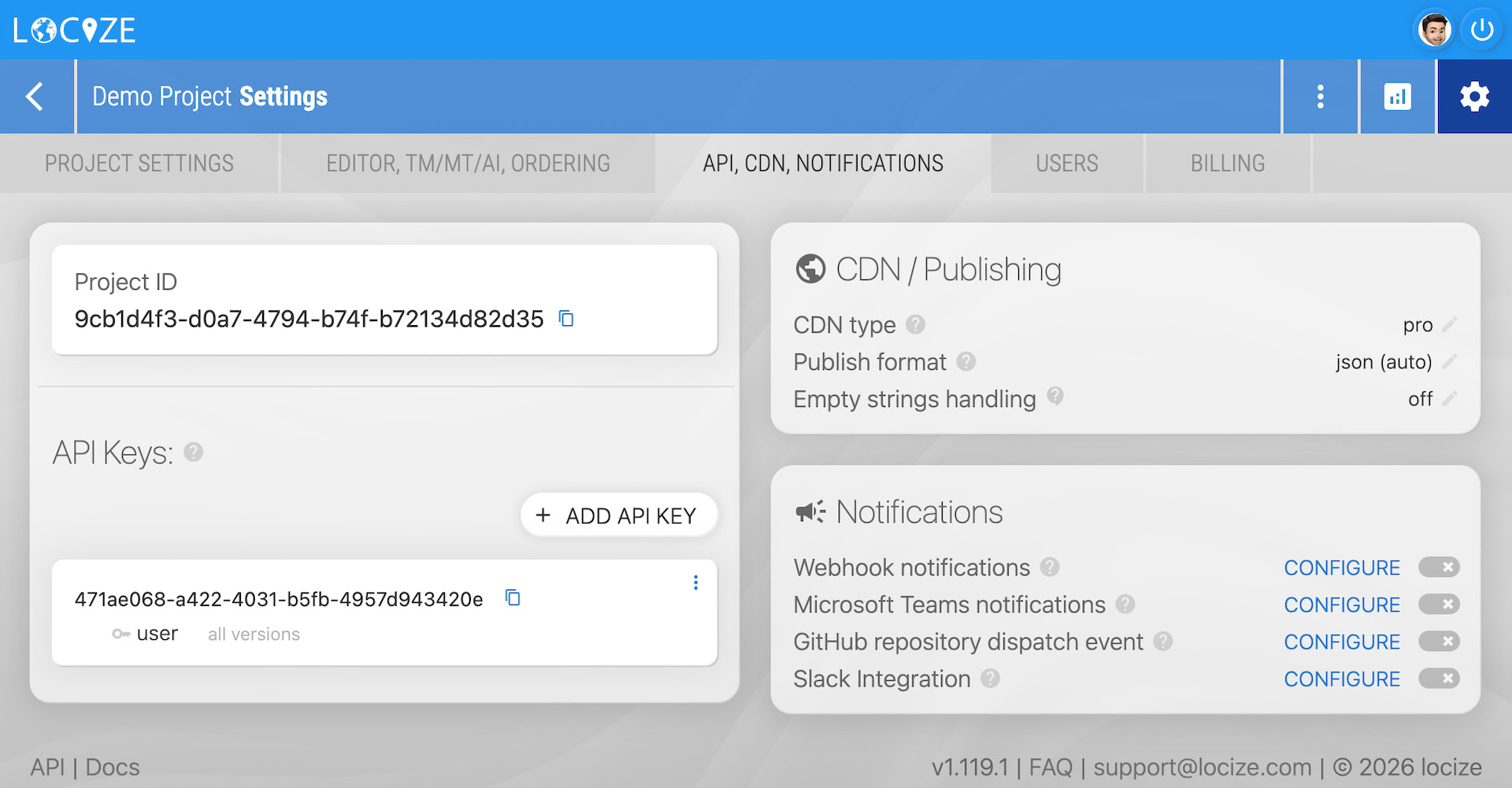
Open project settings: Go to your project settings page, open the "API, CDN, NOTIFICATIONS" tab, and click the "Publish format" section in the "CDN / Publishing" card:
-
Select your desired format: Choose the publish format you want (auto, nested, or flat) and click save:
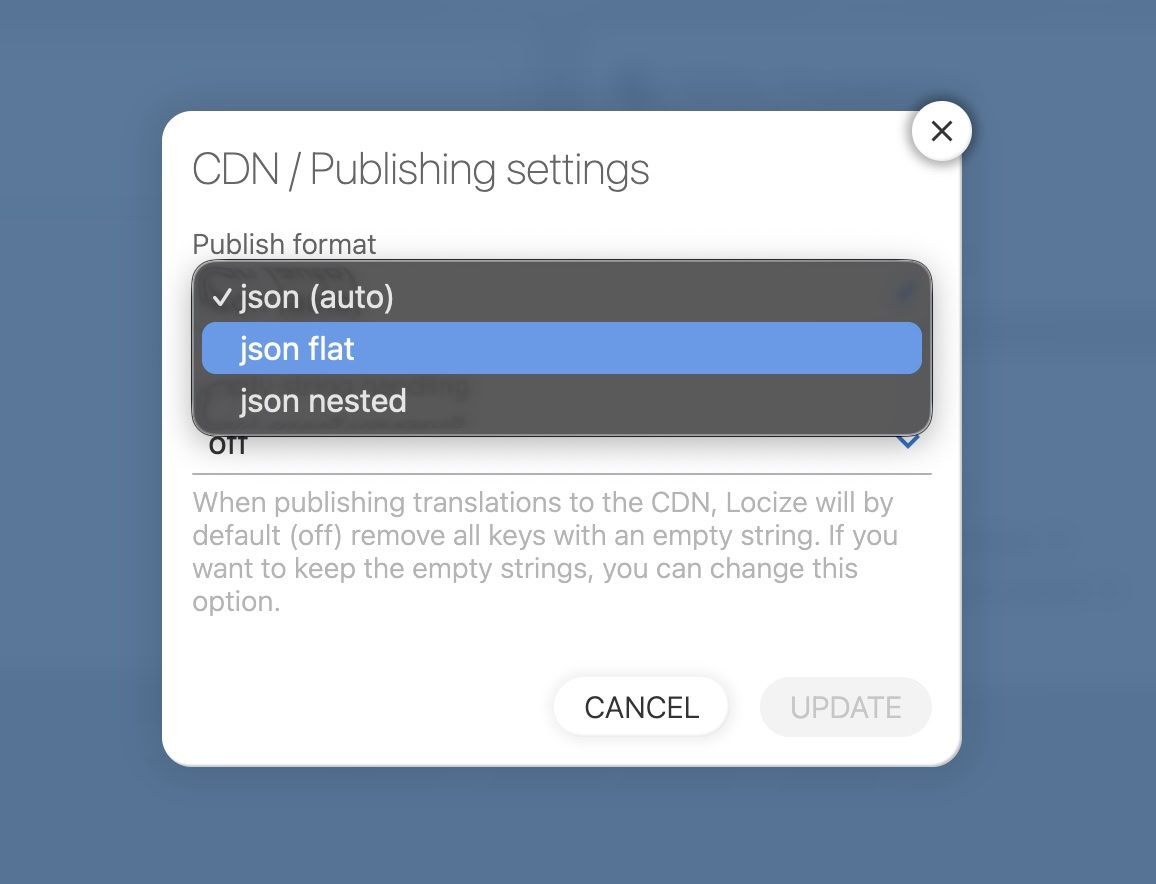
Choose the format that best fits your application's requirements. "Nested" is useful for hierarchical JSON structures, while "flat" is better for key-value pairs.