
History
Tracking the history of your translations is essential for quality control, accountability, and collaboration. The history feature in Locize allows you to see exactly when and how each translation was changed, making it easy to audit changes, revert mistakes, and understand the evolution of your content.
What does the history feature do?
The history feature enables you to:
- Track all changes made to your translations
- See who made each change and when
- Prove when a content fragment was updated (for compliance or review)
- Restore previous versions if needed
How to access translation history
You can find the history tab in the CAT / Translation Editor by selecting a key/segment and switching to the history tab on the right side.
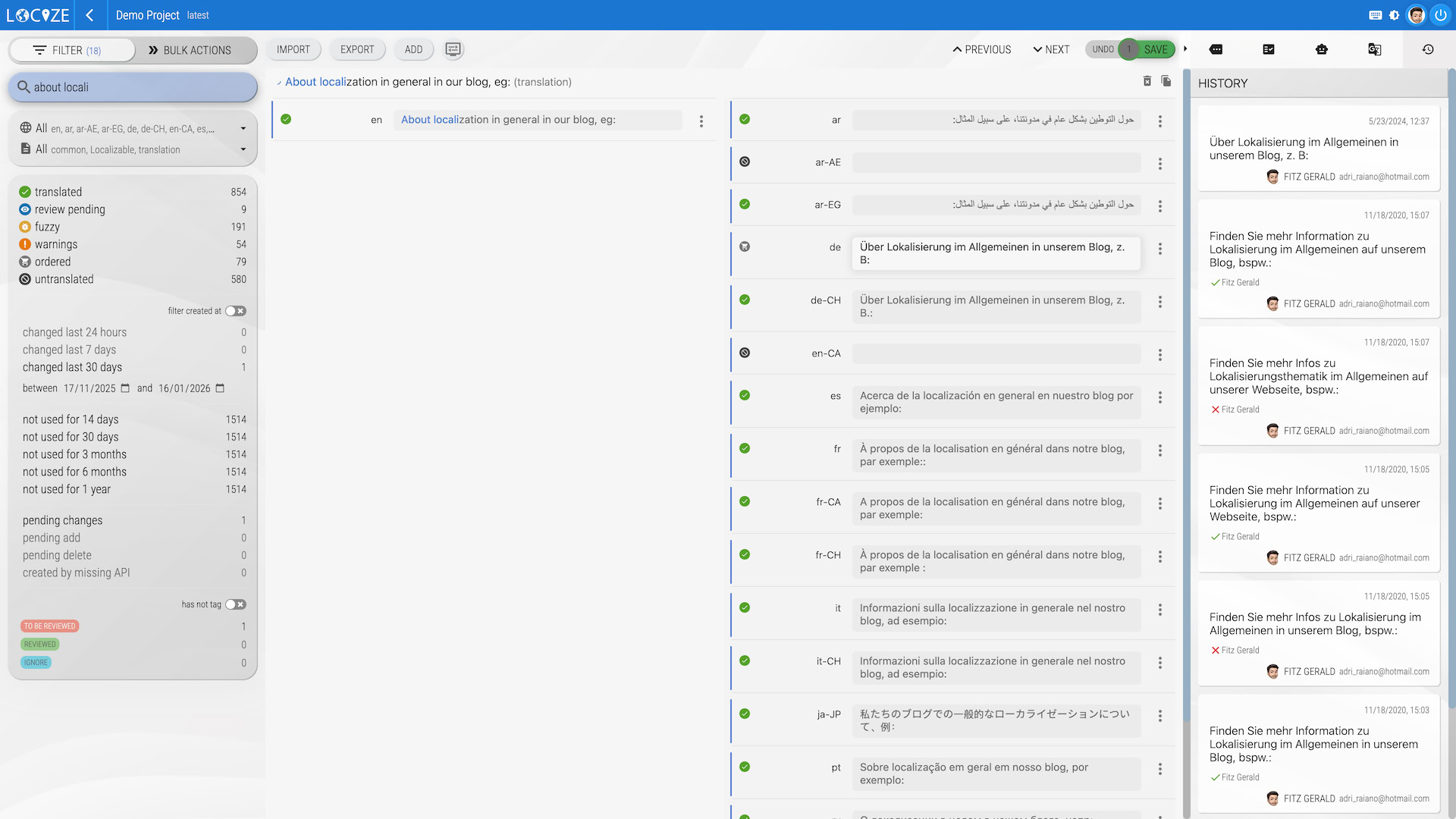
This makes it easy to review changes, compare versions, and maintain a clear record of your translation process.
Provenance export
Confirming a value marked as needing review is recorded as well, with who confirmed it: a user, or the API key (and CLI) that sent the confirm.
For audits you can package this evidence in one download: in the project overview, open the context menu of a version, language or namespace and choose provenance to get a CSV and JSON report of who reviewed, approved or edited each translation and when, the translation source (human, machine or AI), the AI confidence score at decision time, and what is still pending review. Available from the Growth plan, like the review workflow. For the full setup see Running an Article 50(4)-compatible review workflow.