
Multi-Tenant
Multi-tenant localization allows you to efficiently manage translations for multiple customers or brands from a single main project, while giving each tenant their own isolated environment. This is ideal for SaaS platforms, white-label solutions, or any scenario where you need to provide customized translations for different clients.
multi-tenant part of showcase/demo
Why use multi-tenant projects?
Previously, multi-tenant needs were handled using extra namespaces or custom locales (like en-x-customer1). Locize now provides a dedicated solution:
- Each customer gets their own project with restricted access; customers cannot see each other's data.
- Simple billing: tenants are billed together with your main project, and the per-tenant cost breakdown shows you what each tenant costs, so you can pass costs on to your customers.
How does it work?
Navigate to the Multi-Tenant page:
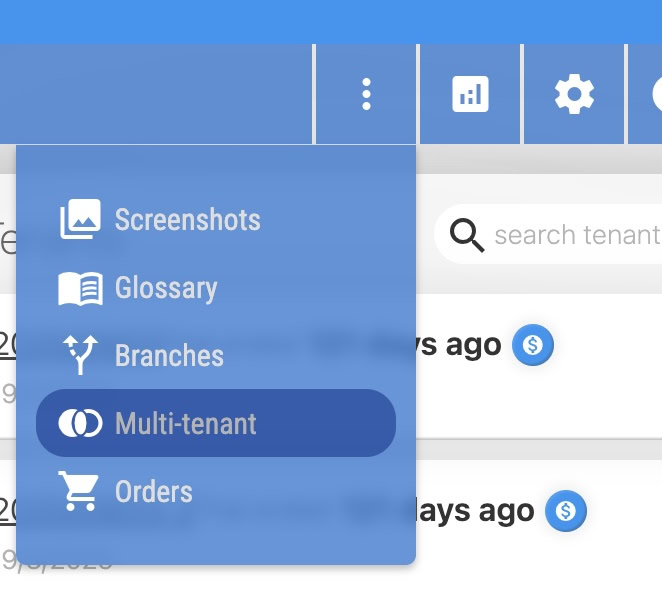
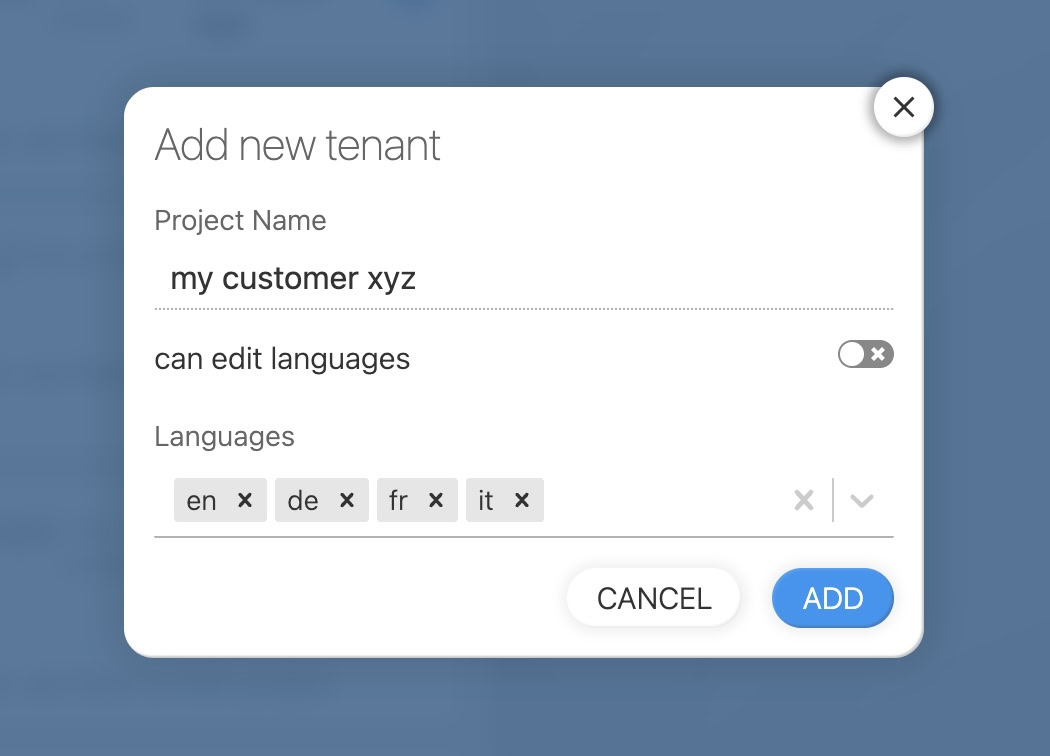
There you can create a new tenant project:
Tenant projects are based on the content of your main project. All existing and future translations are visible in the tenant project.
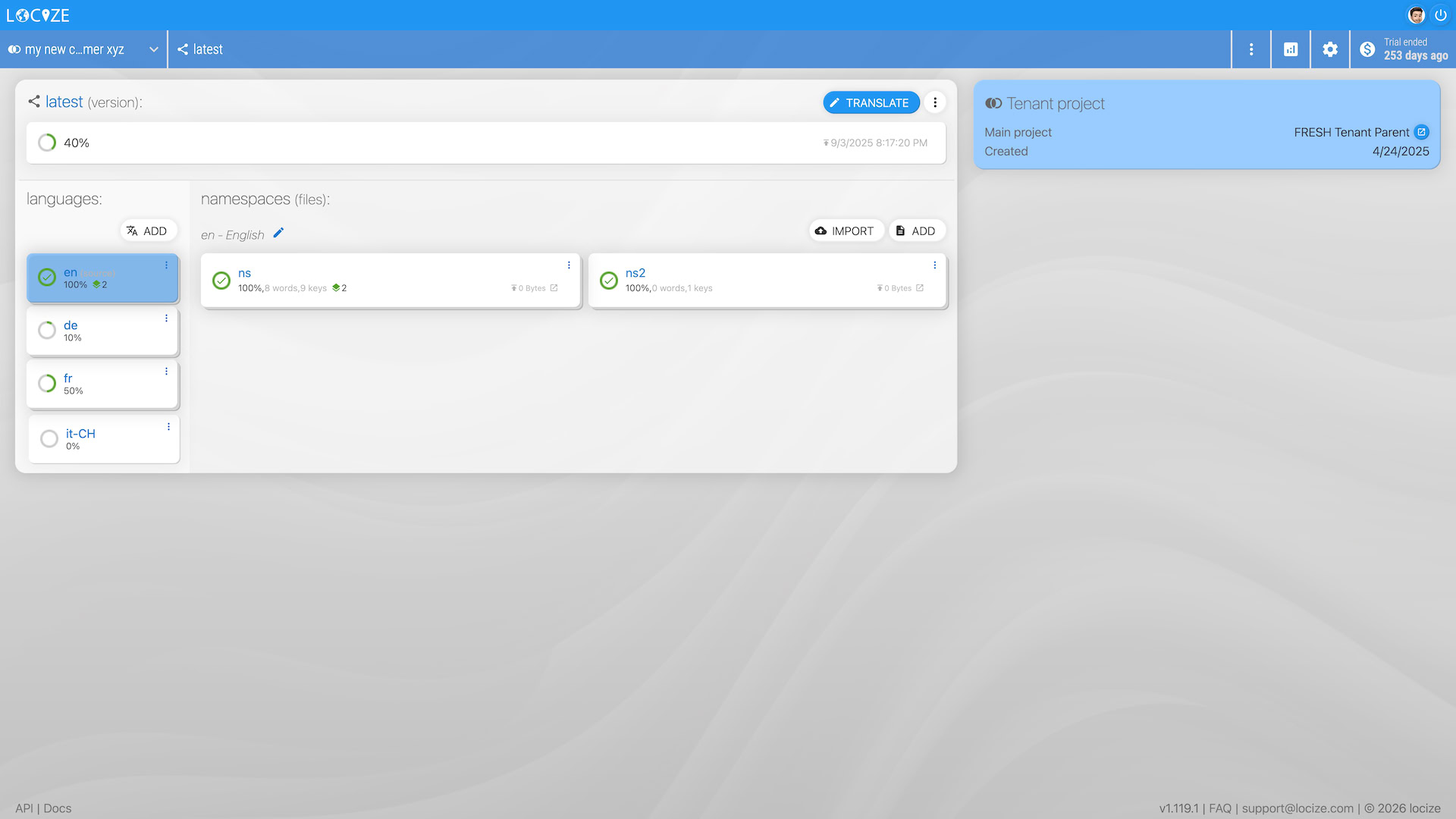
Users of the tenant project can keep your provided translations or override them as needed.
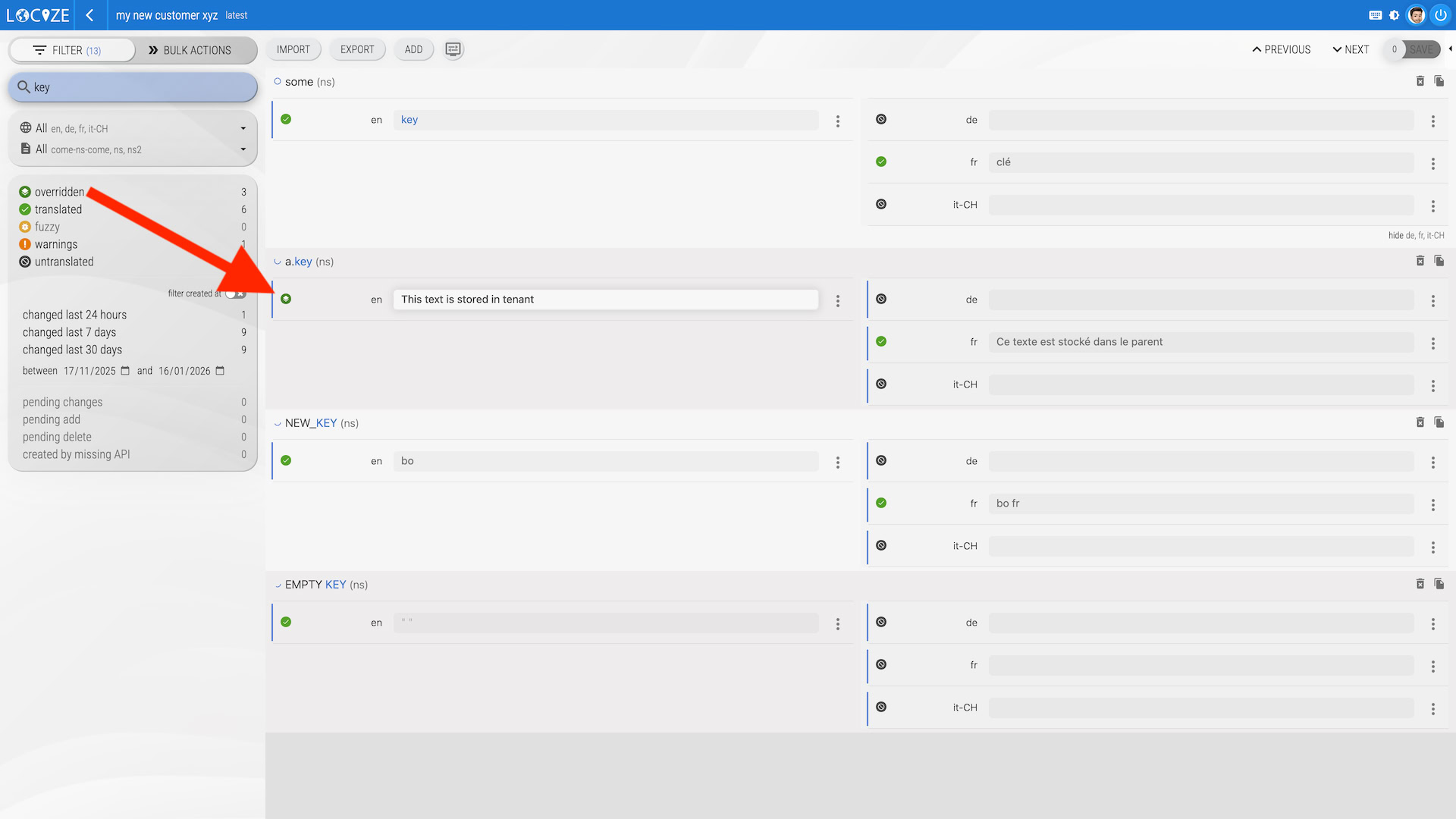
Overridden values are marked with the overridden state icon and can be filtered:
When translations are published to the CDN (or exported via the UI, CLI, or API), the output combines your main translations with any overridden values from the tenant.
💡 Good to know: Merging & Overriding
1. Overridden values take precedence: If you modify a translation directly inside a tenant project, it creates an override. From that point on, the tenant will always use its custom value for that key. If you later update the same key in the parent project, the tenant will NOT reflect the parent's new value. To inherit the parent's translation again, you must delete the translation value in the tenant project.
2. Publishing the parent is not required for inheritance: The merging of parent and tenant translations is based on the current database values, not the published state. You do not need to explicitly "publish" the parent project for the tenant to inherit the changes. When the tenant translations are published (automatically or manually) the merge happens automatically.
In the parent project's editor you can check the other direction: select a key and a target language, open the sidebar tab that shows the overridden value in a tenant (in the parent it shows a "Tenants" section) and click "check tenants". You get the number of tenants that override that key in that language, the overriding tenants with their values, and a link to the key in each tenant's editor. Nothing is loaded until you click, and only tenants you are allowed to open are counted.
Accessing translations from the CDN
Each tenant project has its own settings, users, API keys, and project ID. To load translations from the CDN, use the tenant project ID found in the settings page.
Pricing
Tenants are a feature of your project, not a separate subscription: a tenant is billed together with its parent project from the moment it is created.
- A number of tenants is included in your plan (see the plan comparison on the pricing page); beyond that they come in packs, like any other capacity.
- Tenant usage (downloads, modifications, words) counts on the parent project's quota and appears on the parent project's invoice.
- On the older usage-based plan, still in use by existing customers, each tenant instead costs a small flat monthly fee plus its usage.
- Word count is calculated only on overridden values; text inherited from the main project is not charged twice.
- The tenants panel shows a per-tenant cost breakdown (base fee + usage at your rates), so you know what each tenant costs you, for example to pass costs on to your customers.
Tenant Project Options
Tenant projects can be configured with two key options that affect how languages and namespaces are managed:
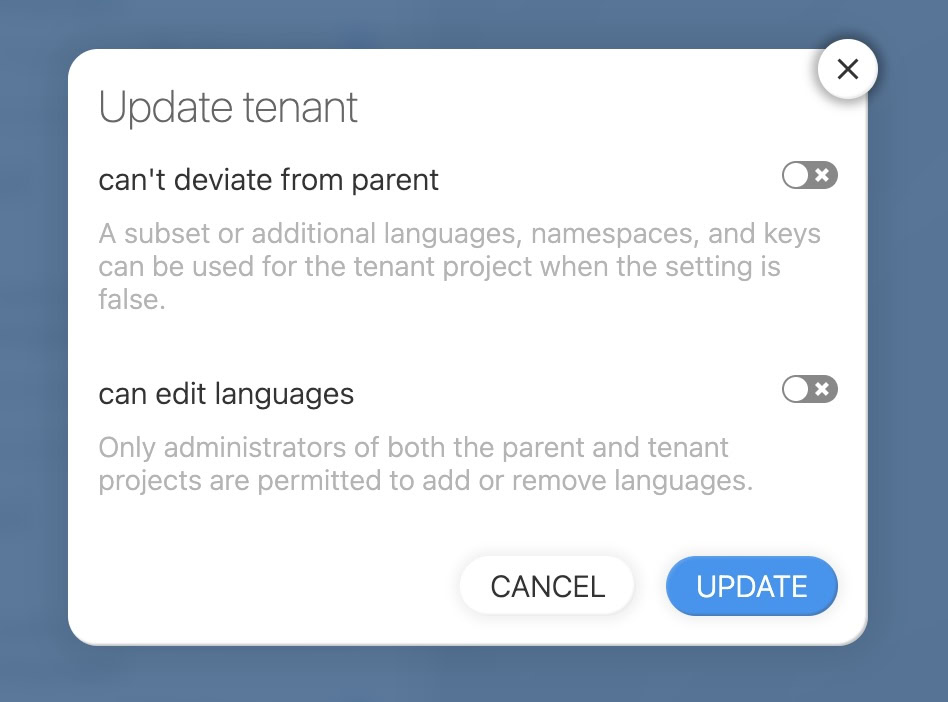
Option 1: can't deviate from parent
- Enabled: Tenant must use the same languages and namespaces as the parent project.
- Disabled: Tenant can have a different set of languages and namespaces than the parent.
Option 2: can edit languages
- Enabled: Tenant administrators can add or remove languages in the tenant project.
- Disabled: Only users who are administrators in both the parent and tenant projects can add or remove languages.
Effects of parent language changes
| Scenario | "can't deviate from parent" | "can edit languages" | When a language is automatically added/removed in parent |
|---|---|---|---|
| 1 | Enabled | (not possible) | Language is automatically also added/removed in tenant |
| 2 | Disabled | Disabled | Language is not automatically added/removed in tenant |
| 3 | Disabled | Enabled | Language is not automatically added/removed in tenant |
Effects of parent namespace changes
| Scenario | "can't deviate from parent" | "can edit languages" | When a namespace is automatically added/removed in parent |
|---|---|---|---|
| 1 | Enabled | (not possible) | Namespace is automatically also added/removed in tenant |
| 2 | Disabled | Disabled | Namespace is not automatically added/removed in tenant |
| 3 | Disabled | Enabled | Namespace is not automatically added/removed in tenant |
Note:
- When "can't deviate from parent" is enabled, the tenant always mirrors the parent for languages and namespaces.
- When "can edit languages" is enabled, tenant admins have full control over languages, and changes in the parent do not automatically propagate to the tenant.
- For scenarios 2 and 3, if you need to add or remove a language or namespace in a tenant, you can do so manually within the tenant project.
User Inheritance for Tenants
Your organization's members reach every project of the organization, tenants included, so you don't need to add the same people to every tenant individually. They do not count toward the tenant's user limit for billing.
A permission on the parent project does not do this. The parent and its tenants are separate projects, so someone invited on the parent alone sees every tenant in the tenants list but can only open the ones they hold a permission for; the others carry no link. Put them on the organization roster to give them all of them at once.
Changed with organizations: tenants used to inherit the people of their parent project, so a work role on the parent (manager, publisher, user) was enough to open them. That inheritance was retired. The access that existed at the time was converted, so nobody lost a tenant they could already open, but a permission granted on the parent since then no longer propagates downwards. If someone was given a role on the parent and finds the tenants inert, make them a member of the organization instead.
Anyone who should work on one specific tenant and not on the rest gets a direct permission on that tenant (its users page lists the people who already work on your organization's projects, one click each). And an organization member who should not work on a particular tenant is blocked on it, on that same page.
Learn more: Managing Multiple Projects with Your Organization and Organizations
Deleting a tenant project
Deleting a tenant is one step: open the "more" menu on the tenant's card in the parent project's tenants list, choose delete, and confirm. The tenant is detached from the parent's billing as part of the delete, so there is nothing to unsubscribe first. The same action is available in the tenant project's own settings page.
Deleting a tenant is permanent: its translations, history and namespace backups are removed and cannot be restored.
The rule in the other direction still applies: a parent project cannot be deleted while it still has tenant projects (or branches), delete those first.