
AI Review
Availability: Growth and higher plans and usage-based plans get proposals; Starter plans get confidence scores and marks. Requires enabled machine/AI translation and Quality Estimation.
AI review checks the translations a project already has, whoever wrote them: human, machine or AI. Locize reads every translated segment next to its source, stores a confidence between 0 and 1 with a short reason, and for the segments it doubts it creates a review proposal: the suggested fix, the reason, the issue category (accuracy, fluency, terminology, style) and its severity. Proposals land in the review queue you already use. Nothing is changed until a person accepts.
There are two ways to run it: from the editor on a single segment or on the filtered selection, and as a run over a whole version from the project settings.
In the editor
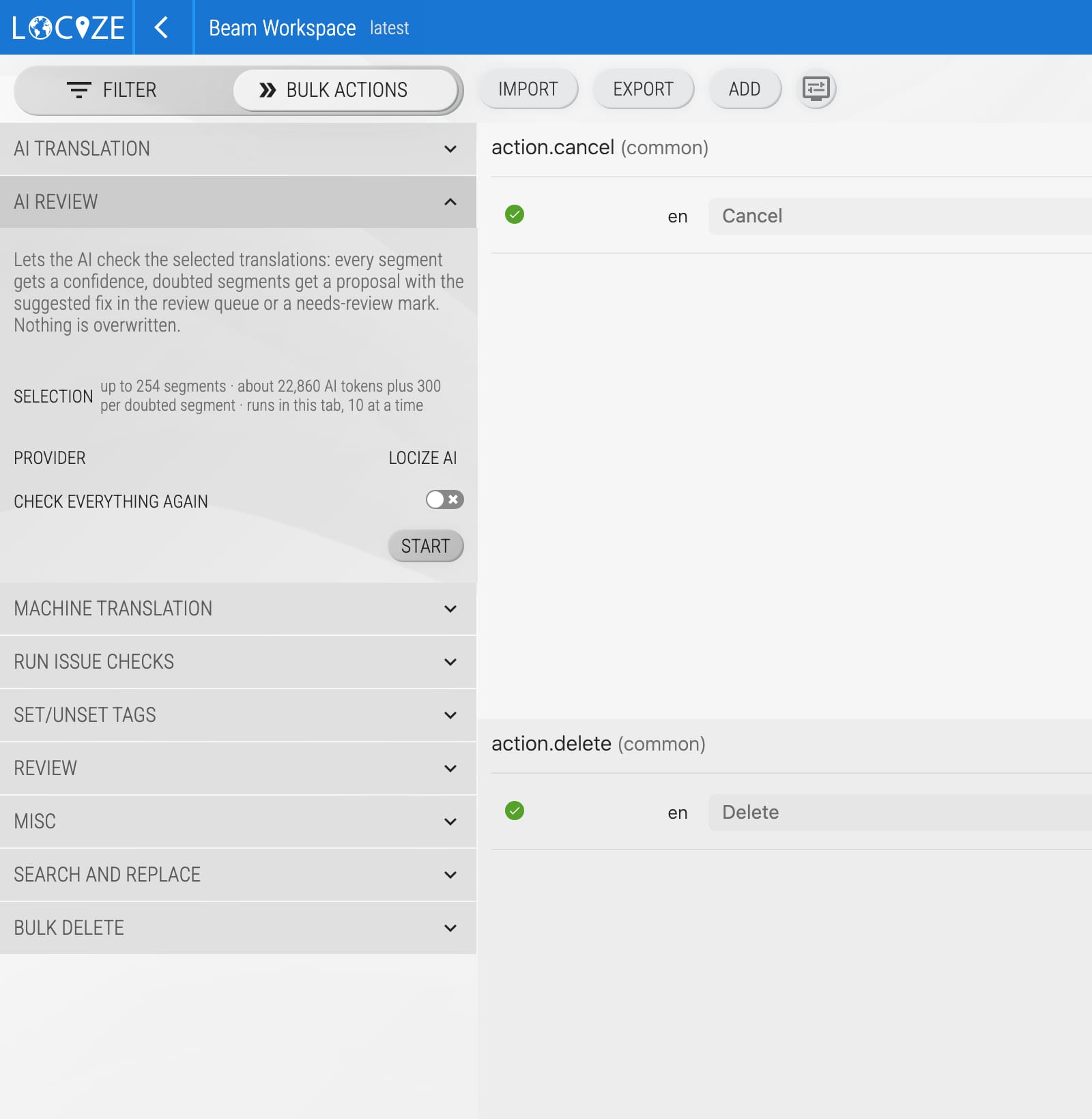
Open the editor, filter what you want checked (a namespace, a language, everything without a confidence yet), open Bulk Actions and the AI Review section. It shows how many segments the selection holds and roughly how many AI tokens the check needs, then runs in your browser tab. Doubted segments get a proposal or a mark right away; segments that already carry a confidence are skipped unless you tick check everything again.
For one segment, use AI review in the row's ACTIONS menu. The result appears on the spot.
Running it over a version
- Open the project, go to Settings, tab EDITOR, TM/MT/AI, ORDERING, card Translation Quality.
- In the row AI review click Run.
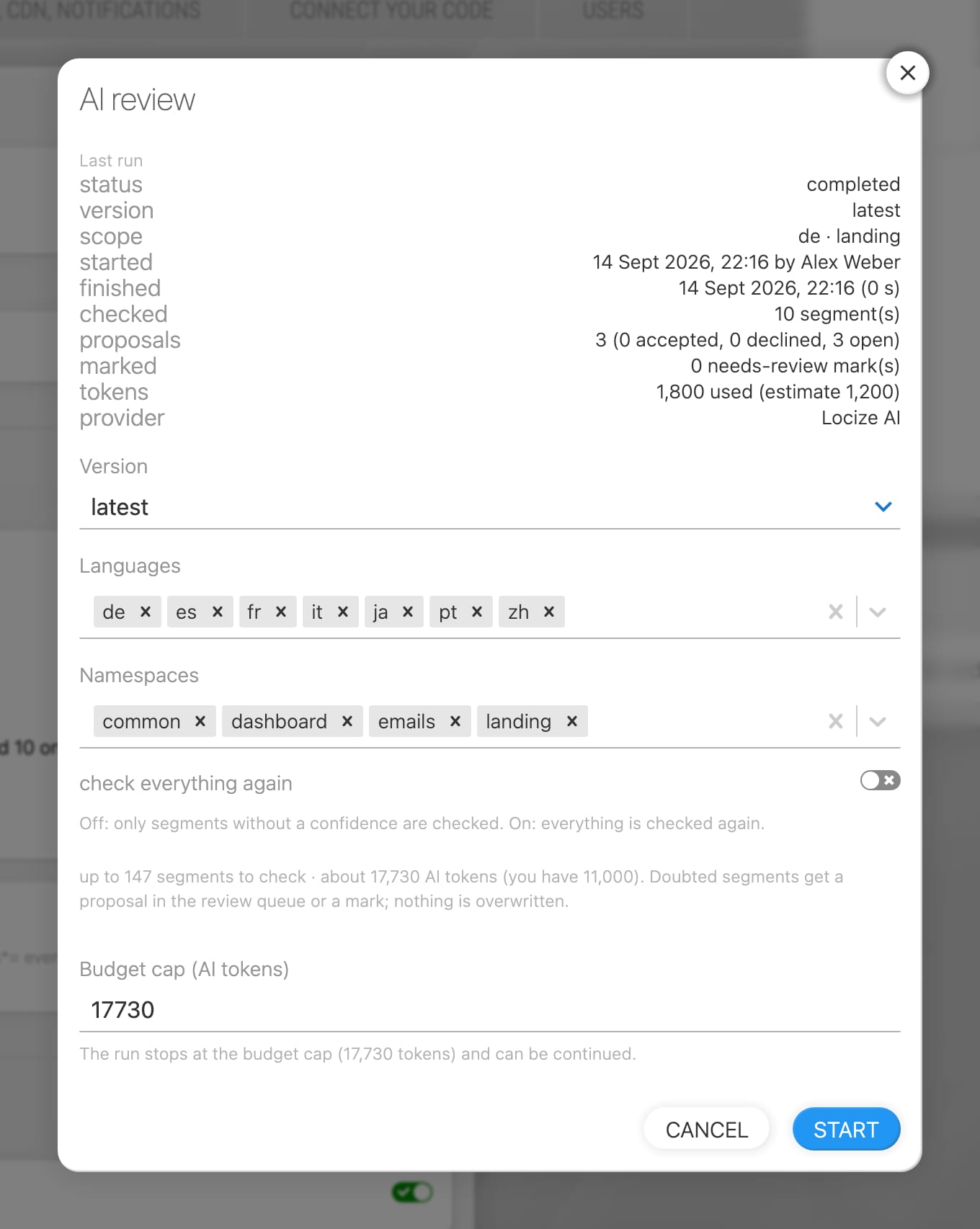
- Choose the version, languages and namespaces. By default only segments without a confidence are checked.
- Read the estimate and set a budget cap. Click Start.
The run happens in the background. The row shows the progress and, when it is done, how many segments were checked, how many proposals were created and how many segments were marked. A run stops at the budget cap, when the AI tokens are used up, or when the provider fails; it can be continued with Run again, which skips the segments that are already checked.
Working the proposals
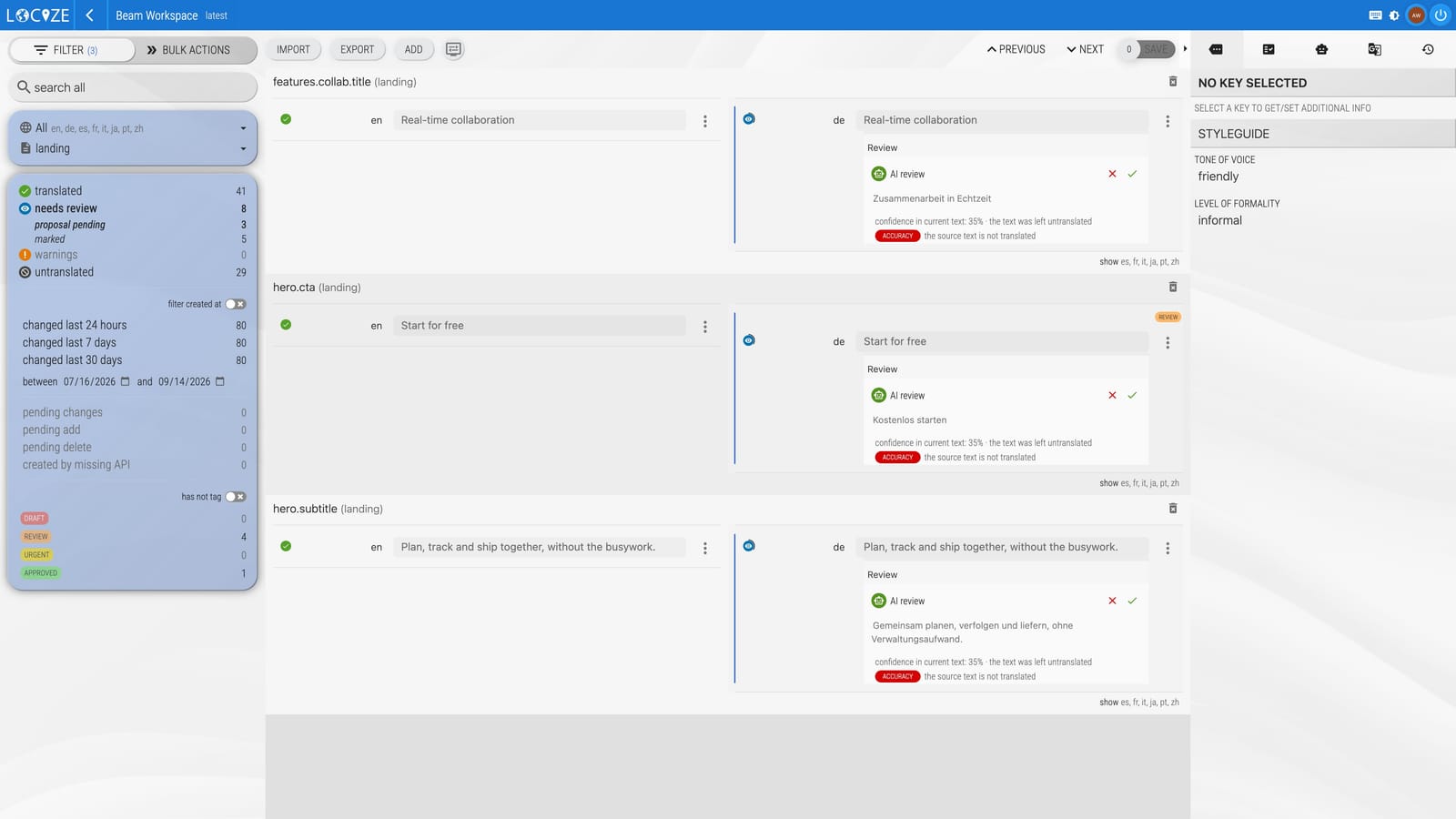
In the editor, filter by state needs review, sub-entry proposal pending. Each proposal shows the current text and the proposed text as a diff, the confidence in the current text, the reason, and the issue category. Accept replaces the text and records who accepted; decline keeps the text, confirms it as reviewed and records who declined. Editing the text yourself removes the proposal. Bulk accept all and decline all act on your current filter.
Segments the AI doubted but could not improve, or where a fix would have changed a placeholder or a tag, are marked instead. Confirm or edit them like any marked segment.
What it never changes
- Values: only a person accepts, edits or pushes a value.
- Placeholders, plurals, nesting and tags: a proposal that would change them is discarded and the segment is marked.
- The published files: a proposal is not published; accepted text is published like any edit.
- The source language and empty targets.
Cost
Scores and proposals consume AI tokens like automatic translation and quality estimation: roughly 100 tokens per checked segment plus roughly 300 tokens per proposed fix. Small runs cost more per segment, because each batch carries the same fixed instructions. Projects with their own OpenAI, Gemini, Mistral or Anthropic key run on that key and use no Locize AI tokens. Organization-owned keys apply through the project's use organization credentials switch. The estimate in the dialog shows the expected tokens before you start; the run stops at the budget cap and can be continued.
Via MCP
The MCP server exposes the proposals to an agent: list_review_proposals returns the pending proposals of a namespace with the current text, the proposed text, the confidence, the reason and the critique, and start_ai_review starts a run over a version with the same estimate and budget cap the dialog shows.
Good to know
- Segments that already carry a confidence are skipped; tick check everything again to score them again.
- The confidence threshold is the same as for quality estimation.
- Confidence and reasons are editor metadata; they are not part of the published files.
- The provenance export includes accepted and declined proposals with the person who decided.
- Segments with a pending proposal, ordered segments and segments edited after a run started are left alone.