Why is my namespace suddenly a flat json?
Locize can serve your translations as either nested or flat JSON, depending on the structure and naming of your keys.
Why Does This Happen?
- If your keys follow a nested pattern (e.g.
login.label,login.user), Locize will return a nicely nested JSON structure:
{
    "login": {
        "label": "Log in",
        "user": "User Name"
    }
}- If you add a key that contains a space, comma, or question mark (e.g.
"User not found!"), Locize will switch to a flat JSON format for the whole resource:
{
    "login.label": "Log in",
    "login.user": "User Name",
    "User not found!": "User not found!"
}
This is because keys with natural language or special characters cannot be reliably nested, so Locize automatically flattens the output to avoid ambiguity.
Best Practices
- Stick to technical, dot-separated keys (e.g.
section.key) for consistent nested output - Avoid using spaces, punctuation, or natural language in your keys if you want nested JSON
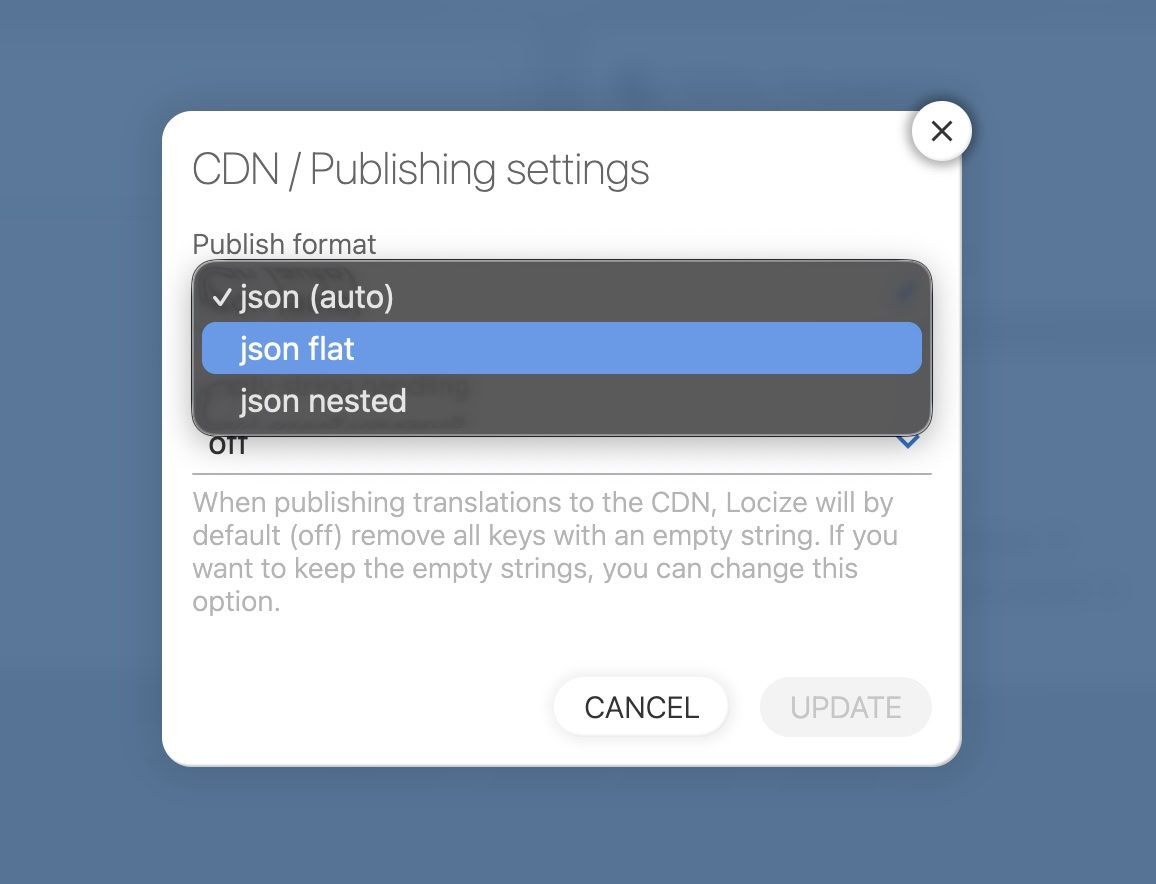
- If you always want flat output, you can set this in your project’s settings
How to Change the Publish Format
You can manually select the publish format (flat or nested) in your project settings: