Microsoft Teams
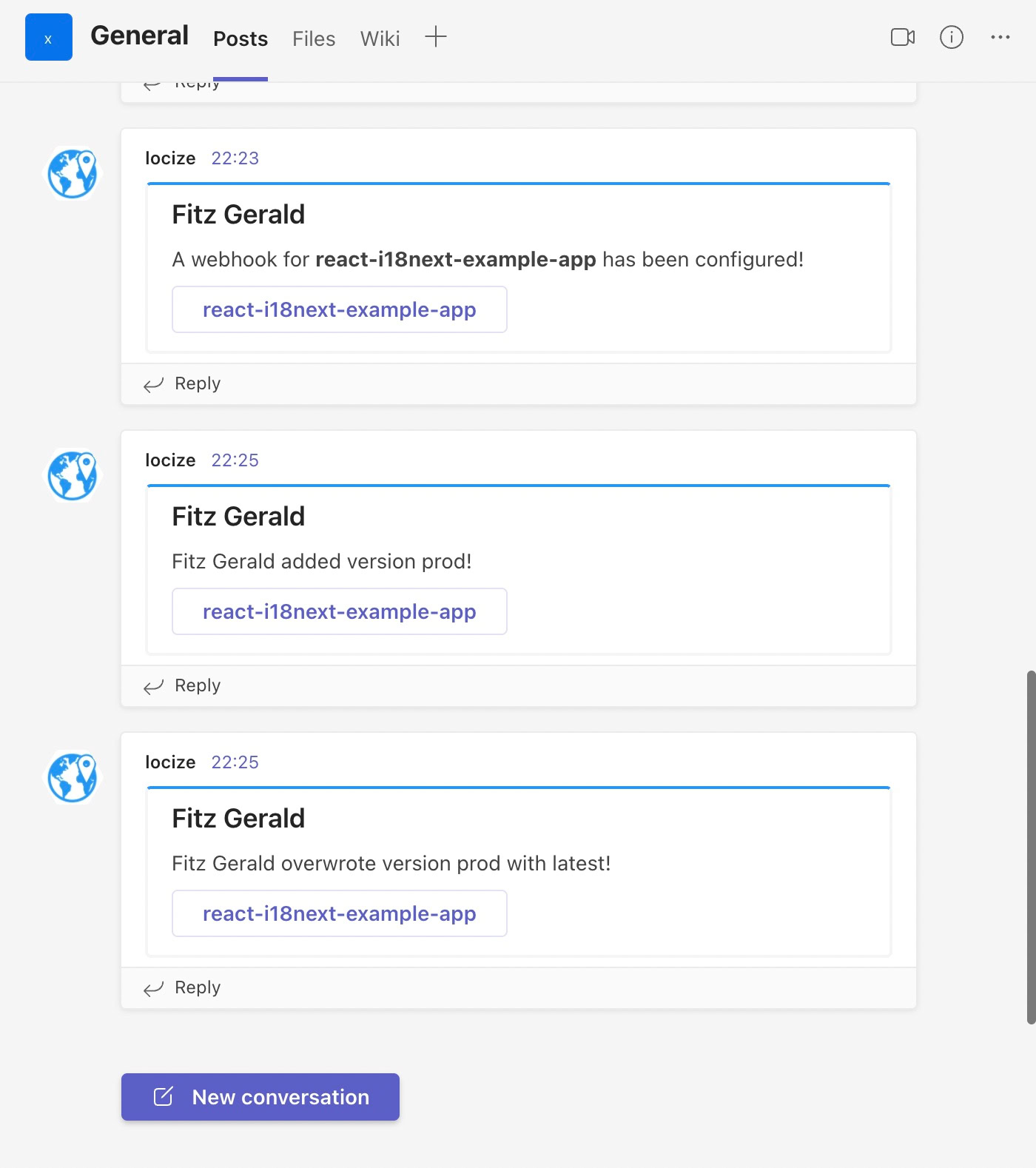
Receive real-time notifications from Locize directly in your Microsoft Teams channel. This helps your team stay informed and react quickly to important localization events.
What Events Are Notified?
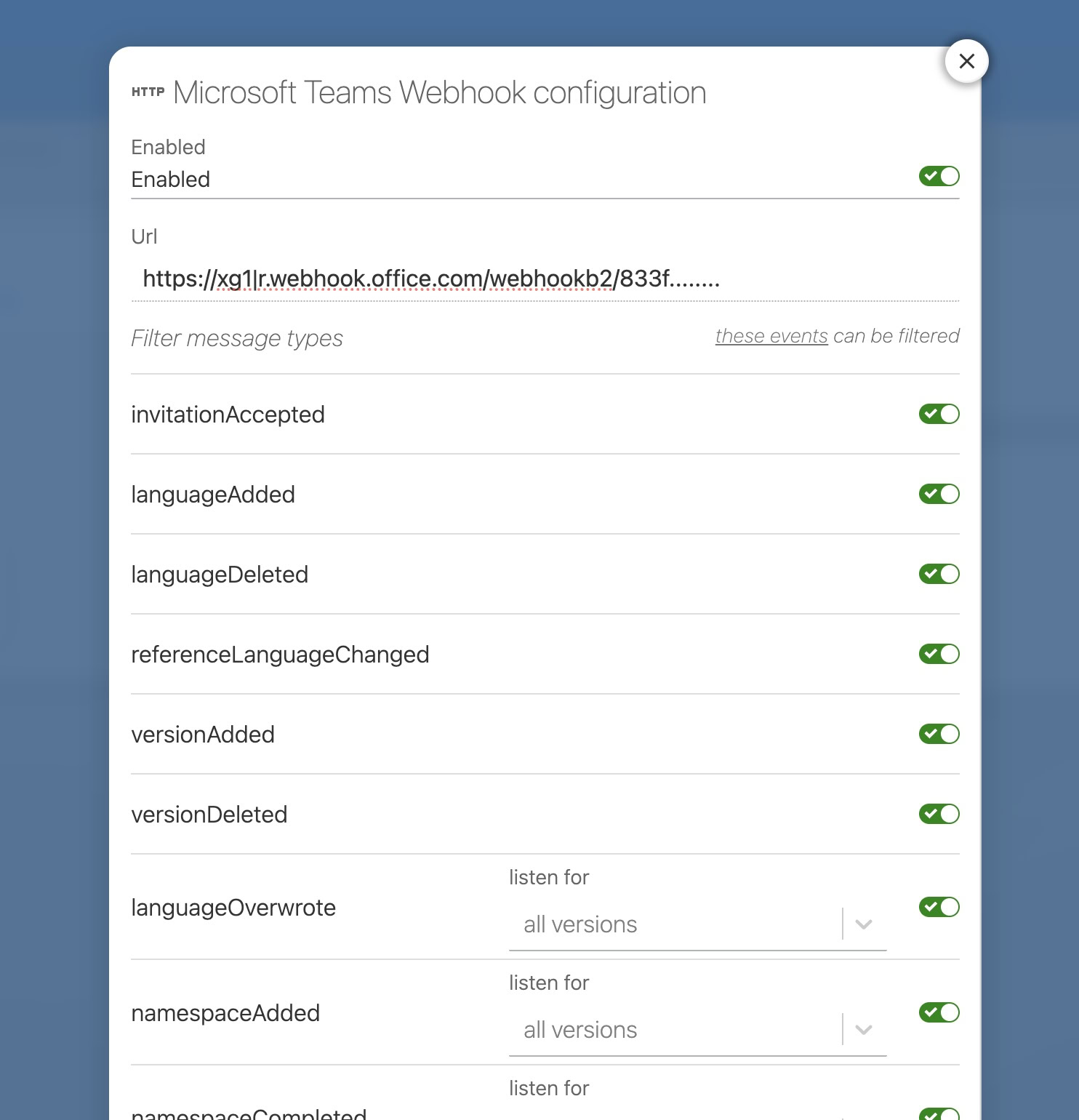
All events listed in the Webhook Event Types table are supported and will trigger Microsoft Teams notifications.
How to Enable Microsoft Teams Notifications
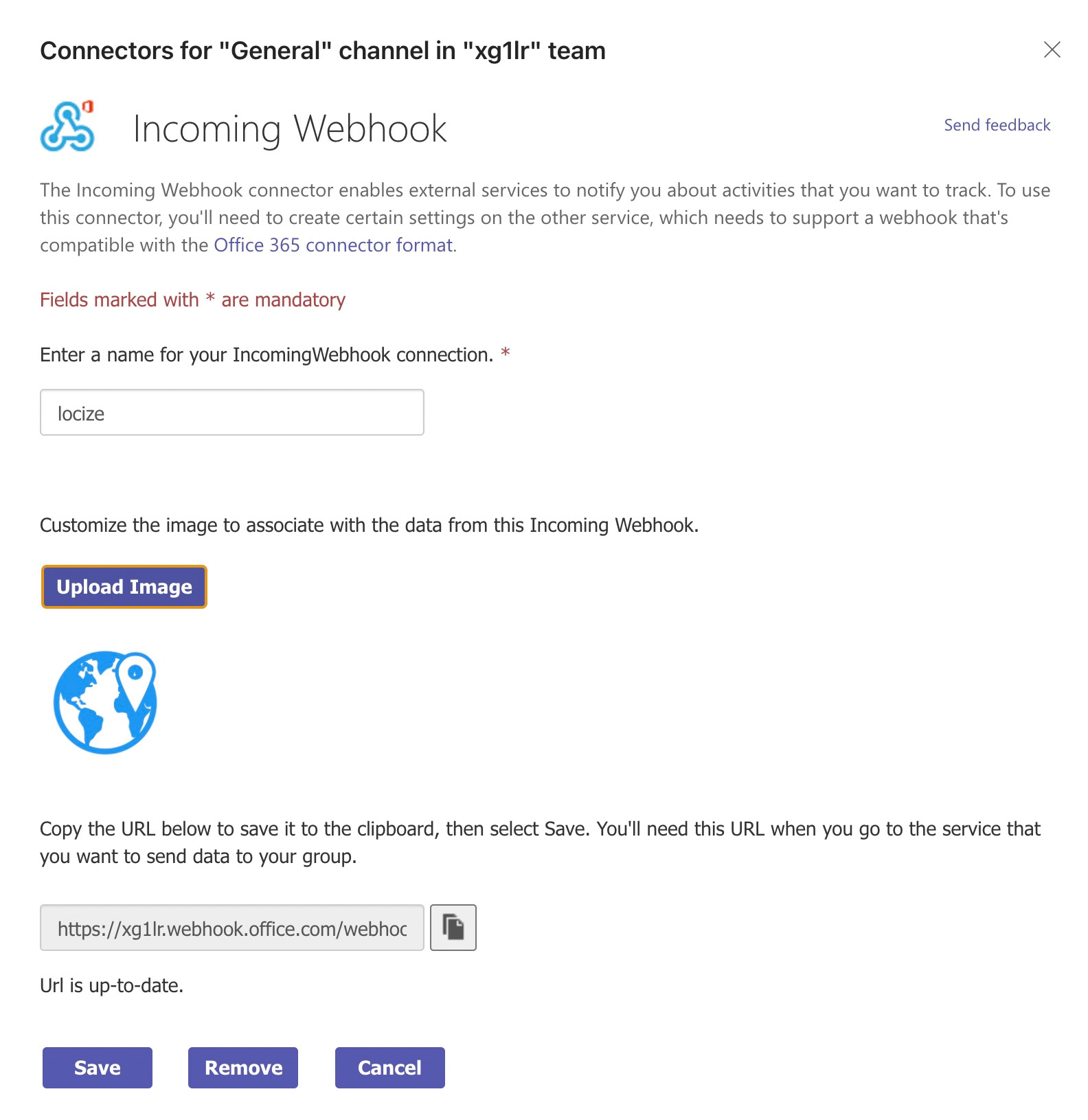
- Create an Incoming Webhook in Teams:
Follow this official Microsoft guide to add an Incoming Webhook to your desired Teams channel.
- Configure the Webhook:
- Enter a name for your webhook connection (e.g., "Locize").
- Optionally upload an image. For example, use this Locize icon logo.

- Copy the Webhook URL:
- After creating the webhook, copy the generated URL.
- Add the Webhook URL to Locize:
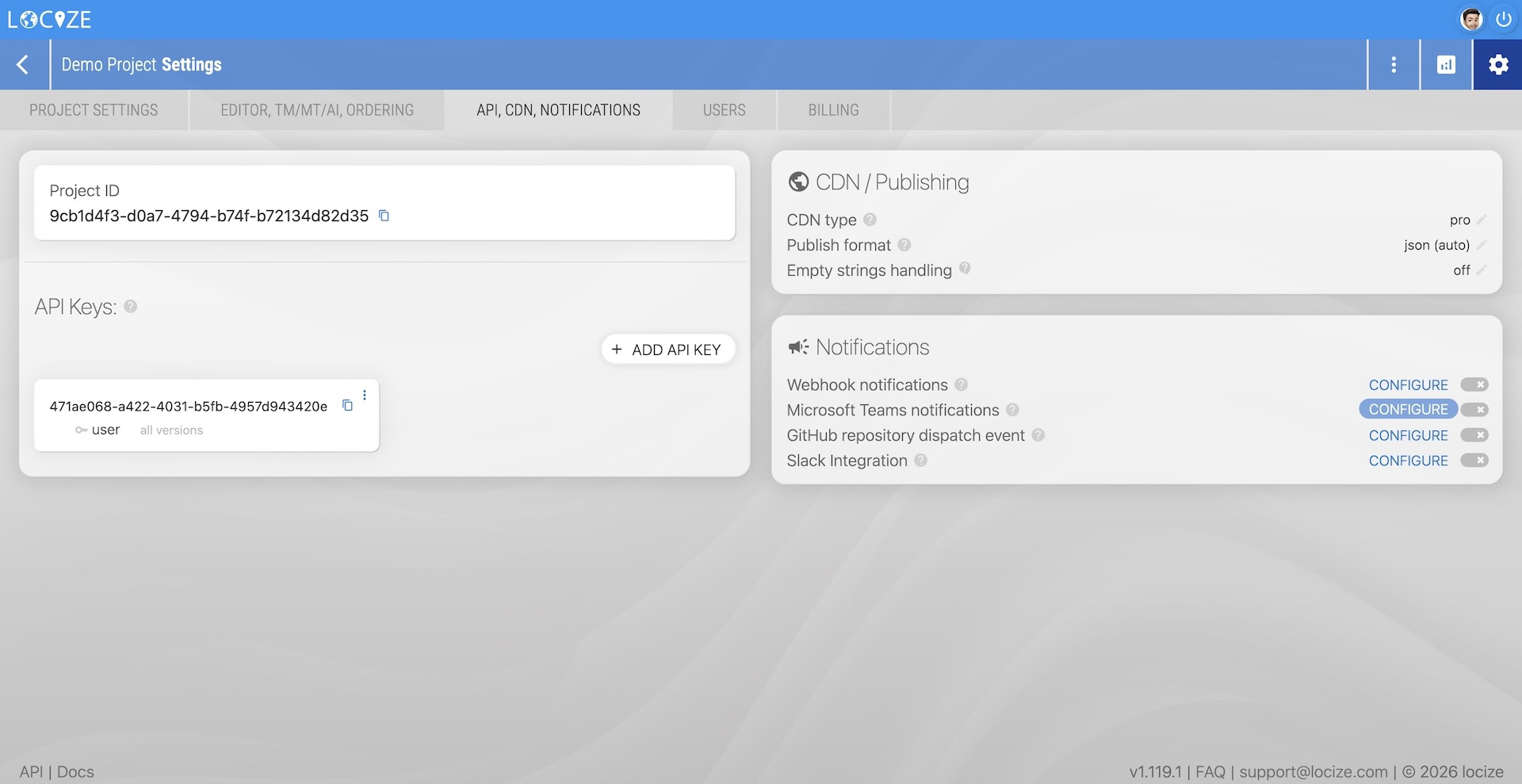
- Go to your project's settings page in Locize ("API, CDN, NOTIFICATIONS" tab).
- Paste the webhook URL into the Microsoft Teams notifications configuration.