
GitHub Repository Dispatch Event
Integrate Locize with GitHub Actions or GitHub Apps by triggering workflows using the repository_dispatch endpoint. This allows you to automate tasks (like deployments or notifications) whenever a Locize event occurs in your project.
How It Works
- Locize sends a custom event to your GitHub repository via the
repository_dispatchendpoint. - You can trigger GitHub Actions workflows or GitHub App webhooks based on these events.
- The event payload is available in your workflow as
github.event.client_payload.
Setup Steps
- Configure Locize to send repository dispatch events to your GitHub repo.
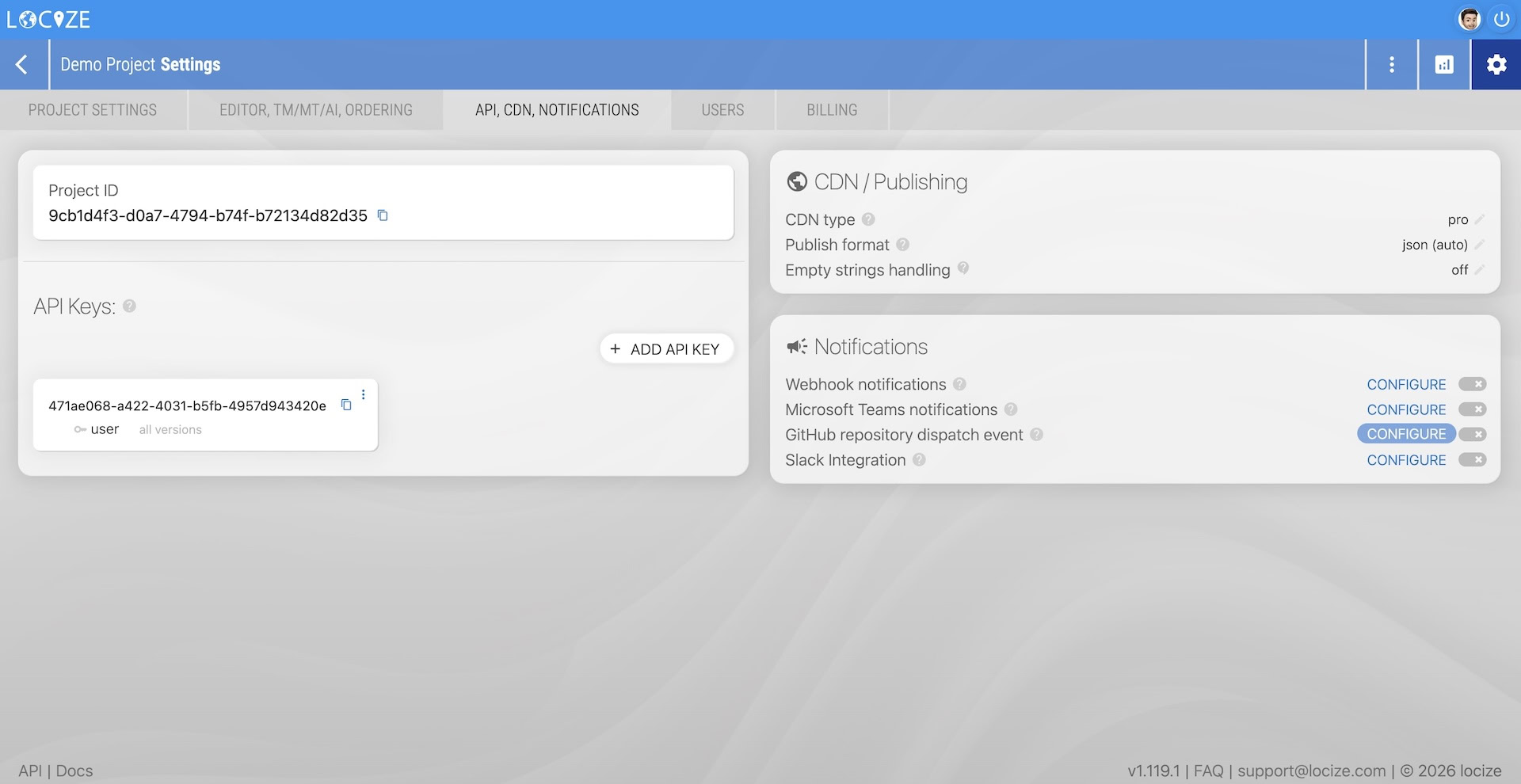
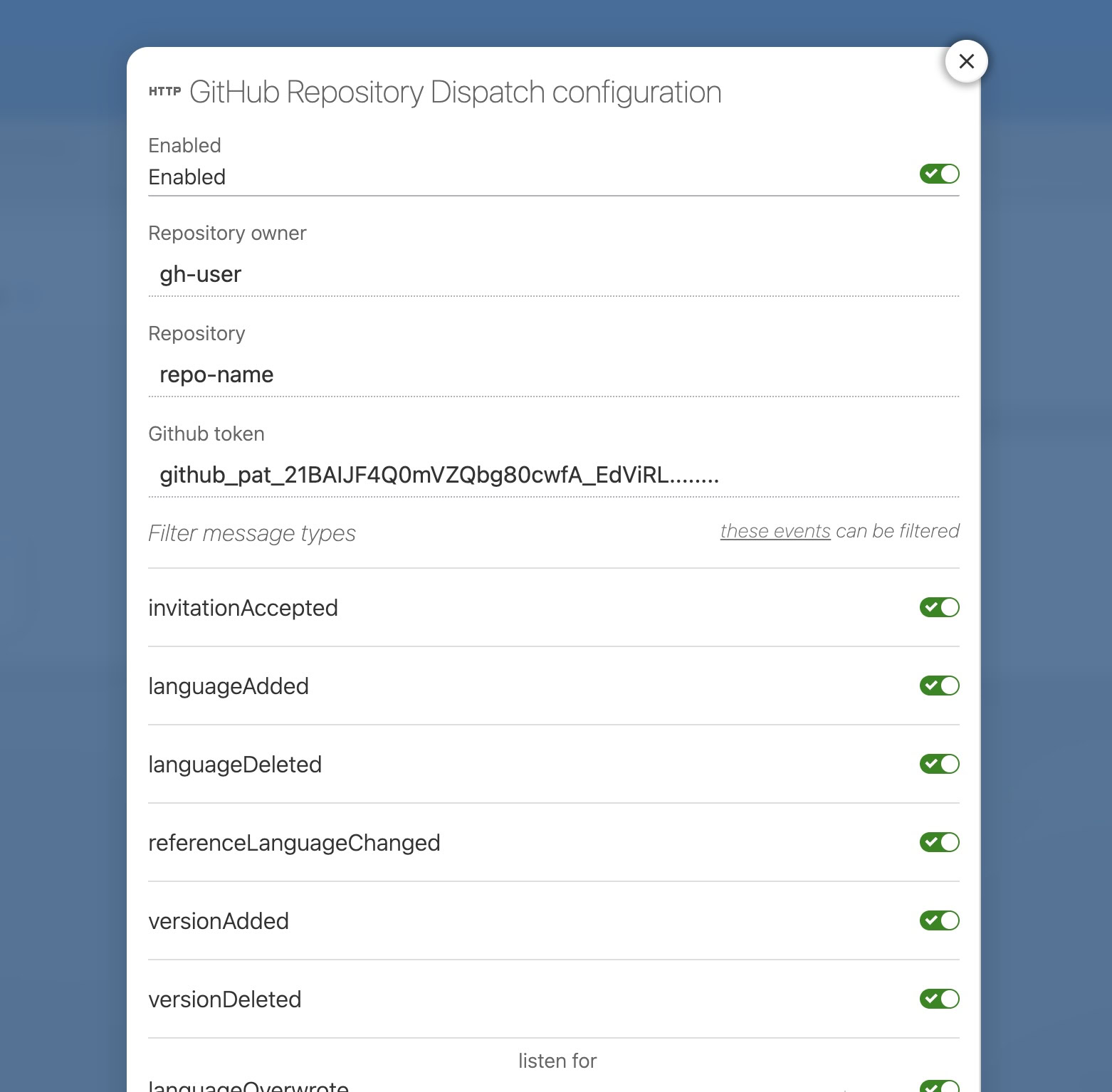
- Create or update your GitHub Actions workflow to listen for specific Locize events.
- By default, all events except
namespaceUpdatedwill trigger workflows. - To filter for a specific event (e.g.,
versionPublished), use the following workflow configuration:
- By default, all events except
on:
  repository_dispatch:
types: [locize/versionPublished]- Access the event payload in your workflow:
- The data sent via the
client_payloadparameter is available asgithub.event.client_payload. - Example for
versionPublished:
- The data sent via the
on:
  push:
    branches: [main]
  repository_dispatch:
    types: [locize/versionPublished]
jobs:
  test1:
    name: Test1 (conditional run)
    runs-on: ubuntu-latest
    steps:
      - uses: actions/checkout@v1
      - run: 'echo "field: ${{ github.event.client_payload.payload.version }}"'
      - run: 'echo "payload: ${{ toJson(github.event.client_payload) }}"'
      - run: echo baz
        if: github.event.client_payload.payload.version == 'production'
  test2:
    name: Test2 (conditional step)
    if: github.event.client_payload.payload.version == 'production'
    runs-on: ubuntu-latest
    steps:
      - uses: actions/checkout@v1
      - run: 'echo "field: ${{ github.event.client_payload.payload.version }}"'
- run: 'echo "payload: ${{ toJson(github.event.client_payload) }}"'- The object passed via
github.event.client_payloadmatches the event structure described here. - You can add conditional logic to your workflow to check for specific event data (e.g., only run jobs for a certain version).
Authentication & Permissions
The GitHub token used for this integration requires write access to the repository. You can provide either:
- A personal access token with
reposcope (GitHub Help: Creating a personal access token). - A GitHub App with both
metadata:readandcontents:read&writepermissions.
Tip: For more details on event types and payloads, see the Locize webhook documentation.