
Keeping track of new translations
You have to define as a team how your localization process should look like. Define a workflow that suits you best.
Some general stuff
Untranslated
Generally, untranslated segments can be seen with the “untranslated” filter:
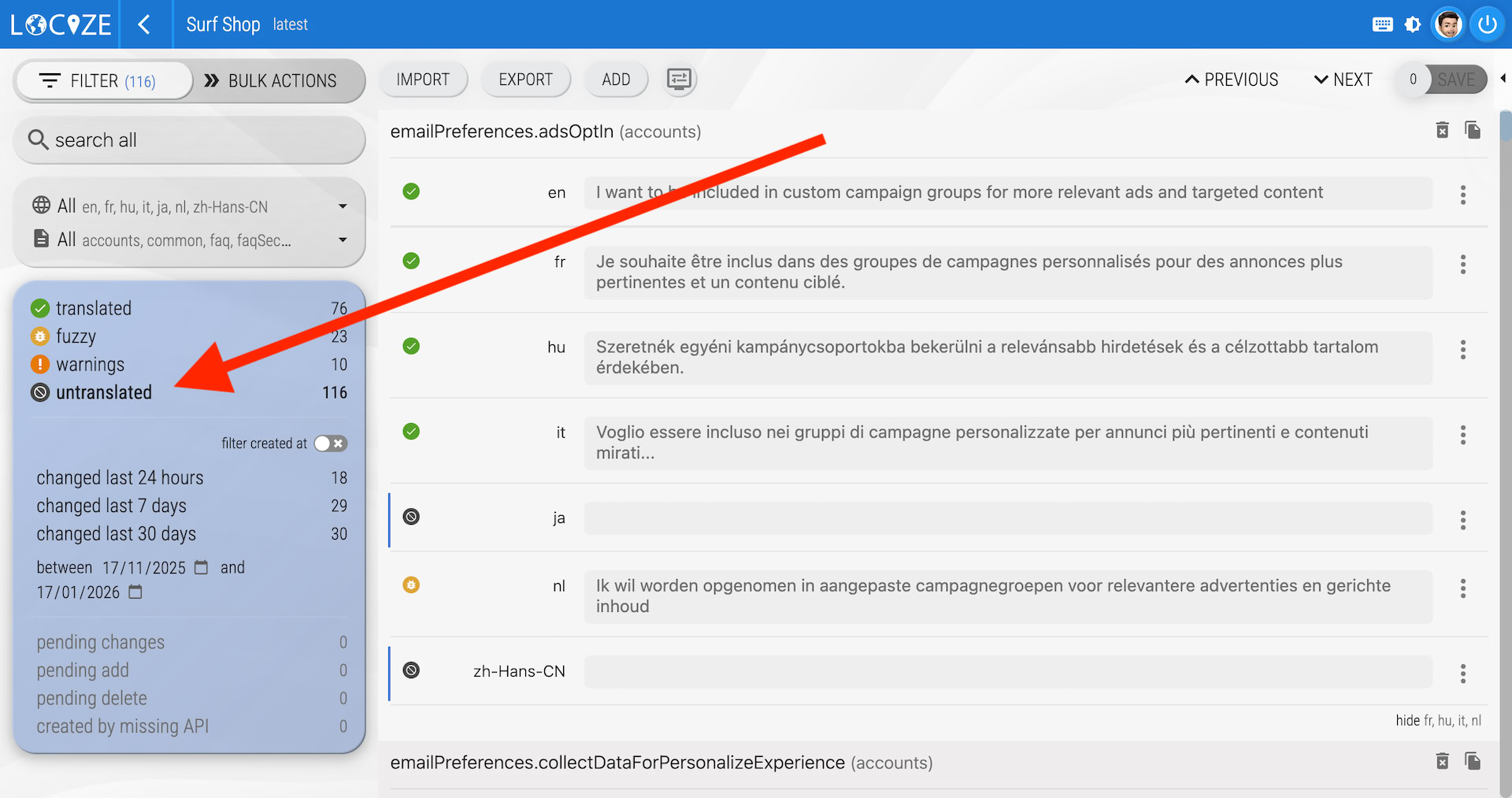
Best is, to filter for the appropriate language and then click **untranslated **in the filter.
The filter is available in CAT view / Translation Editor.
Last changed
Another interesting filter is the last changed filter:
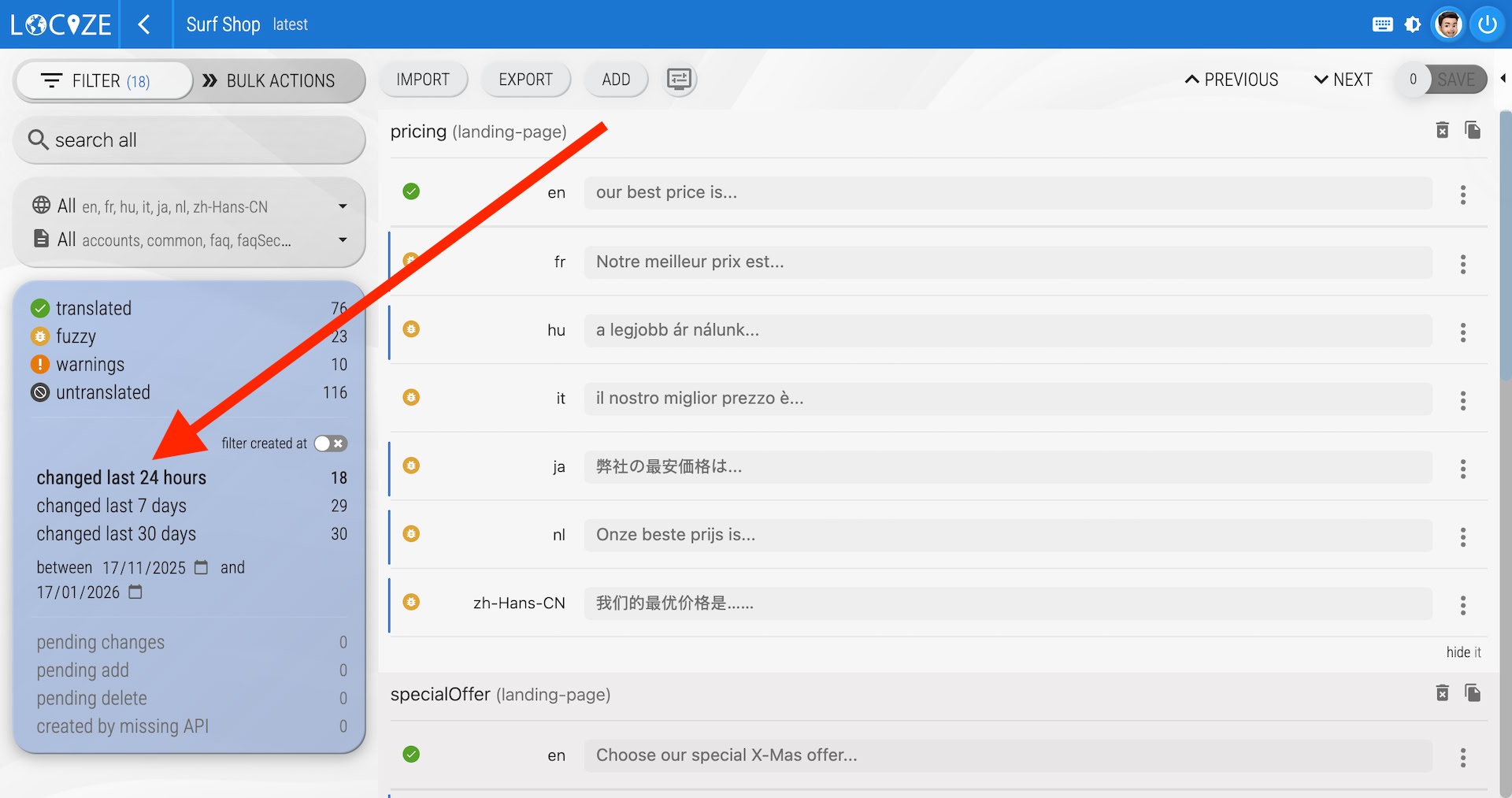
Here you can filter for segments changed in the last couple of days. Best is, to filter for the reference language and then click **changed last x days **in the filter. This way you'll see which changes has been done in that period.
The filter is available in CAT view / Translation Editor.
The filter groups are combined with an and conditions. For example having the translated filter in combination with the changed last x days filter.
More comfortable with warning issue 302
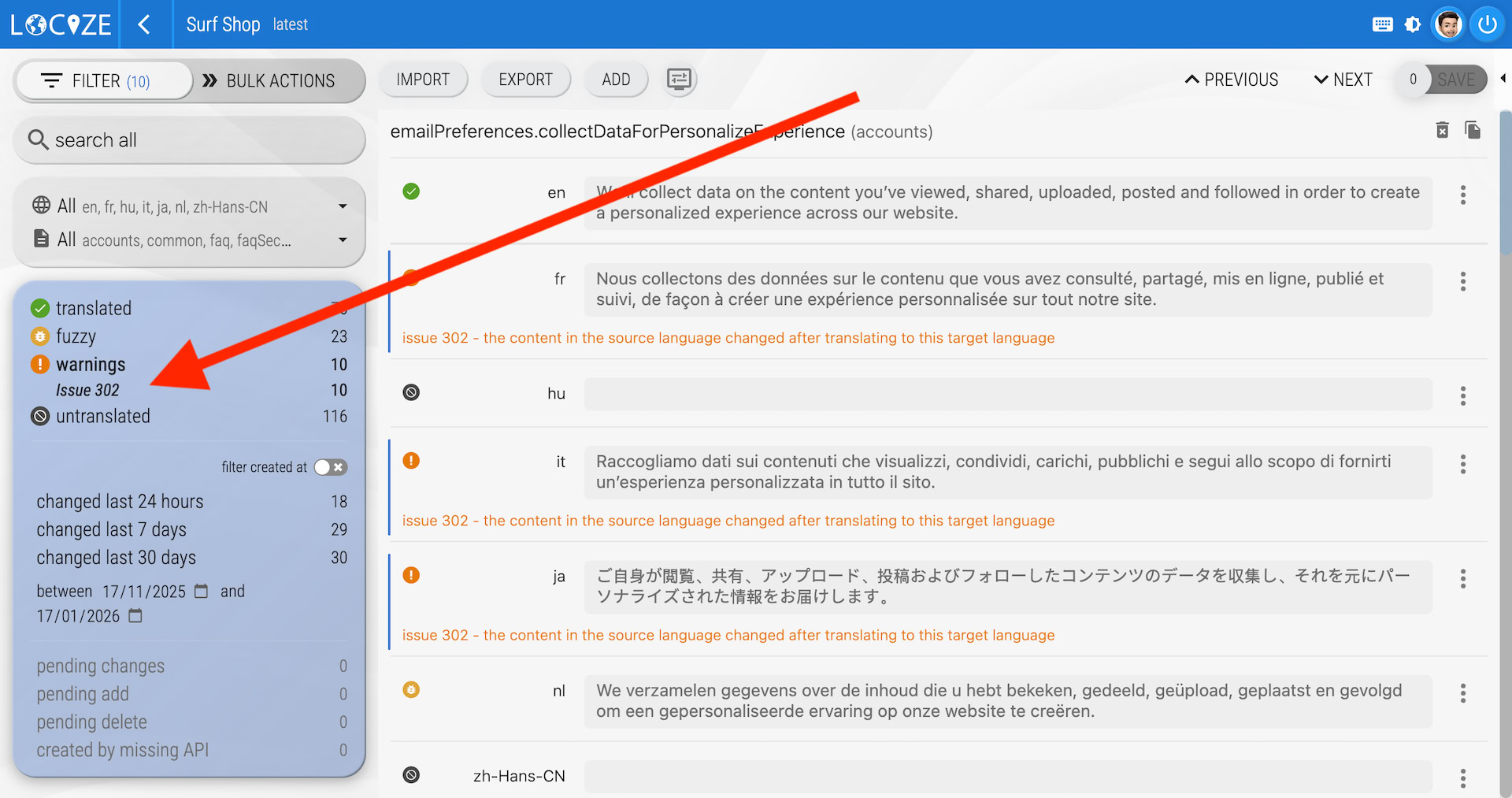
Even better is to filter for warnings (mainly because of issue 302), this issue says that the reference language has been changed, but the target language has not:
Additional stuff
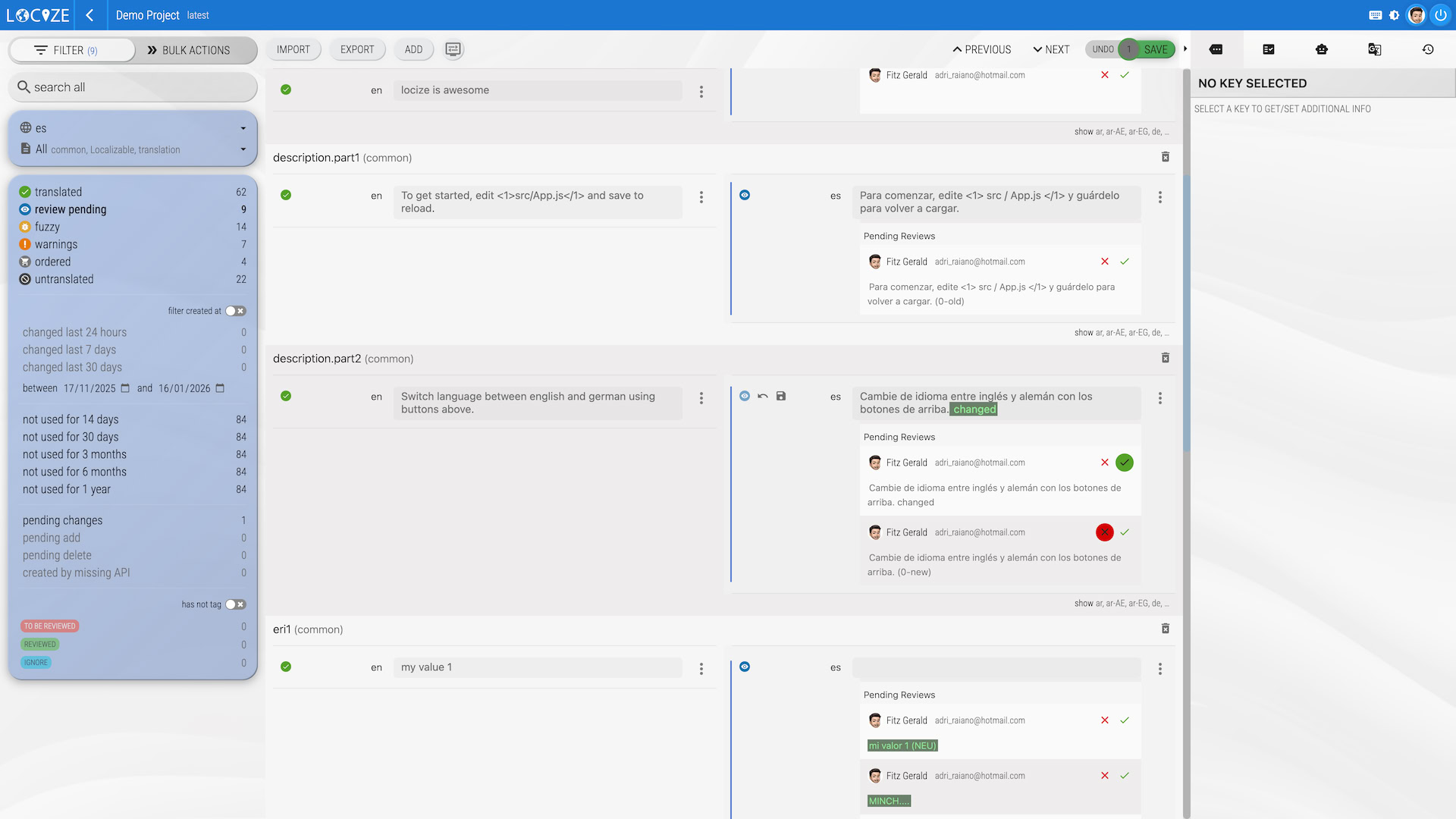
Translations marked as needing review
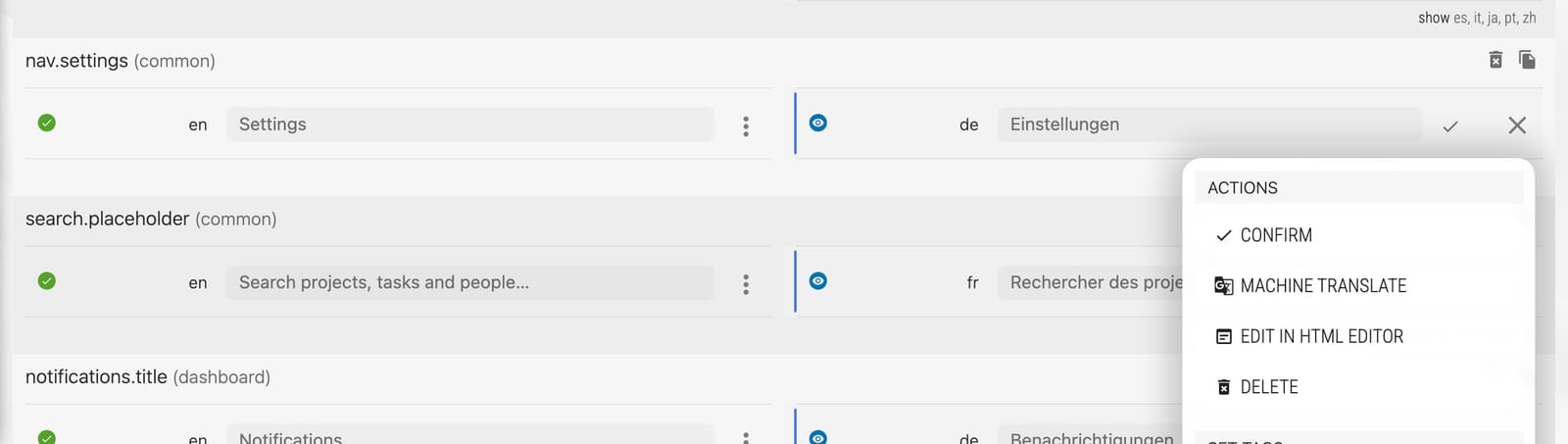
Machine and AI translations carry a needs review mark, and so do translations whose source text changed after they were written; a mark can also be set by hand. Filtering by needs review is an easy starting point to check them:
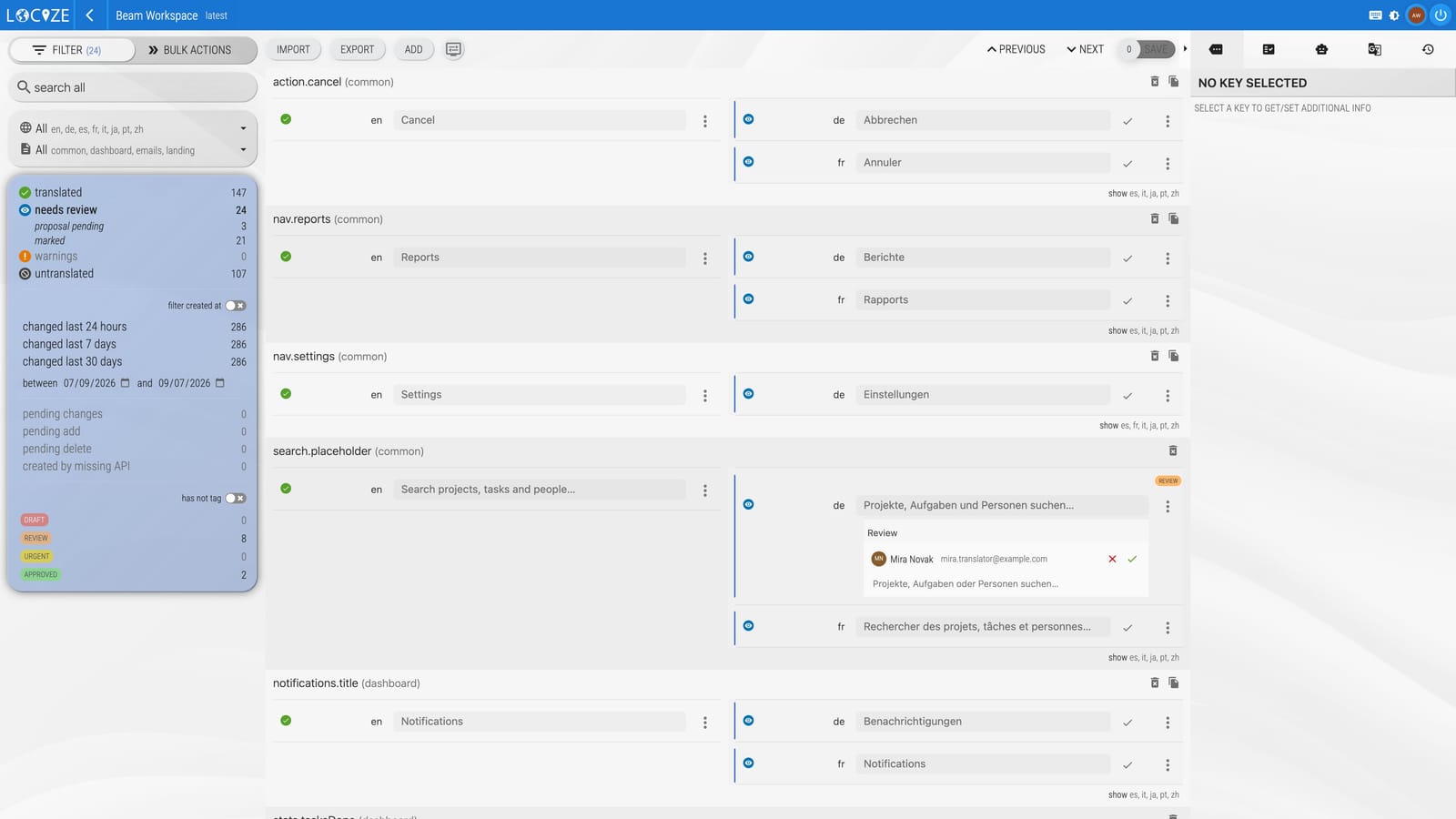
The mark disappears as soon as someone saves a new text for the segment, or when a reviewer confirms it with the check mark at the end of the row:
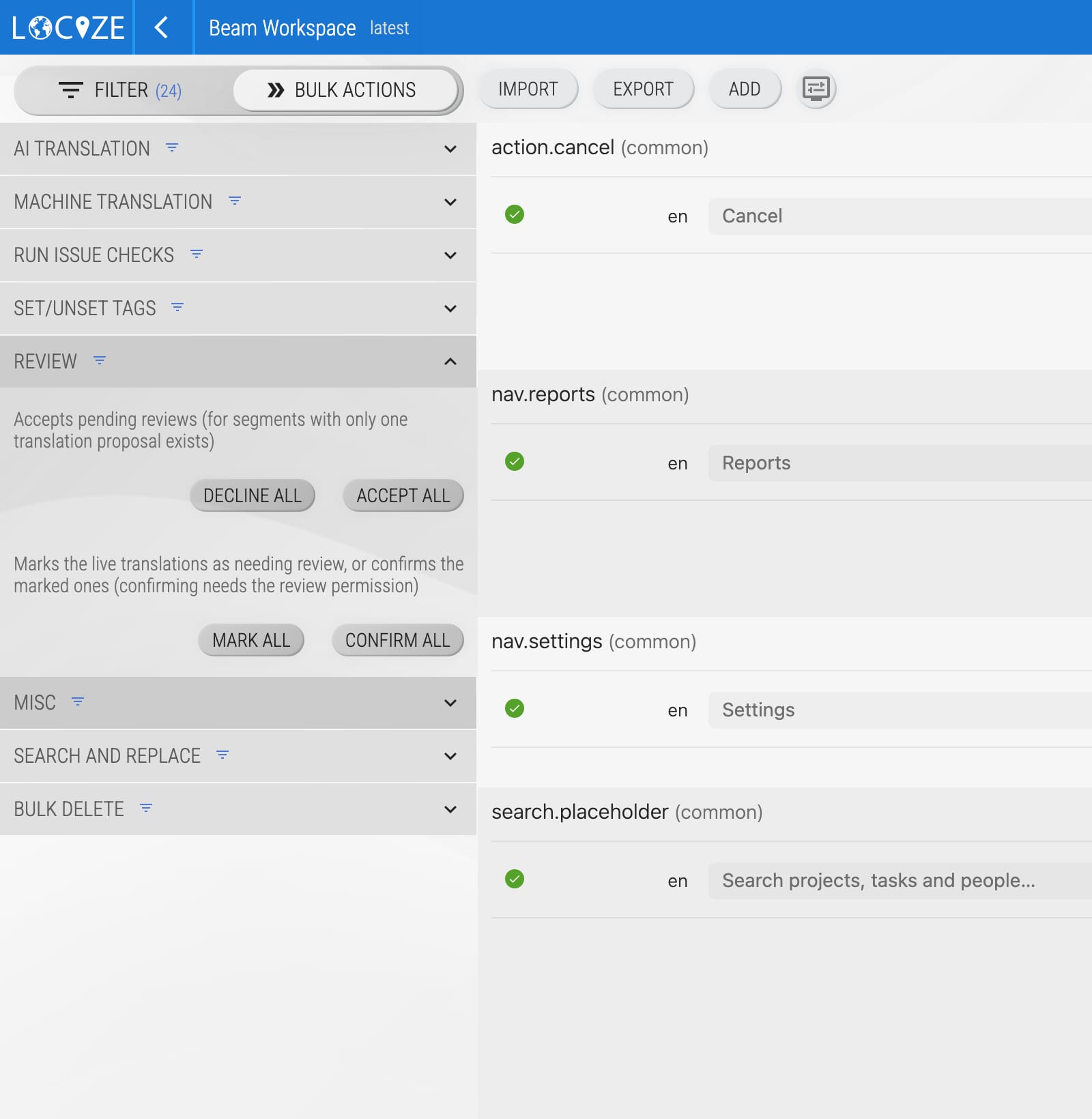
Or via bulk actions (confirm all):
Which machine translations get the mark, and how the mark travels through the API, the CLI and gettext files, is described on the review page.
Tags
Using the tags feature can be a good way to design your custom translation workflow.
A minimalistic example:
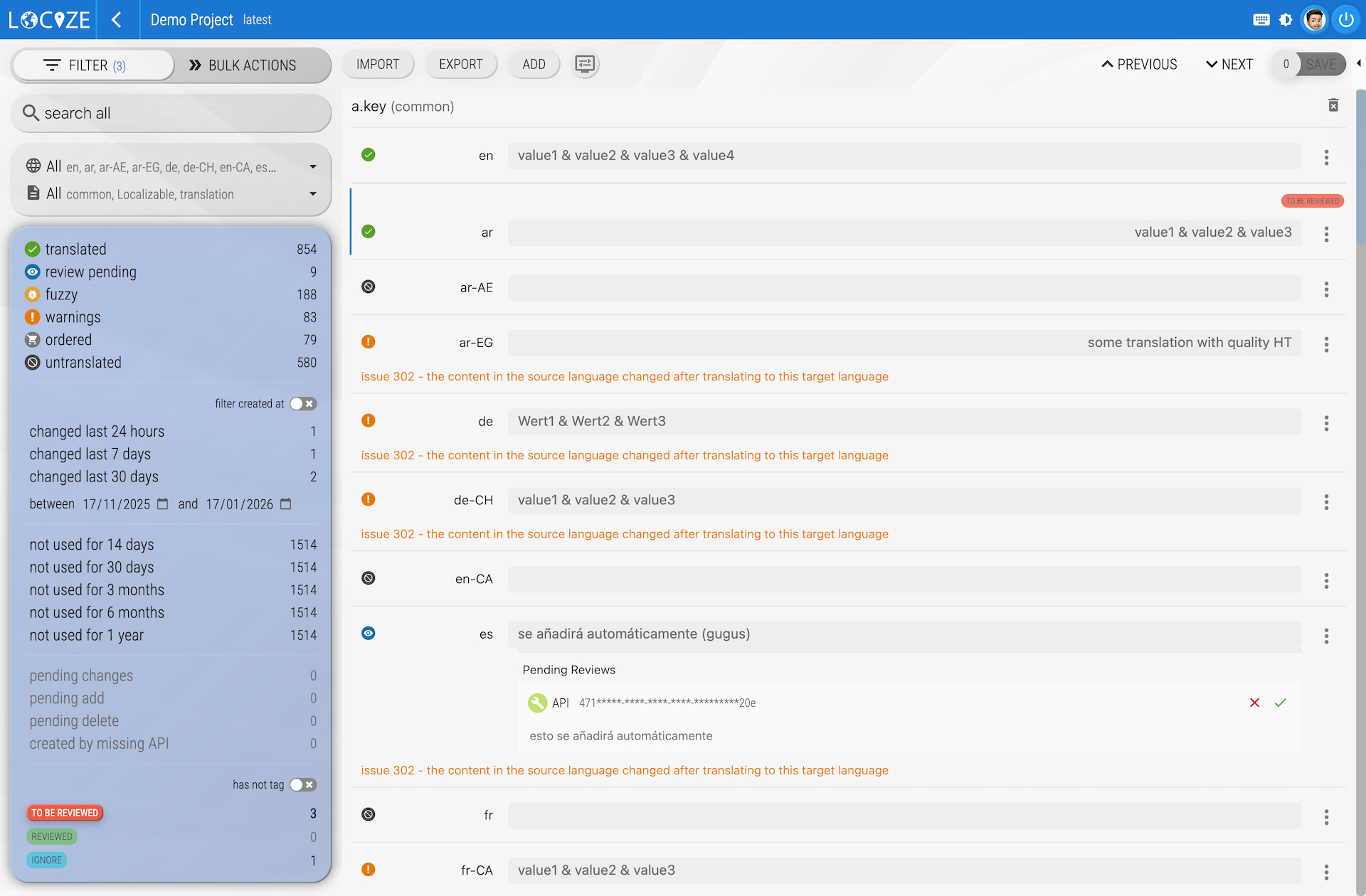
Having a tag with the name TO BE REVIEWED every segment that should be reviewed can be tagged. i.e. when creating new segments, you can tag the segments in the target languages with the TO BE REVIEWED tag. This way a translator for a specific language can filter for its language and the TO BE REVIEWED tag. As soon as the segment is "translated or reviewed" the tag can be removed from that segment:
Another minimalistic example:
Having a tag with the name REVIEWED every segment that has been reviewed receives that tag.This way a translator for a specific language can filter for its language and the inverse REVIEWED tag:
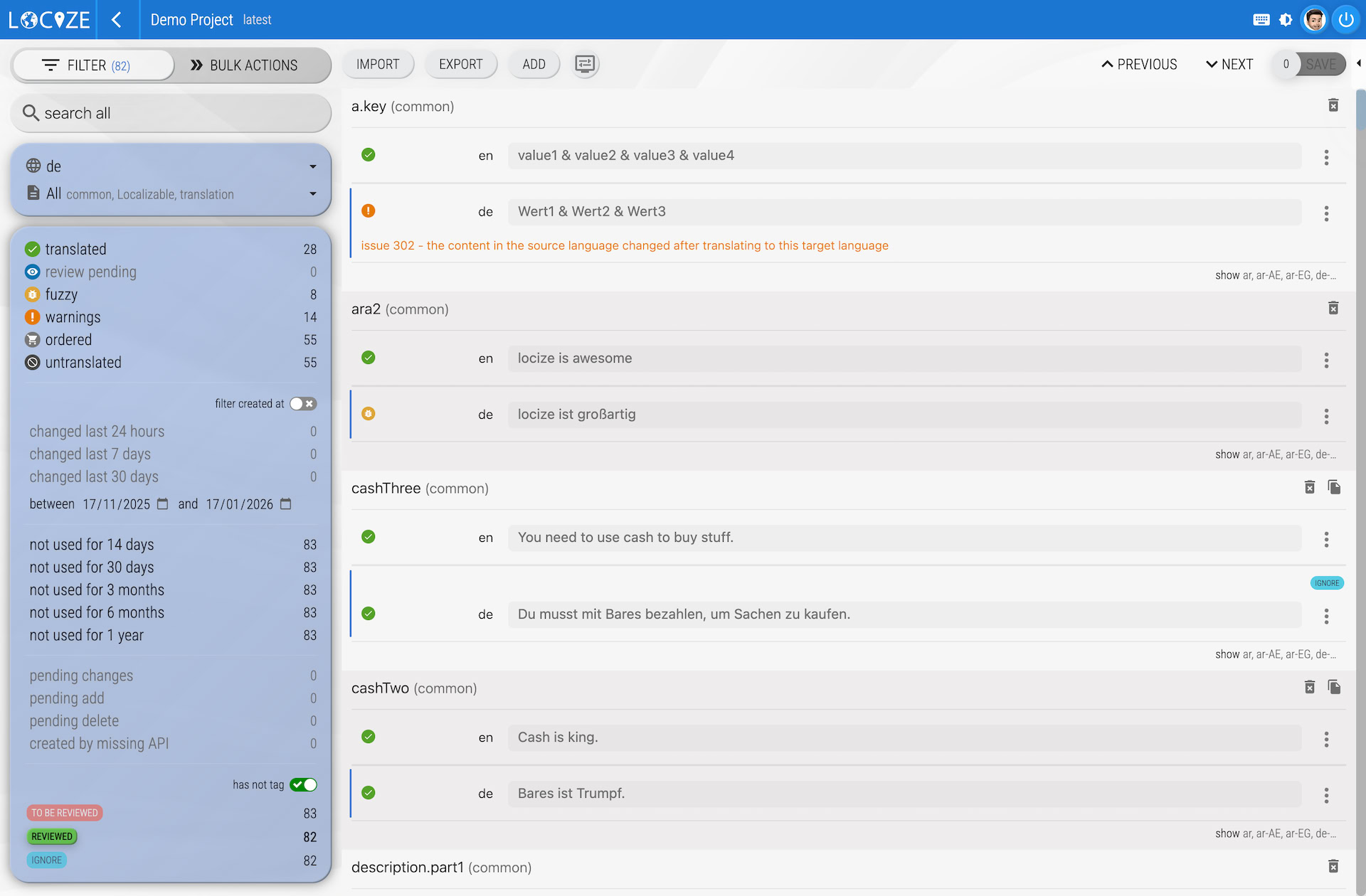
Make sure you toggle the has tag checkbox, first:
Review queue
For more complicated “verifications” there is also the review queue: proposals held for a decision per language, and live values marked as needing review.
Branched projects
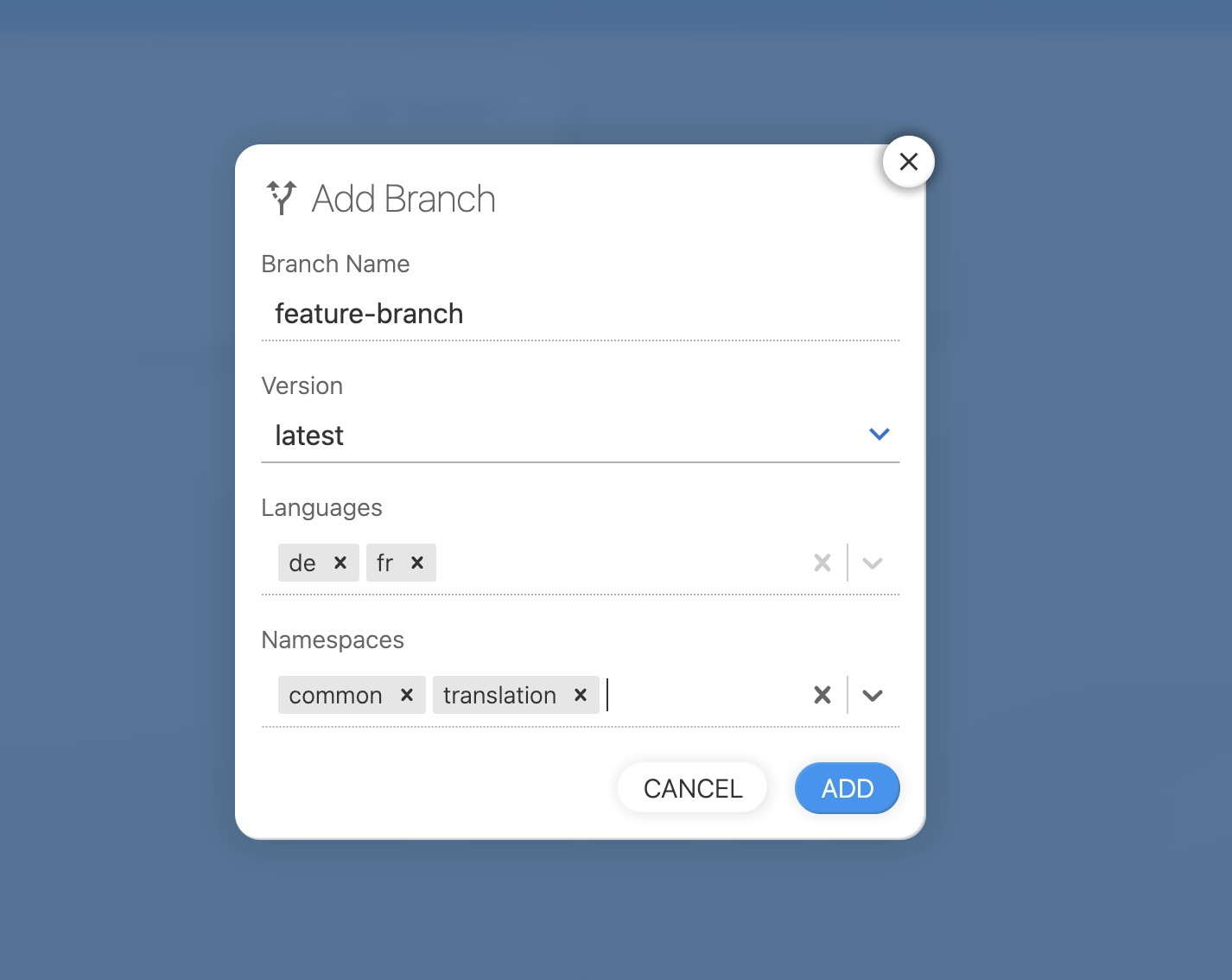
There is also the option of a completely separate localization process. If new translations need to be “done”, a kind of internal “order” can be made with the help of the branched projects.
Use an order service
You can use one of the integrated services to order the translations from a third party. Just go to your order settings and enable the service you like to use by providing the needed data.
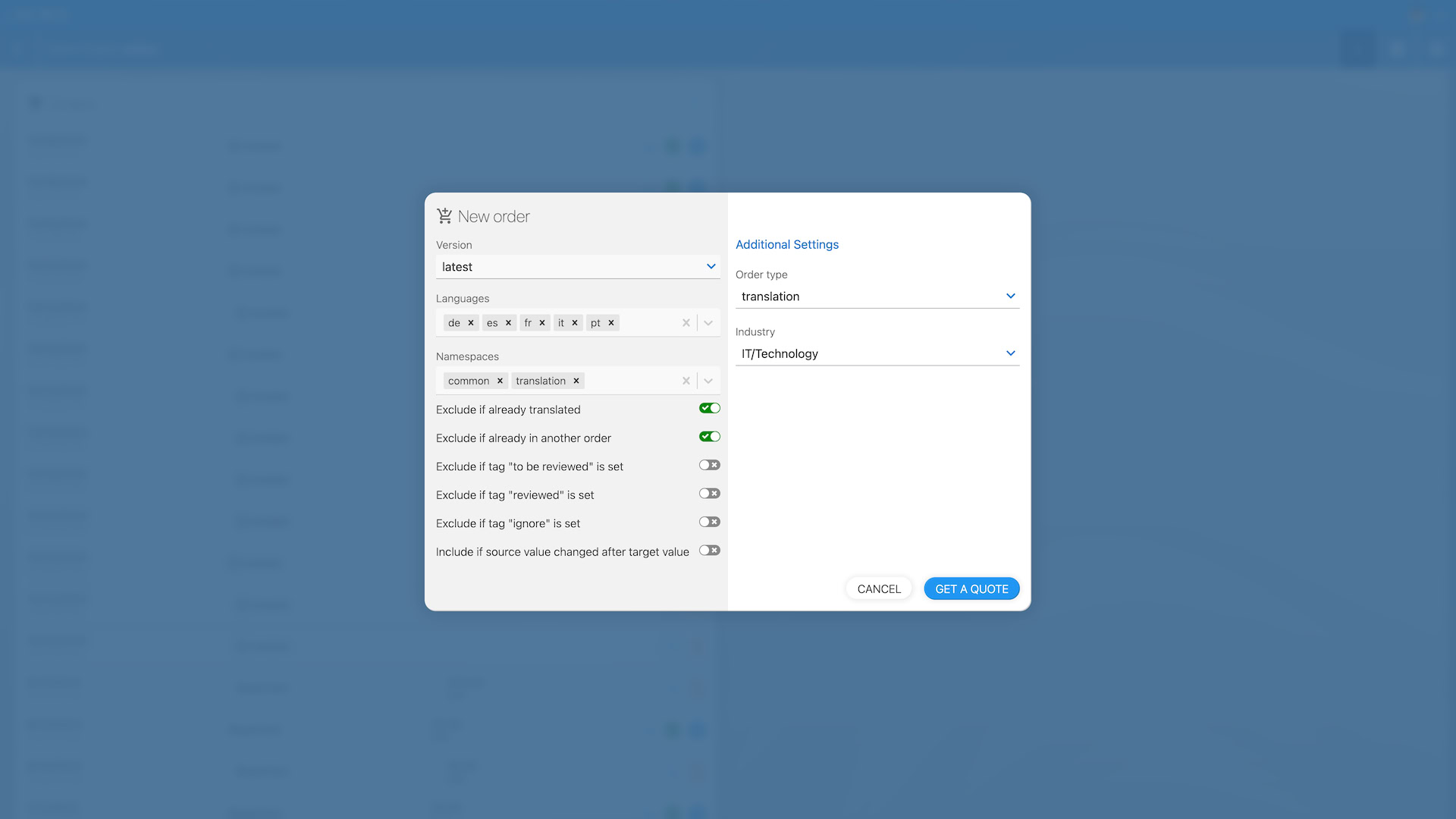
The order dialog does the keeping-track for you: by default it orders only untranslated segments, skips segments that are already in another order, and with Include if source value changed after target value it also picks up the segments flagged by issue 302. See Ordering translations for the details and a workflow for continuous localization.
Fancy stuff
Slack notifications
You can use the slack integration to inform the translators. Each time a namespace is not completely translated anymore a slack notification is generated.

Webhook
You can use the webhook integration to POST to some API. Each time a namespace is not completely translated anymore a webhook event is sent to the configured API.