
Find unused translations
Keeping your translation files clean and up to date is essential for efficient localization. Locize provides tools and workflows to help you identify and safely remove unused translation keys, reducing clutter and maintenance overhead.
1. Why Find Unused Keys?
- Improve translation quality and consistency
- Reduce file size and complexity
- Make it easier for translators and developers to focus on relevant content
2. Track Usage with a Script
You can use the locize-lastused script to automatically update the "last used" timestamps on your reference (source) language keys.
Best Practice:
- Use this script only during development or in staging environments.
- Avoid running it in production, as it generates additional HTTP requests and workload. See going to production guidelines.
3. Track Usage via the API
Alternatively, you can update the "last used" date using the Locize API. Both the script and API approaches allow you to filter by "not used for xy time" in the Locize UI:
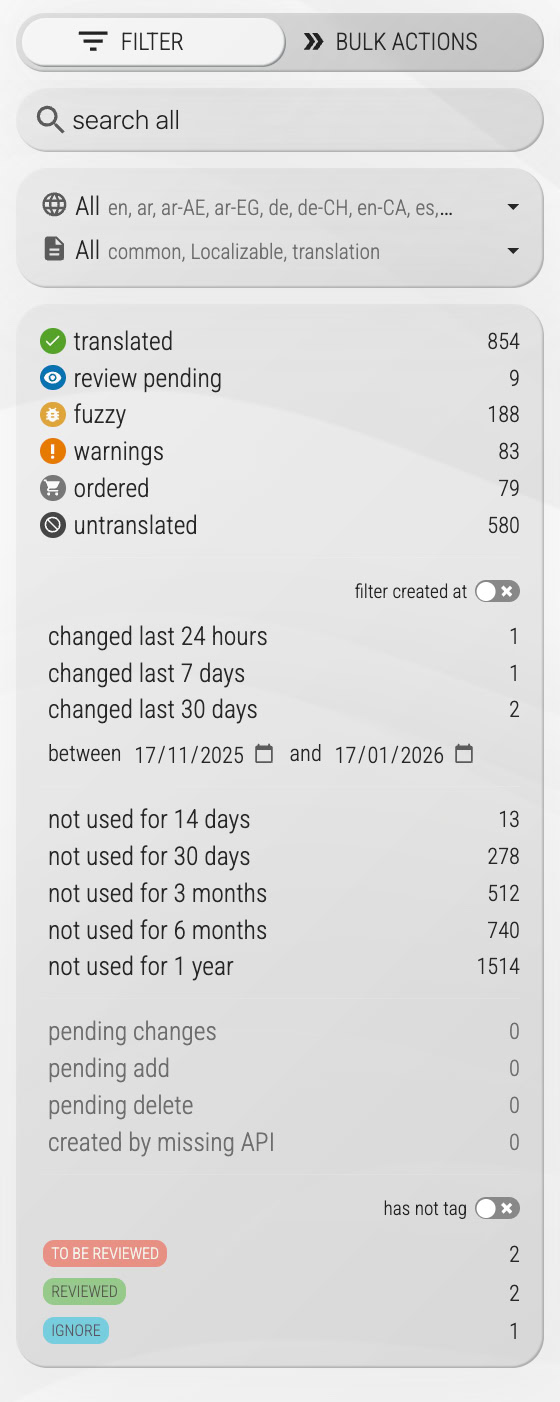
This makes it easy to spot and review keys that haven’t been used recently.
4. Review and Clean Up
Depending on your workflow, it’s generally safe to remove translation keys that haven’t been used in several months. Always review before deleting to avoid accidental data loss.
In the Translation Editor, keys that were reported as used before but not within the last year are also flagged as Issue 303 (not used for a long time) when you run the issue checks, so they surface alongside your other checks. Keys that were never reported are treated as unknown rather than unused.
See this video section for a demonstration of the process.
Last used keys are also featured in our showcase/demo.
Next Steps
- Regularly check for unused keys in your Locize project.
- Automate usage tracking in your development workflow.
- Consult the API documentation for advanced integration.
For more tips, see our best practices guides.