
Review Workflow
A review workflow is essential for maintaining translation quality and ensuring that all changes are properly vetted before being published. Locize allows you to set up a review process so that translations are only updated after approval, helping teams collaborate efficiently and avoid mistakes.
Enabling the review workflow
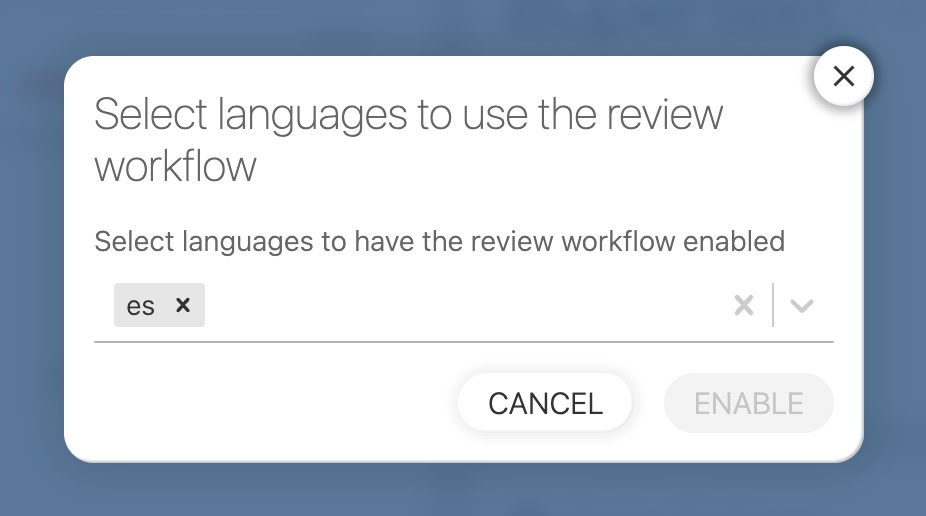
You can enable review workflows for specific languages by navigating to your project settings page, in the "EDITOR, TM/MT/AI, ORDERING" tab and clicking the "Review Workflow" section in the "Cat settings" card.
How the review workflow works
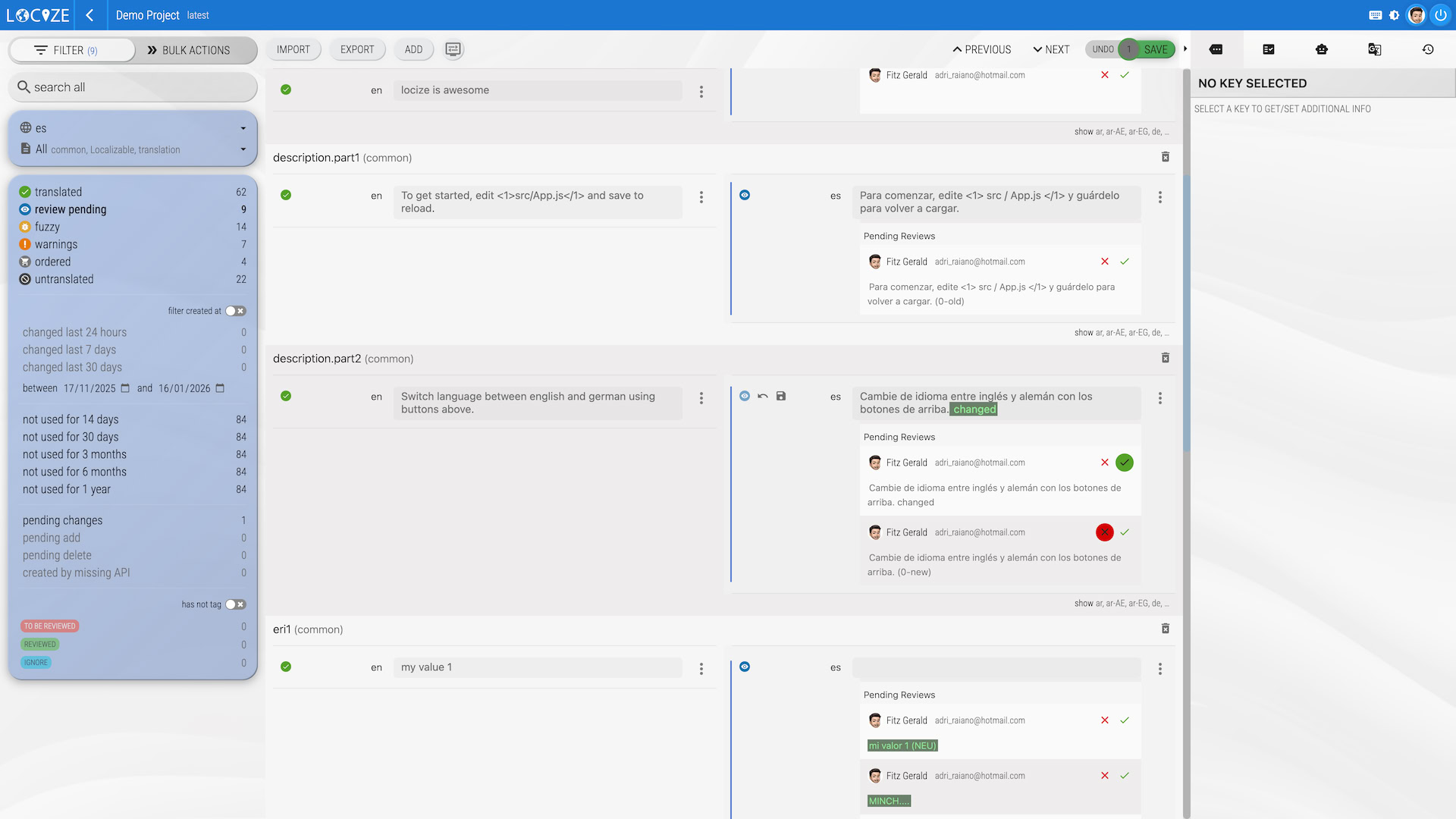
Once enabled, every time someone changes a translation via the Locize UI, a review workflow is started. The actual value will not be changed until someone accepts one of the translation proposals. This ensures that only reviewed and approved translations go live.
Starting a review via API
You can also start a review workflow programmatically using the API. See the Update or remove translations endpoint for details on how to trigger a review from your integration or automation.
Use ?review=true on the update endpoint to create a review proposal instead of a direct write:
curl -X POST -H "Content-Type: application/json" \
  -H "Authorization: Bearer <API_KEY>" \
  -d '{"key": "translated value"}' \
  https://api.locize.app/update/<projectId>/<version>/<lng>/<ns>?review=true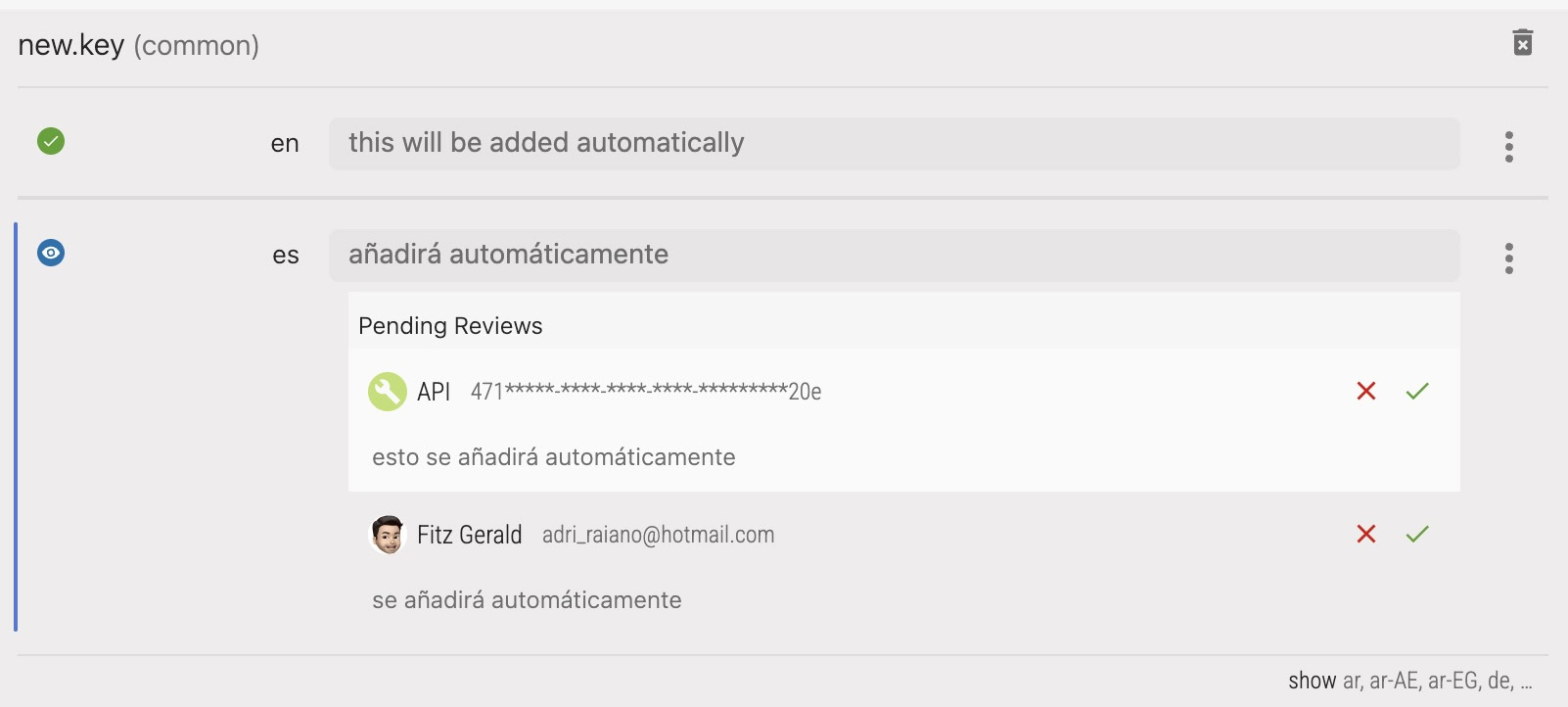
Review workflow for automatic translations
When you add a new key via the Locize UI and your project has the review workflow enabled for some languages, auto-translations for those languages are automatically routed through review — no extra configuration needed.
When using the CLI, API, or MCP, automatic translations bypass the review workflow by default. You can route them through review by adding autotranslatereview=true to your API call or CLI command. When enabled, auto-translated values for languages with the review workflow active will appear as review proposals instead of being applied directly.
Via CLI
locize sync --auto-translate true --auto-translate-review trueThis will:
- Push your reference language keys directly (no review for the source language)
- Trigger automatic translation for target languages
- Create review proposals for languages with review enabled (instead of direct writes)
- Translations are only published after review approval in the Locize UI
Via API
curl -X POST -H "Content-Type: application/json" \
  -H "Authorization: Bearer <API_KEY>" \
  -d '{"new.key": "default value"}' \
  https://api.locize.app/update/<projectId>/<version>/en/<ns>?autotranslate=true&autotranslatereview=true
Via MCP
The MCP server tools update_translations and report_missing_keys also support the autoTranslateReview parameter.
Note:
autotranslatereview=trueonly affects languages that have the review workflow enabled in project settings. For languages without review enabled, auto-translations are written directly as before.
See the review workflow in action
review workflow part of showcase/demo