
Localizzazione React – Internazionalizzazione con i18next
Superare la barriera linguistica per gli utenti che usano il vostro software è un tema importante. L'inglese non è più la lingua universale di Internet. A marzo 2020, solo il 25,9% degli utenti di Internet era anglofono. È molto probabile che i vostri utenti chiudano il vostro sito se non è localizzato. Senza un sito multilingua rischiate quindi di perdere una grossa fetta di utenti potenziali.
Nell'ecosistema JavaScript esistono moltissimi framework di internazionalizzazione. Qui trovate alcuni dettagli su diversi framework di internazionalizzazione JavaScript. Se volete confrontare la configurazione dei framework affiancati, consultate la nostra guida alla localizzazione JavaScript. In questo articolo useremo il framework i18next per internazionalizzare un'app React. Questa guida passo-passo fa per voi se cercate un modo per creare un'app React internazionalizzata (con o senza Create React App).
Questo articolo è stato originariamente pubblicato nel 2021 e aggiornato il 23 dicembre 2025 per riflettere i cambiamenti nell'ecosistema i18next e React.
Indice
- Prima di tutto: «Perché i18next?»
- Cosa c'è di nuovo (dal 2021)?
- Mettiamoci all'opera…
- 🎉🥳 Complimenti 🎊🎁
Snellite il processo di setup di i18next con questa guida passo-passo. Mettete in funzione il vostro framework di localizzazione in tempi rapidi e assicurate transizioni di lingua fluide ai vostri utenti. Seguite le istruzioni ed evitate complicazioni di setup nel vostro prossimo progetto internazionale.
Prima di tutto: «Perché i18next?»
Quando si parla di localizzazione di React, uno dei framework più popolari è i18next, con la sua estensione React react-i18next, e ci sono buoni motivi:
i18next è nato a fine 2011. È più vecchio della maggior parte delle librerie che usate oggi, inclusa la vostra tecnologia frontend principale (React, Angular, Vue, …).
➡️ sostenibile
Visto da quanto i18next è disponibile come open source, non esiste un caso i18n reale che non possa essere risolto con i18next.
➡️ maturo
i18next può essere usato in qualunque ambiente JavaScript (e in alcuni non-JavaScript: .NET, Elm, iOS, Android, Ruby, …), con qualunque framework UI, qualunque formato i18n, … le possibilità sono infinite.
➡️ estendibile
Con i18next ottenete molte più funzionalità e possibilità rispetto agli altri framework i18n tradizionali.
➡️ ricco
Qui trovate maggiori informazioni su cosa rende speciale i18next e su come funziona.
Cosa c'è di nuovo (dal 2021)?
Nel 2025 i18next ha introdotto una nuova, potente funzionalità: la TypeScript selector API. Porta un accesso type-safe alle vostre traduzioni e abilita un autocompletamento robusto. Maggiori dettagli in How to translate with i18next: typescript e Typesafe i18next with the new typescript selector API.
Nel 2024 i18next ha introdotto un nuovo plugin per integrarsi con le app Express: i18next-http-middleware. Se lavorate con React in un ambiente Express, può essere un'aggiunta utile.
Cercate una gestione professionale delle traduzioni? Date un'occhiata a How to translate with i18next: the CLI per un workflow snello.
Interessati a un workflow di localizzazione continua? Consultate localizzazione continua.
Mettiamoci all'opera (react-i18next)…
Prerequisiti
Assicuratevi di avere Node.js e npm installati. Idealmente avete un po' di esperienza con HTML semplice, JavaScript e le basi di React.js prima di passare a react-i18next, il potente framework i18n per React. Questo esempio di localizzazione con react-i18next non è pensato come tutorial introduttivo a React.
Per iniziare
Prendete un vostro progetto React o createne uno nuovo, ad esempio con create-react-app.
npx create-react-app my-app
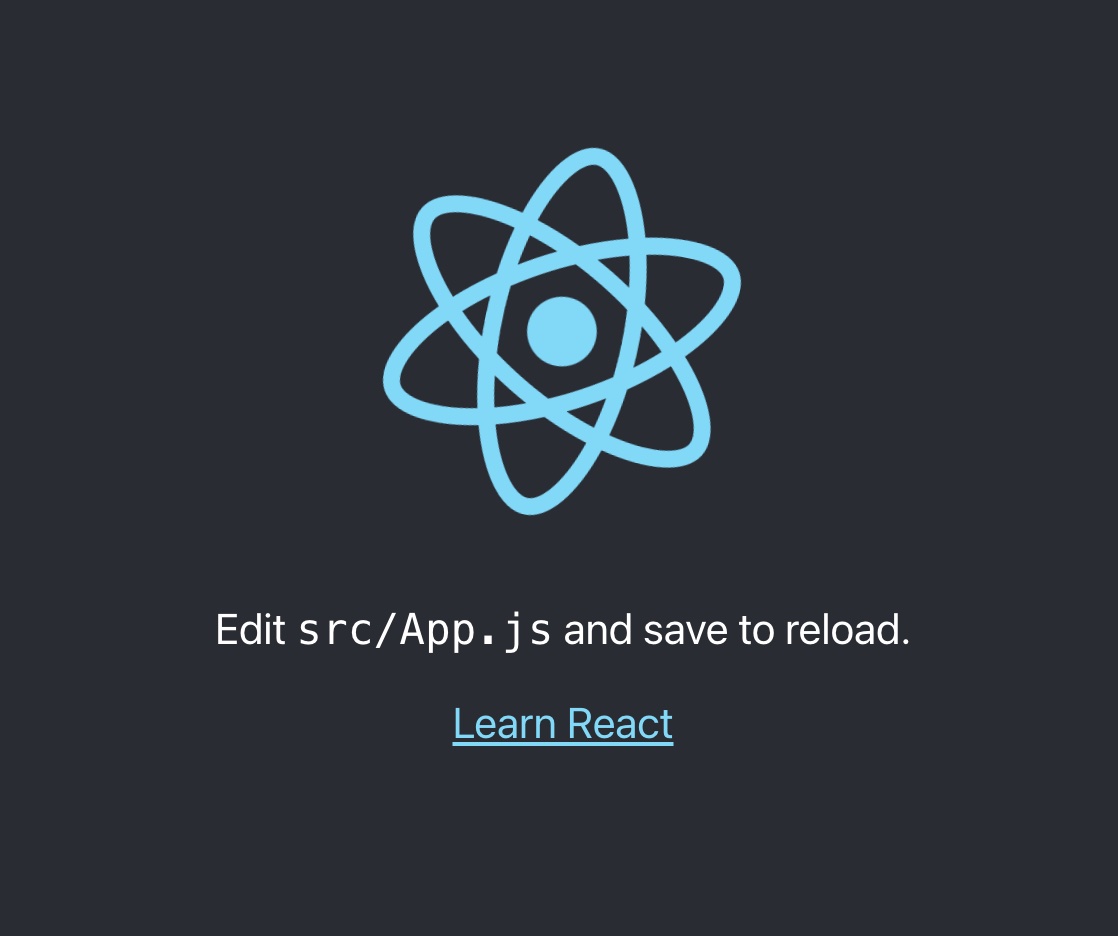
Adatteremo l'app per rilevare la lingua secondo le preferenze dell'utente. E creeremo un selettore di lingua per far cambiare i contenuti tra le varie lingue.
Installiamo alcune dipendenze i18next:
npm install i18next react-i18next i18next-browser-languagedetector
Prepariamo un file i18n.js:
import i18n from 'i18next';
import { initReactI18next } from 'react-i18next';
import LanguageDetector from 'i18next-browser-languagedetector';

i18n
  // detect user language
  // learn more: https://github.com/i18next/i18next-browser-languageDetector
  .use(LanguageDetector)
  // pass the i18n instance to react-i18next.
  .use(initReactI18next)
  // init i18next
  // for all options read: https://www.i18next.com/overview/configuration-options
  .init({
    debug: true,
    fallbackLng: 'en',
    interpolation: {
      escapeValue: false, // not needed for react as it escapes by default
    },
    resources: {
      en: {
        translation: {
          // here we will place our translations...
        }
      }
    }
  });

export default i18n;
Importiamo questo file da qualche parte nel nostro index.js:
Per React >= 18.0.0 usate:
import React from 'react';
import { createRoot } from 'react-dom/client';
import './index.css';
import App from './App';

// import i18n (needs to be bundled ;))
import './i18n';

const root = createRoot(document.getElementById('root'))
root.render(
  <React.StrictMode>
    <App />
  </React.StrictMode>
);
Per le versioni più vecchie di React usate:
import React from 'react';
import ReactDOM from 'react-dom';
import './index.css';
import App from './App';

// import i18n (needs to be bundled ;))
import './i18n';

ReactDOM.render(
  <React.StrictMode>
    <App />
  </React.StrictMode>,
  document.getElementById('root')
);
Ora proviamo a spostare un po' di testo hard-coded nelle traduzioni.
Abbiamo usato il componente Trans per il primo testo e l'hook useTranslation per il secondo:
import logo from './logo.svg';
import './App.css';
import { useTranslation, Trans } from 'react-i18next';

function App() {
  const { t } = useTranslation();

  return (
    <div className="App">
      <header className="App-header">
        <img src={logo} className="App-logo" alt="logo" />
        <p>
          <Trans i18nKey="description.part1">
            Edit <code>src/App.js</code> and save to reload.
          </Trans>
        </p>
        <a
          className="App-link"
          href="https://reactjs.org"
          target="_blank"
          rel="noopener noreferrer"
        >
          {t('description.part2')}
        </a>
      </header>
    </div>
  );
}

export default App;
Se volete usare gli Higher-Order Components (HOC) serve un po' di lavoro in più. Un'altra opzione in questo caso è l'HOC withTranslation.
I testi ora fanno parte delle risorse di traduzione:
import i18n from 'i18next';
import { initReactI18next } from 'react-i18next';
import LanguageDetector from 'i18next-browser-languagedetector';

i18n
  // detect user language
  // learn more: https://github.com/i18next/i18next-browser-languageDetector
  .use(LanguageDetector)
  // pass the i18n instance to react-i18next.
  .use(initReactI18next)
  // init i18next
  // for all options read: https://www.i18next.com/overview/configuration-options
  .init({
    debug: true,
    fallbackLng: 'en',
    interpolation: {
      escapeValue: false, // not needed for react as it escapes by default
    },
    resources: {
      en: {
        translation: {
          description: {
            part1: 'Edit <1>src/App.js</1> and save to reload.',
            part2: 'Learn React'
          }
        }
      }
    }
  });

export default i18n;
Selettore di lingua
Definiamo ora un selettore di lingua:
import logo from './logo.svg';
import './App.css';
import { useTranslation, Trans } from 'react-i18next';

const lngs = {
  en: { nativeName: 'English' },
  de: { nativeName: 'Deutsch' }
};

function App() {
  const { t, i18n } = useTranslation();

  return (
    <div className="App">
      <header className="App-header">
        <img src={logo} className="App-logo" alt="logo" />
        <div>
          {Object.keys(lngs).map((lng) => (
            <button key={lng} style={{ fontWeight: i18n.resolvedLanguage === lng ? 'bold' : 'normal' }} type="submit" onClick={() => i18n.changeLanguage(lng)}>
              {lngs[lng].nativeName}
            </button>
          ))}
        </div>
        <p>
          <Trans i18nKey="description.part1">
            Edit <code>src/App.js</code> and save to reload.
          </Trans>
        </p>
        <a
          className="App-link"
          href="https://reactjs.org"
          target="_blank"
          rel="noopener noreferrer"
        >
          {t('description.part2')}
        </a>
      </header>
    </div>
  );
}

export default App;
E aggiungiamo alcune traduzioni per la nuova lingua:
import i18n from 'i18next';
import { initReactI18next } from 'react-i18next';
import LanguageDetector from 'i18next-browser-languagedetector';

i18n
  // detect user language
  // learn more: https://github.com/i18next/i18next-browser-languageDetector
  .use(LanguageDetector)
  // pass the i18n instance to react-i18next.
  .use(initReactI18next)
  // init i18next
  // for all options read: https://www.i18next.com/overview/configuration-options
  .init({
    debug: true,
    fallbackLng: 'en',
    interpolation: {
      escapeValue: false, // not needed for react as it escapes by default
    },
    resources: {
      en: {
        translation: {
          description: {
            part1: 'Edit <1>src/App.js</1> and save to reload.',
            part2: 'Learn React'
          }
        }
      },
      de: {
        translation: {
          description: {
            part1: 'Ändere <1>src/App.js</1> und speichere um neu zu laden.',
            part2: 'Lerne React'
          }
        }
      }
    }
  });

export default i18n;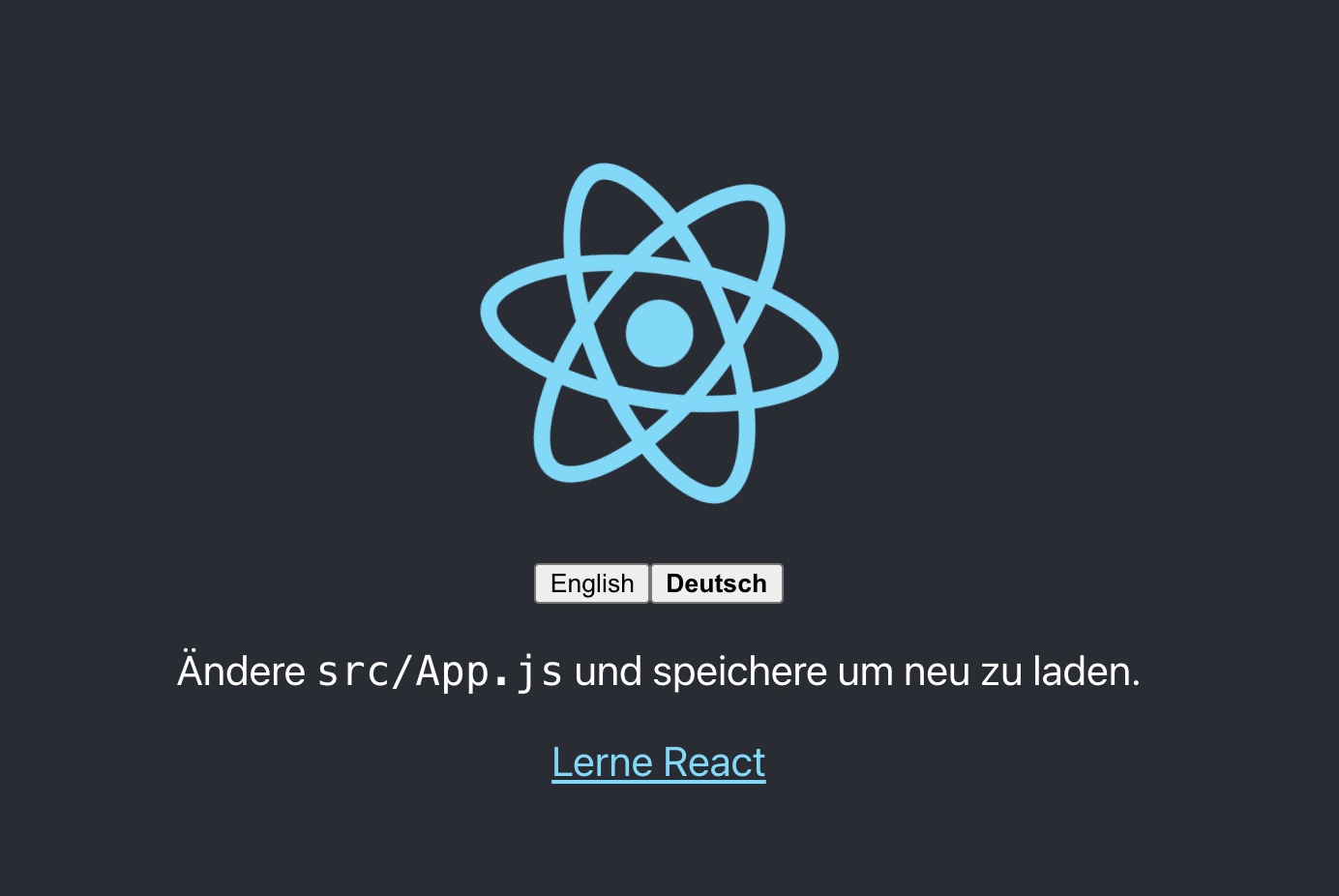
🥳 Ottimo, avete appena creato il vostro primo selettore di lingua!
Grazie a i18next-browser-languagedetector, l'app prova ora a rilevare la lingua del browser e a usarla automaticamente se avete fornito le traduzioni corrispondenti. La lingua selezionata manualmente nel selettore viene persistita nel localStorage; alla visita successiva viene usata come lingua preferita.
Come ottenere la lingua corrente?
Dalla v21 di i18next esiste i18next.resolvedLanguage.
Viene impostata sulla lingua risolta correntemente e può essere usata come lingua principale, ad esempio in un selettore di lingua.
Se la lingua rilevata è en-US e avete fornito traduzioni solo per en (fallbackLng), i18next.resolvedLanguage restituirà en.
i18next.language vs. i18next.languages vs. i18next.resolvedLanguage
/* language */
i18next.language;
// Is set to the current detected or set language.

/* languages */
i18next.languages;
// Is set to an array of language codes that will be used to look up the translation value.
// When the language is set, this array is populated with the new language codes.
// Unless overridden, this array is populated with less-specific versions of that code for fallback purposes, followed by the list of fallback languages

// initialize with fallback languages
i18next.init({
  fallbackLng: ["es", "fr", "en-US", "dev"]
});
// change the language
i18next.changeLanguage("en-US-xx");
// new language and its more generic forms, followed by fallbacks
i18next.languages; // ["en-US-xx", "en-US", "en", "es", "fr", "dev"]
// change the language again
i18next.changeLanguage("de-DE");
// previous language is not retained
i18next.languages; // ["de-DE", "de", "es", "fr", "en-US", "dev"]

/* resolvedLanguage */
i18next.resolvedLanguage;
// Is set to the current resolved language.
// It can be used as primary used language,
// for example in a language switcher.
Interpolazione e plurali
i18next va oltre le funzionalità i18n standard. Naturalmente sa gestire plurali e interpolazione.
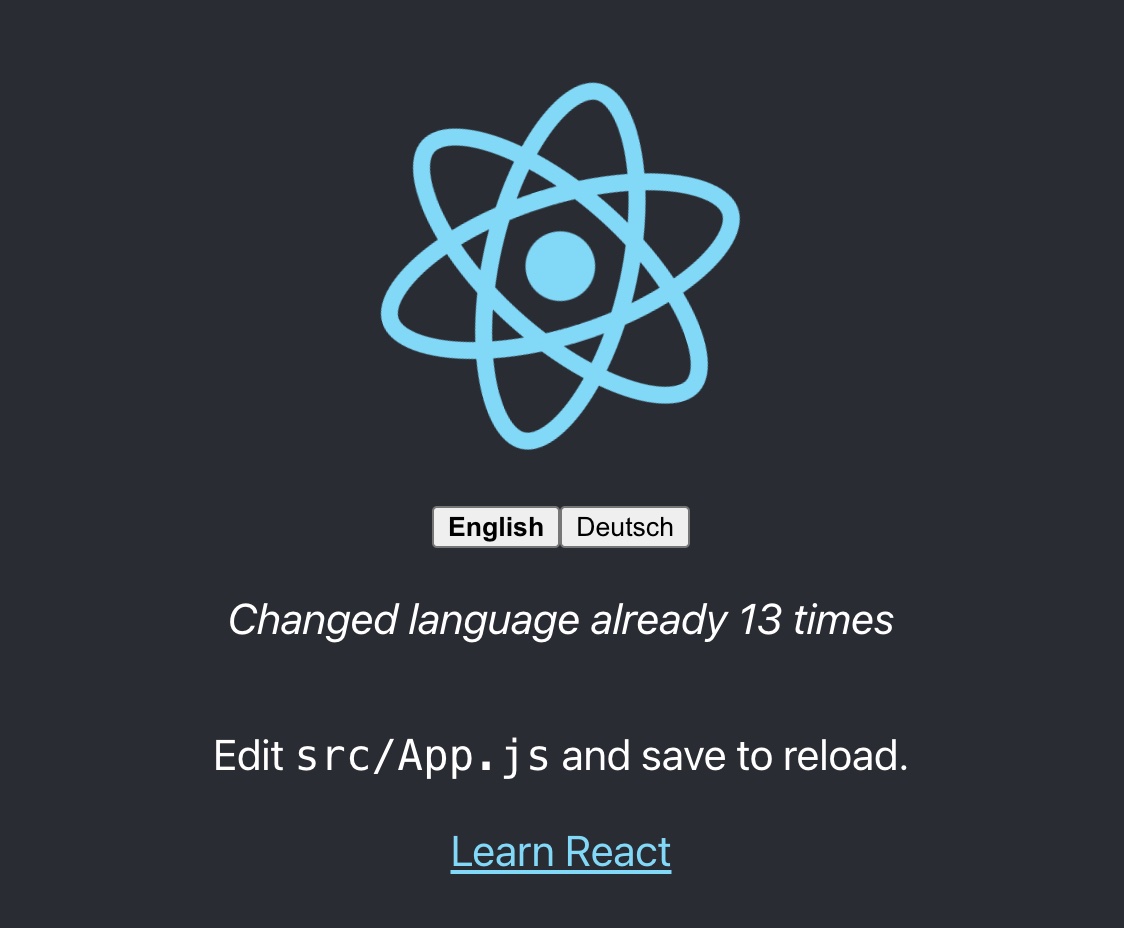
Contiamo ogni volta che la lingua viene cambiata:
import logo from './logo.svg';
import './App.css';
import { useTranslation, Trans } from 'react-i18next';
import { useState } from 'react';

const lngs = {
  en: { nativeName: 'English' },
  de: { nativeName: 'Deutsch' }
};

function App() {
  const { t, i18n } = useTranslation();
  const [count, setCounter] = useState(0);

  return (
    <div className="App">
      <header className="App-header">
        <img src={logo} className="App-logo" alt="logo" />
        <div>
          {Object.keys(lngs).map((lng) => (
            <button key={lng} style={{ fontWeight: i18n.resolvedLanguage === lng ? 'bold' : 'normal' }} type="submit" onClick={() => {
              i18n.changeLanguage(lng);
              setCounter(count + 1);
            }}>
              {lngs[lng].nativeName}
            </button>
          ))}
        </div>
        <p>
          <i>{t('counter', { count })}</i>
        </p>
        <p>
          <Trans i18nKey="description.part1">
            Edit <code>src/App.js</code> and save to reload.
          </Trans>
        </p>
        <a
          className="App-link"
          href="https://reactjs.org"
          target="_blank"
          rel="noopener noreferrer"
        >
          {t('description.part2')}
        </a>
      </header>
    </div>
  );
}

export default App;
…ed estendiamo le risorse di traduzione:
import i18n from 'i18next';
import { initReactI18next } from 'react-i18next';
import LanguageDetector from 'i18next-browser-languagedetector';

i18n
  .use(LanguageDetector)
  .use(initReactI18next)
  .init({
    debug: true,
    fallbackLng: 'en',
    interpolation: {
      escapeValue: false,
    },
    resources: {
      en: {
        translation: {
          description: {
            part1: 'Edit <1>src/App.js</1> and save to reload.',
            part2: 'Learn React'
          },
          counter_one: 'Changed language just once',
          counter_other: 'Changed language already {{count}} times'
        }
      },
      de: {
        translation: {
          description: {
            part1: 'Ändere <1>src/App.js</1> und speichere um neu zu laden.',
            part2: 'Lerne React'
          },
          counter_one: 'Die Sprache wurde erst ein mal gewechselt',
          counter_other: 'Die Sprache wurde {{count}} mal gewechselt'
        }
      }
    }
  });

export default i18n;
In base al valore di count, i18next sceglierà la forma plurale corretta. Approfondite plurali e interpolazione nella documentazione ufficiale di i18next.
💡 i18next gestisce anche lingue con forme plurali multiple, come l'arabo:
// translation resources:
{
  "key_zero": "zero",
  "key_one": "singular",
  "key_two": "two",
  "key_few": "few",
  "key_many": "many",
  "key_other": "other"
}

// usage:
t('key', {count: 0}); // -> "zero"
t('key', {count: 1}); // -> "singular"
t('key', {count: 2}); // -> "two"
t('key', {count: 3}); // -> "few"
t('key', {count: 4}); // -> "few"
t('key', {count: 5}); // -> "few"
t('key', {count: 11}); // -> "many"
t('key', {count: 99}); // -> "many"
t('key', {count: 100}); // -> "other"
Perché le mie chiavi plurali non funzionano?
Vedete questo warning nella console di sviluppo (debug: true)?
i18next::pluralResolver: Your environment seems not to be Intl API compatible, use an Intl.PluralRules polyfill. Will fallback to the compatibilityJSON v3 format handling.
Con la v21, i18next ha allineato il suffisso con quello usato dall'Intl API. Negli ambienti in cui l'API Intl.PluralRules non è disponibile (come i dispositivi Android più vecchi), potrebbe servire un polyfill per Intl.PluralRules API. Se non è disponibile, si torna alla gestione dei plurali del formato JSON v3 di i18next. E se il vostro JSON usa già i nuovi suffissi, le vostre chiavi plurali probabilmente non verranno visualizzate.
tldr;
npm install intl-pluralrules
import 'intl-pluralrules'Formattazione
Da i18next v21.3.0 sono disponibili formattatori integrati per formattare numeri, date, liste e altro usando l'Intl API. Per dettagli e usi avanzati, consultate la documentazione ufficiale sulla formattazione di i18next.
Vediamo ora come usare diversi formati di data con l'aiuto di i18next e Luxon per gestire data e ora.
{
  "key": "Some format {{value, formatname}}",
  "keyWithOptions": "Some format {{value, formatname(option1Name: option1Value; option2Name: option2Value)}}"
}
Potete passare le opzioni come elenco separato da punto e virgola.
Uso in JavaScript:
// JSON
{
  "intlNumber": "Some {{val, number}}",
  "intlNumberWithOptions": "Some {{val, number(minimumFractionDigits: 2)}}"
}

i18next.t($ => $.intlNumber, { val: 1000 });
// --> Some 1,000
i18next.t($ => $.intlNumber, { val: 1000.1, minimumFractionDigits: 3 });
// --> Some 1,000.100
i18next.t($ => $.intlNumber, { val: 1000.1, formatParams: { val: { minimumFractionDigits: 3 } } });
// --> Some 1,000.100
i18next.t($ => $.intlNumberWithOptions, { val: 2000 });
// --> Some 2,000.00
i18next.t($ => $.intlNumberWithOptions, { val: 2000, minimumFractionDigits: 3 });
// --> Some 2,000.000
Potete sovrascrivere la lingua passando lng o locale nelle opzioni:
i18next.t($ => $.intlNumber, { val: 1000.1, lng: 'de' });
i18next.t($ => $.intlNumber, { val: 1000.1, formatParams: { val: { locale: 'de' } } });
Aggiunta di funzioni di formato personalizzate:
// after i18next.init(options);
i18next.services.formatter.add('lowercase', (value, lng, options) => value.toLowerCase());
i18next.services.formatter.add('underscore', (value, lng, options) => value.replace(/\s+/g, '_'));
Aggiungete le vostre funzioni di formato personalizzate dopo la chiamata a i18next.init().
Formati integrati:
- Numero:
number - Valuta:
currency - DateTime:
datetime - RelativeTime:
relativetime - Lista:
list
Per altri esempi e opzioni consultate la documentazione sulla formattazione di i18next.
Vediamo ora come usare diversi formati di data con l'aiuto di i18next e Luxon per gestire data e ora.
npm install luxon
Vogliamo avere un footer che mostri la data corrente:
import './Footer.css';

const Footer = ({ t }) => (
  <div className="Footer">
    <div>{t('footer.date', { date: new Date() })}</div>
  </div>
);

export default Footer;

// imported in our App.js and used like this
// <Footer t={t} />
Ora importate Luxon e definite una funzione di formato (come documentato nei docs sulla formattazione), poi aggiungete la nuova chiave di traduzione:
import i18n from 'i18next';
import { initReactI18next } from 'react-i18next';
import LanguageDetector from 'i18next-browser-languagedetector';
import { DateTime } from 'luxon';

i18n
  .use(LanguageDetector)
  .use(initReactI18next)
  .init({
    debug: true,
    fallbackLng: 'en',
    interpolation: {
      escapeValue: false,
      // format: (value, format, lng) => { // legacy usage
      //   if (value instanceof Date) {
      //     return DateTime.fromJSDate(value).setLocale(lng).toLocaleString(DateTime[format])
      //   }
      //   return value;
      // }
    },
    resources: {
      en: {
        translation: {
          description: {
            part1: 'Edit <1>src/App.js</1> and save to reload.',
            part2: 'Learn React'
          },
          counter_one: 'Changed language just once',
          counter_other: 'Changed language already {{count}} times',
          footer: {
            date: 'Today is {{date, DATE_HUGE}}'
          }
        }
      },
      de: {
        translation: {
          description: {
            part1: 'Ändere <1>src/App.js</1> und speichere um neu zu laden.',
            part2: 'Lerne React'
          },
          counter_one: 'Die Sprache wurde erst ein mal gewechselt',
          counter_other: 'Die Sprache wurde {{count}} mal gewechselt',
          footer: {
            date: 'Heute ist {{date, DATE_HUGE}}'
          }
        }
      }
    }
  });

// new usage
i18n.services.formatter.add('DATE_HUGE', (value, lng, options) => {
  return DateTime.fromJSDate(value).setLocale(lng).toLocaleString(DateTime.DATE_HUGE)
});

export default i18n;
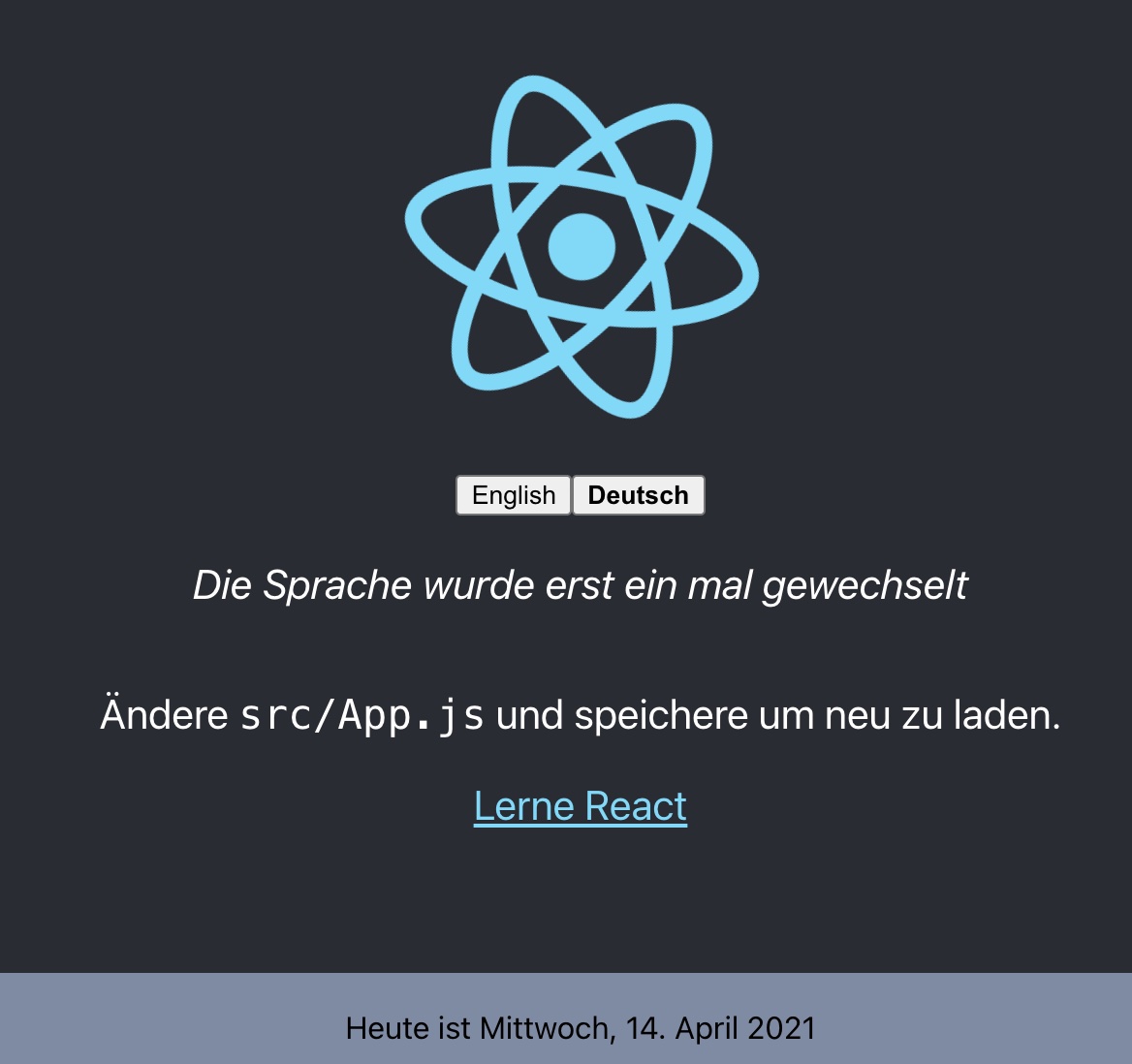
😎 Fantastico, ora abbiamo una formattazione della data specifica per lingua!
Inglese:
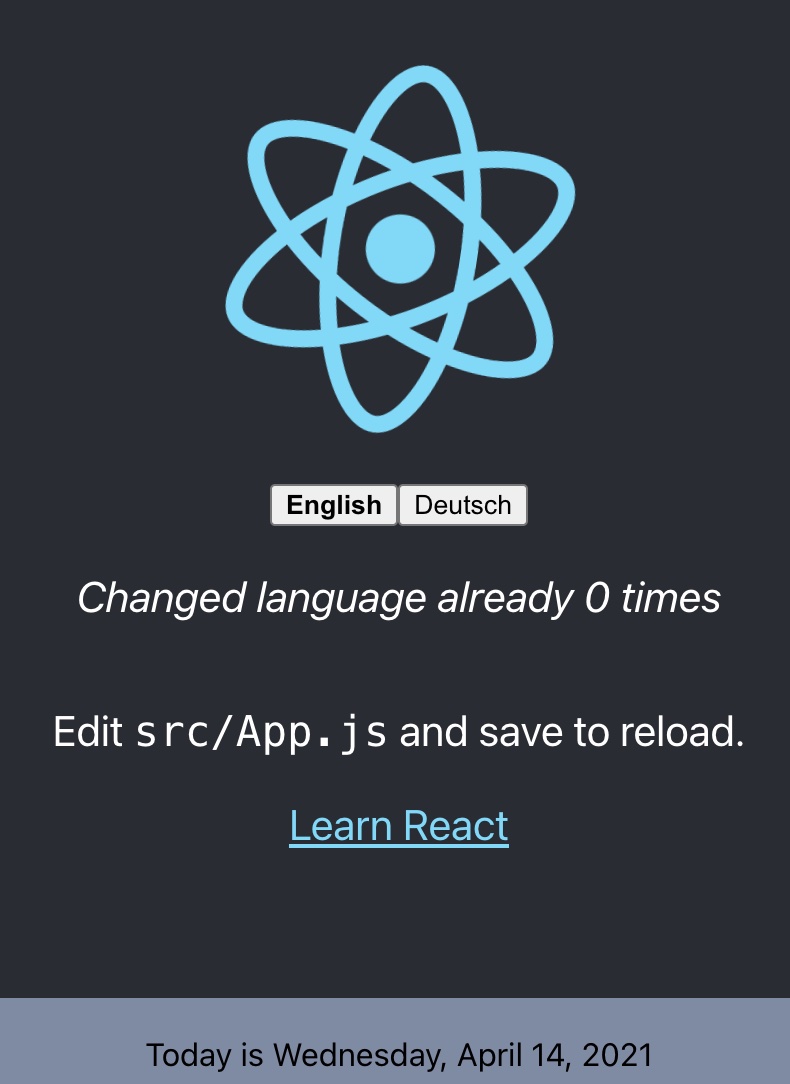
Tedesco:
Contesto
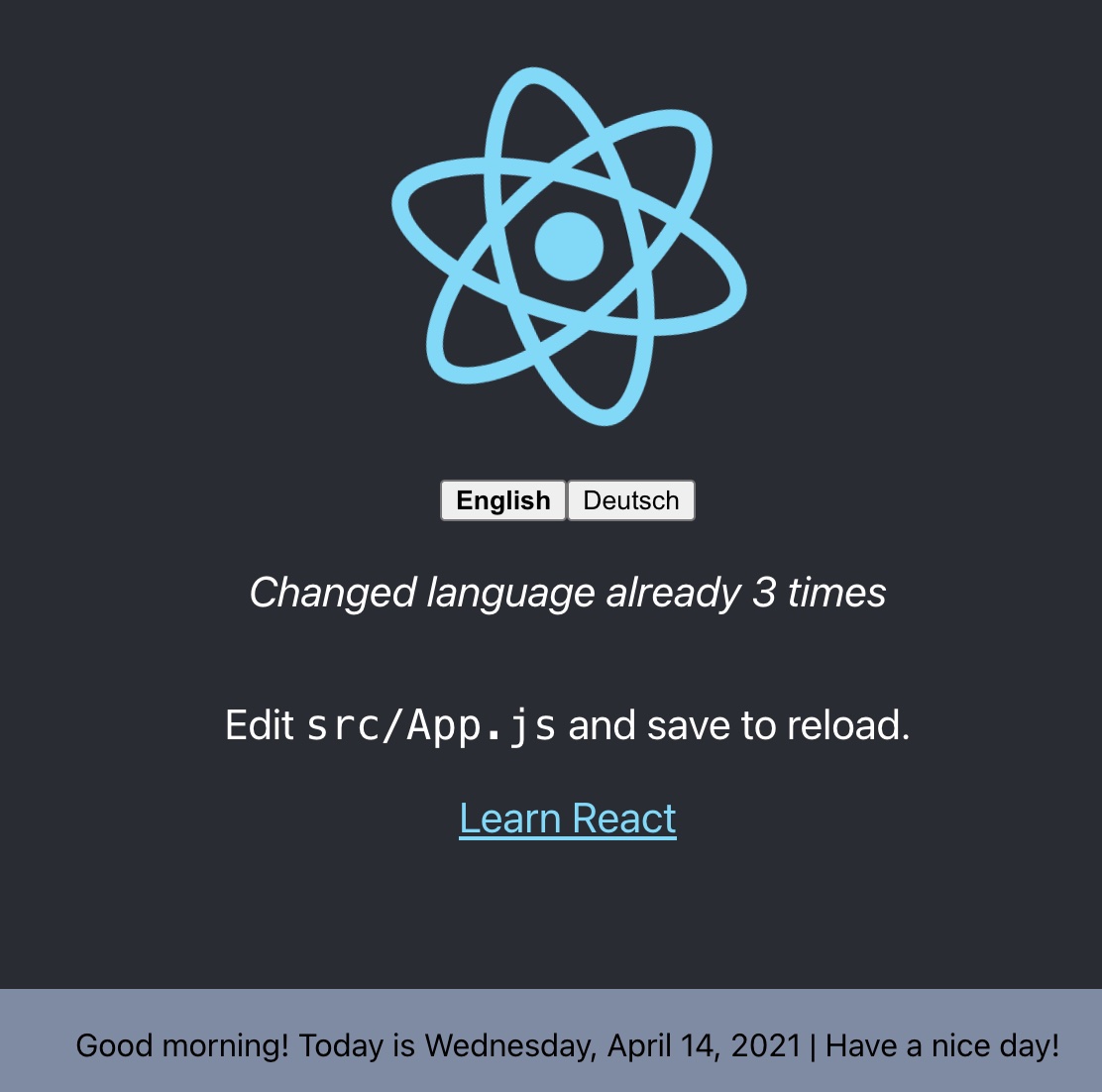
Che ne dite di un messaggio di saluto specifico in base all'ora del giorno? Ad esempio, mattina, sera, ecc. È possibile grazie alla funzionalità context di i18next.
Creiamo una funzione getGreetingTime e usiamo il risultato come informazione di contesto per la traduzione del footer:
import { DateTime } from 'luxon';
import './Footer.css';

const getGreetingTime = (d = DateTime.now()) => {
	const split_afternoon = 12; // 24hr time to split the afternoon
	const split_evening = 17; // 24hr time to split the evening
	const currentHour = parseFloat(d.toFormat('hh'));

	if (currentHour >= split_afternoon && currentHour <= split_evening) {
		return 'afternoon';
	} else if (currentHour >= split_evening) {
		return 'evening';
  }
	return 'morning';
}

const Footer = ({ t }) => (
  <div className="Footer">
    <div>{t('footer.date', { date: new Date(), context: getGreetingTime() })}</div>
  </div>
);

export default Footer;
E aggiungiamo alcune chiavi di traduzione specifiche per contesto:
import i18n from 'i18next';
import { initReactI18next } from 'react-i18next';
import LanguageDetector from 'i18next-browser-languagedetector';
import Backend from 'i18next-http-backend';
import { DateTime } from 'luxon';

i18n
  // i18next-http-backend
  // loads translations from your server
  // https://github.com/i18next/i18next-http-backend
  .use(Backend)
  .use(LanguageDetector)
  .use(initReactI18next)
  .init({
    debug: true,
    fallbackLng: 'en',
    interpolation: {
      escapeValue: false,
    },
    resources: {
      en: {
        translation: {
          description: {
            part1: 'Edit <1>src/App.js</1> and save to reload.',
            part2: 'Learn React'
          },
          counter_one: 'Changed language just once',
          counter_other: 'Changed language already {{count}} times',
          footer: {
            date: 'Today is {{date, DATE_HUGE}}',
            date_morning: 'Good morning! Today is {{date, DATE_HUGE}} | Have a nice day!',
            date_afternoon: 'Good afternoon! It\'s {{date, DATE_HUGE}}',
            date_evening: 'Good evening! Today was the {{date, DATE_HUGE}}'
          }
        }
      },
      de: {
        translation: {
          description: {
            part1: 'Ändere <1>src/App.js</1> und speichere um neu zu laden.',
            part2: 'Lerne React'
          },
          counter_one: 'Die Sprache wurde erst ein mal gewechselt',
          counter_other: 'Die Sprache wurde {{count}} mal gewechselt',
          footer: {
            date: 'Heute ist {{date, DATE_HUGE}}',
            date_morning: 'Guten Morgen! Heute ist {{date, DATE_HUGE}} | Wünsche einen schönen Tag!',
            date_afternoon: 'Guten Tag! Es ist {{date, DATE_HUGE}}',
            date_evening: 'Guten Abend! Heute war {{date, DATE_HUGE}}'
          }
        }
      }
    }
  });

// new usage
i18n.services.formatter.add('DATE_HUGE', (value, lng, options) => {
  return DateTime.fromJSDate(value).setLocale(lng).toLocaleString(DateTime.DATE_HUGE)
});

export default i18n;
😁 Sì, funziona!
Separare le traduzioni dal codice
Avere le traduzioni nel nostro file i18n.js funziona, ma non è il massimo per chi traduce.
Separiamo le traduzioni dal codice e mettiamole in file JSON dedicati.
Trattandosi di un'applicazione web, i18next-http-backend ci sarà d'aiuto.
npm install i18next-http-backend
Spostiamo le traduzioni nella cartella public:

Adattiamo il file i18n.js per usare i18next-http-backend:
import i18n from 'i18next';
import { initReactI18next } from 'react-i18next';
import LanguageDetector from 'i18next-browser-languagedetector';
import Backend from 'i18next-http-backend';
import { DateTime } from 'luxon';

i18n
  // i18next-http-backend
  // loads translations from your server
  // https://github.com/i18next/i18next-http-backend
  .use(Backend)
  .use(LanguageDetector)
  .use(initReactI18next)
  .init({
    debug: true,
    fallbackLng: 'en',
    interpolation: {
      escapeValue: false,
    }
  });

// new usage
i18n.services.formatter.add('DATE_HUGE', (value, lng, options) => {
  return DateTime.fromJSDate(value).setLocale(lng).toLocaleString(DateTime.DATE_HUGE)
});

export default i18n;
Ora le traduzioni vengono caricate in modo asincrono, quindi assicuratevi di avvolgere la vostra app in un componente Suspense per evitare l'errore: Uncaught Error: App suspended while rendering, but no fallback UI was specified.
import { Suspense } from 'react';

function App() {
  // your app's code...
}

// here app catches the suspense from page in case translations are not yet loaded
export default function WrappedApp() {
  return (
    <Suspense fallback="...is loading">
      <App />
    </Suspense>
  );
}
Ora la vostra app appare ancora uguale, ma le traduzioni sono separate. Se volete supportare una nuova lingua, basta creare una nuova cartella e un nuovo file JSON di traduzione. Questo vi dà la possibilità di mandare le traduzioni a dei traduttori. Oppure, se lavorate con un translation management system, potete semplicemente sincronizzare i file con una CLI.
🧑💻 Il codice di questa prima parte si trova qui.
Namespace multipli
💡 a proposito: potete anche avere più file di traduzione grazie alla funzionalità namespaces di i18next
Uno dei vantaggi di react-i18next, ereditato da i18next, è il supporto alla separazione delle traduzioni in più file, che in i18next si chiamano namespace.
Per usare più namespace/file di traduzione, dovete specificarlo nella chiamata a useTranslation:
const { t } = useTranslation(['translation', 'common']);
// ...
// t('look.deep', { ns: 'common' })withTranslation(['translation', 'common'])(MyComponent);
// ...
// t('look.deep', { ns: 'common' })oppure Translation:
<Translation ns={['translation', 'common']}>
{
  (t) => <p>{t('look.deep', { ns: 'common' })}</p>
}
</Translation>
Gestione migliore delle traduzioni
Mandando le traduzioni ad alcuni traduttori o a un'agenzia di traduzione, avete più controllo e un contatto diretto con loro. Ma significa anche più lavoro per voi. È il modo tradizionale. Però sappiate che lo scambio di file genera sempre overhead.
Esiste un'opzione migliore?
Certamente!
i18next aiuta a tradurre l'applicazione, ed è ottimo, ma c'è altro da considerare.
- Come integrate servizi/agenzie di traduzione?
- Come tenete traccia dei contenuti nuovi o rimossi?
- Come gestite il versionamento?
- Come distribuite le modifiche di traduzione senza fare il deploy dell'intera applicazione?
- e molto altro…
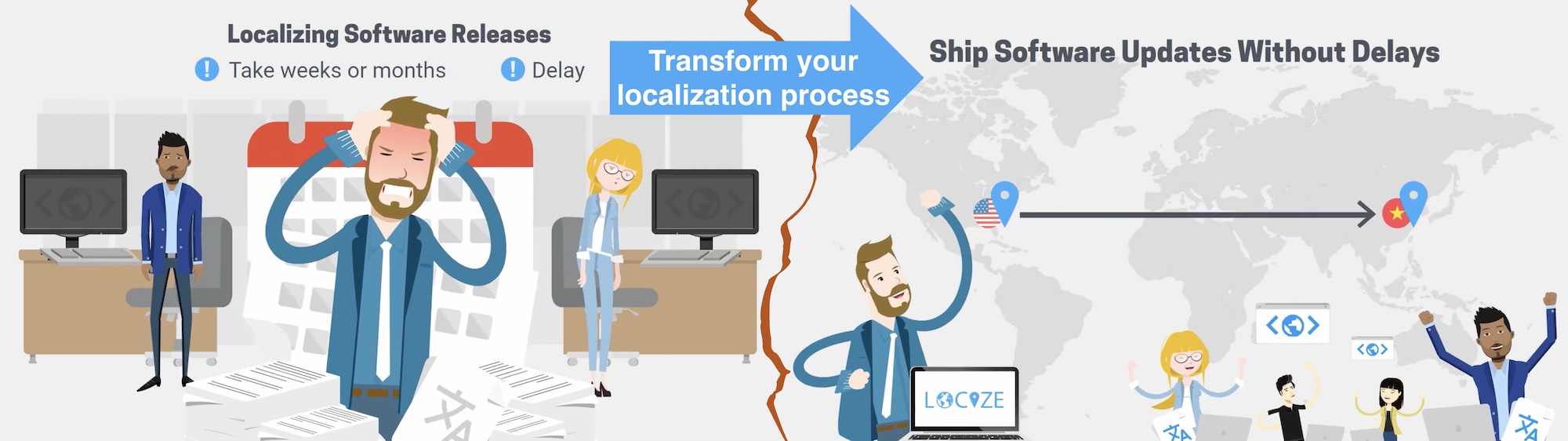
Cercate qualcosa così❓
- Continuous deployment? Localizzazione continua!
- Gestite i file di traduzione con facilità
- Analytics e statistiche
- e molto altro…
Come appare?
Per prima cosa registratevi su Locize e accedete. Poi create un nuovo progetto in Locize e aggiungete le vostre traduzioni. Potete aggiungere le traduzioni usando la CLI, importando i singoli file JSON oppure via API.
Fatto questo, sostituiamo i18next-http-backend con i18next-locize-backend.
npm install i18next-locize-backend
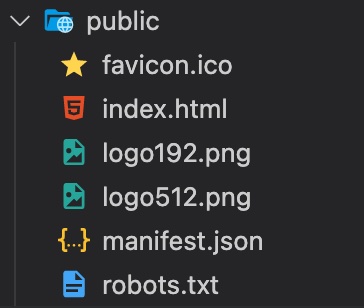
Dopo aver importato le traduzioni in Locize, eliminate la cartella locales:
Adattate il file i18n.js per usare i18next-locize-backend, e assicuratevi di copiare project-id e api-key dal vostro progetto Locize:
import i18n from 'i18next';
import { initReactI18next } from 'react-i18next';
import LanguageDetector from 'i18next-browser-languagedetector';
import Backend from 'i18next-locize-backend';
import { DateTime } from 'luxon';

const locizeOptions = {
  projectId: '0bbc223a-9aba-4a90-ab93-ab9d7bf7f780',
  apiKey: 'aaad4141-54ba-4625-ae37-657538fe29e7', // YOU should not expose your apps API key to production!!!
  referenceLng: 'en',
};

i18n
  // i18next-locize-backend
  // loads translations from your project, saves new keys to it (saveMissing: true)
  // https://github.com/locize/i18next-locize-backend
  .use(Backend)
  .use(LanguageDetector)
  .use(initReactI18next)
  .init({
    debug: true,
    fallbackLng: 'en',
    interpolation: {
      escapeValue: false,
    },
    backend: locizeOptions
  });

// new usage
i18n.services.formatter.add('DATE_HUGE', (value, lng, options) => {
  return DateTime.fromJSDate(value).setLocale(lng).toLocaleString(DateTime.DATE_HUGE)
});

export default i18n;
i18next-locize-backend offre una funzionalità per recuperare le lingue disponibili direttamente da Locize. Usiamola:
import logo from './logo.svg';
import './App.css';
import { useTranslation, Trans } from 'react-i18next';
import { useState, Suspense, useEffect } from 'react';
import Footer from './Footer'

function App() {
  const { t, i18n } = useTranslation();
  const [count, setCounter] = useState(0);

  const [lngs, setLngs] = useState({ en: { nativeName: 'English' }});

  useEffect(() => {
    i18n.services.backendConnector.backend.getLanguages((err, ret) => {
      if (err) return // TODO: handle err...
      setLngs(ret);
    });
  }, []);

  return (
    <div className="App">
      <header className="App-header">
        <img src={logo} className="App-logo" alt="logo" />
        <div>
          {Object.keys(lngs).map((lng) => (
            <button key={lng} style={{ fontWeight: i18n.resolvedLanguage === lng ? 'bold' : 'normal' }} type="submit" onClick={() => {
              i18n.changeLanguage(lng);
              setCounter(count + 1);
            }}>
              {lngs[lng].nativeName}
            </button>
          ))}
        </div>
        <p>
          <i>{t('counter', { count })}</i>
        </p>
        <p>
          <Trans i18nKey="description.part1">
            Edit <code>src/App.js</code> and save to reload.
          </Trans>
        </p>
        <a
          className="App-link"
          href="https://reactjs.org"
          target="_blank"
          rel="noopener noreferrer"
        >
          {t('description.part2')}
        </a>
      </header>
      <Footer t={t} />
    </div>
  );
}

// here app catches the suspense from page in case translations are not yet loaded
export default function WrappedApp() {
  return (
    <Suspense fallback="...is loading">
      <App />
    </Suspense>
  );
}
Salvare le traduzioni mancanti
Grazie alla funzionalità saveMissing, le nuove chiavi vengono aggiunte automaticamente a Locize mentre sviluppate l'app.
Basta passare saveMissing: true nelle opzioni di i18next:
import i18n from 'i18next';
import { initReactI18next } from 'react-i18next';
import LanguageDetector from 'i18next-browser-languagedetector';
import Backend from 'i18next-locize-backend';
import { DateTime } from 'luxon';

const locizeOptions = {
  projectId: '0bbc223a-9aba-4a90-ab93-ab9d7bf7f780',
  apiKey: 'aaad4141-54ba-4625-ae37-657538fe29e7', // YOU should not expose your apps API key to production!!!
  referenceLng: 'en',
};

i18n
  .use(Backend)
  .use(LanguageDetector)
  .use(initReactI18next)
  .init({
    debug: true,
    fallbackLng: 'en',
    interpolation: {
      escapeValue: false,
    },
    backend: locizeOptions,
    saveMissing: true
  });

// new usage
i18n.services.formatter.add('DATE_HUGE', (value, lng, options) => {
  return DateTime.fromJSDate(value).setLocale(lng).toLocaleString(DateTime.DATE_HUGE)
});

export default i18n;
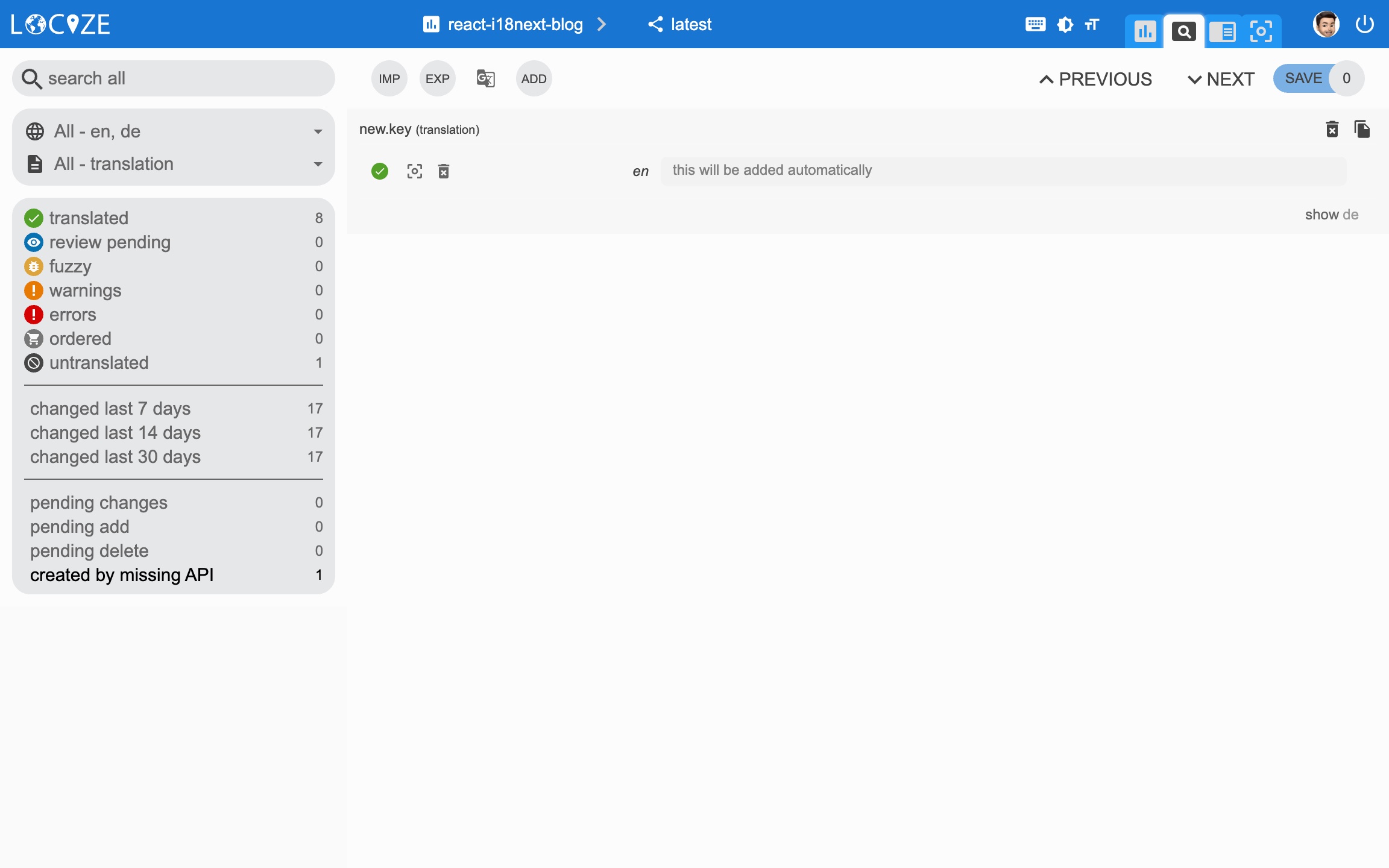
Ogni volta che usate una nuova chiave, viene inviata a Locize, ad esempio:
<div>{t('new.key', 'this will be added automatically')}</div>In Locize apparirà così:
👀 Ma c'è di più…
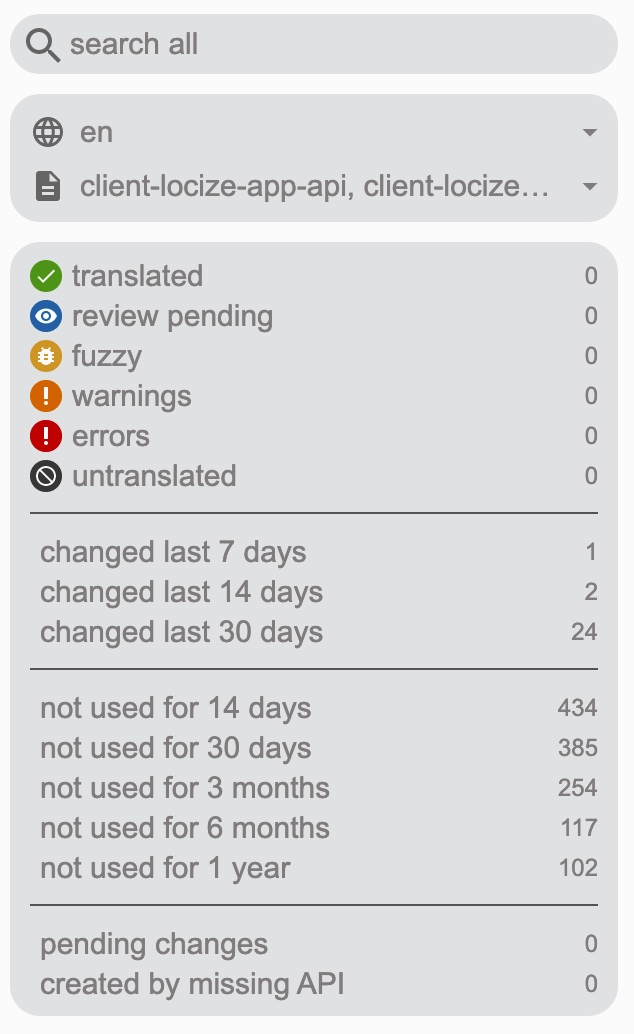
Grazie al plugin locize-lastused potrete individuare e filtrare in Locize quali chiavi sono usate o non più usate.
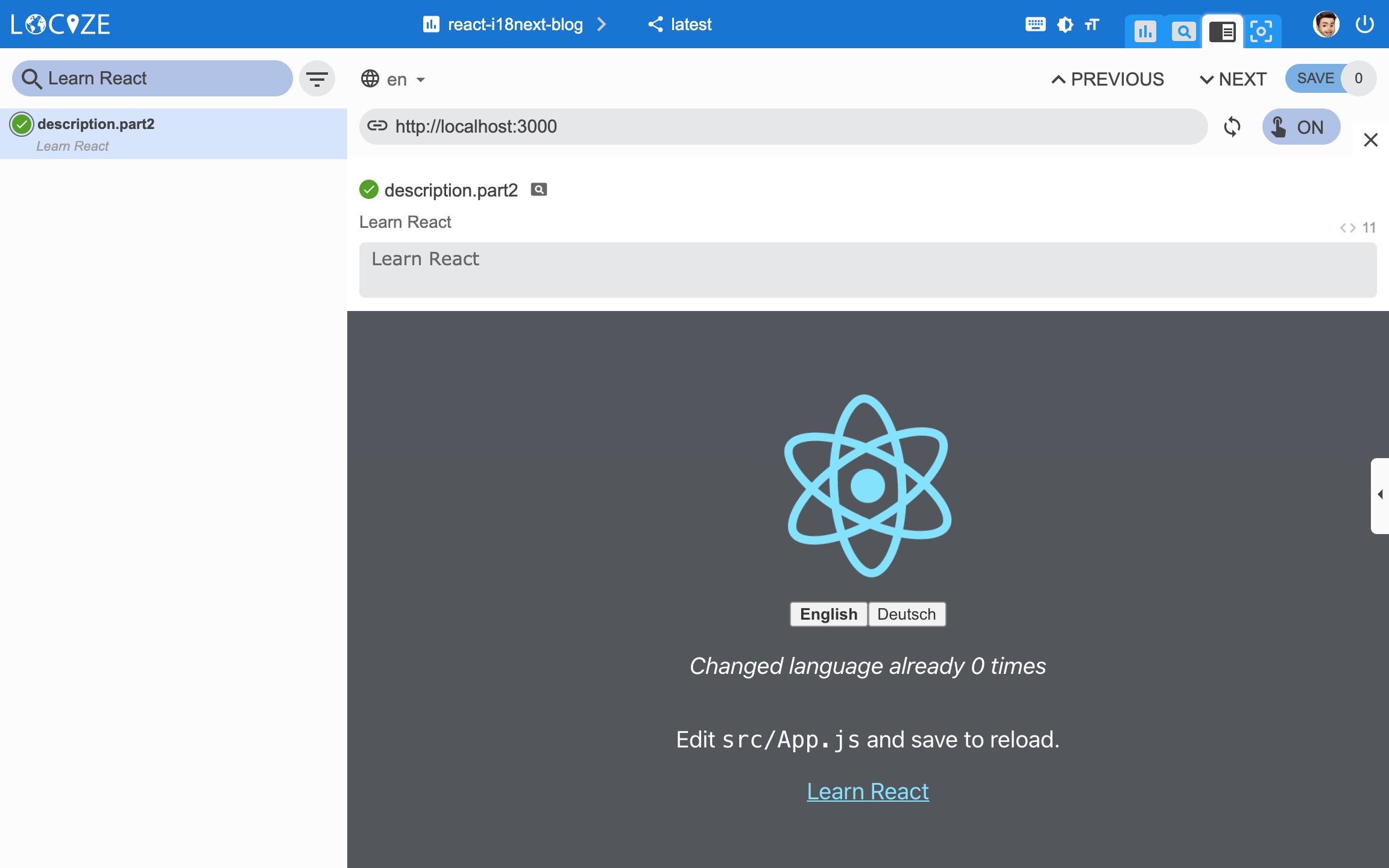
Con l'aiuto del plugin Locize potrete usare la vostra app all'interno dell'InContext Editor di Locize.
Infine, con il workflow di traduzione automatica e la funzionalità saveMissing, le nuove chiavi non solo vengono aggiunte automaticamente a Locize mentre sviluppate l'app, ma vengono anche tradotte automaticamente nelle lingue di destinazione tramite traduzione automatica.
Guardate questo video per vedere come si comporta il workflow di traduzione automatica!
npm install locize-lastused locize
usateli in i18n.js:
import i18n from 'i18next';
import { initReactI18next } from 'react-i18next';
import LanguageDetector from 'i18next-browser-languagedetector';
import Backend from 'i18next-locize-backend';
import LastUsed from 'locize-lastused';
import { locizePlugin } from 'locize';
import { DateTime } from 'luxon';

const locizeOptions = {
  projectId: '0bbc223a-9aba-4a90-ab93-ab9d7bf7f780',
  apiKey: 'aaad4141-54ba-4625-ae37-657538fe29e7', // YOU should not expose your apps API key to production!!!
  referenceLng: 'en',
};

i18n
  // locize-lastused
  // sets a timestamp of last access on every translation segment on locize
  // -> safely remove the ones not being touched for weeks/months
  // https://github.com/locize/locize-lastused
  .use(LastUsed)
  // locize-editor
  // InContext Editor of locize
  .use(locizePlugin)
  // i18next-locize-backend
  // loads translations from your project, saves new keys to it (saveMissing: true)
  // https://github.com/locize/i18next-locize-backend
  .use(Backend)
  .use(LanguageDetector)
  .use(initReactI18next)
  .init({
    debug: true,
    fallbackLng: 'en',
    interpolation: {
      escapeValue: false,
    },
    backend: locizeOptions,
    locizeLastUsed: locizeOptions,
    saveMissing: true
  });

// new usage
i18n.services.formatter.add('DATE_HUGE', (value, lng, options) => {
  return DateTime.fromJSDate(value).setLocale(lng).toLocaleString(DateTime.DATE_HUGE)
});

export default i18n;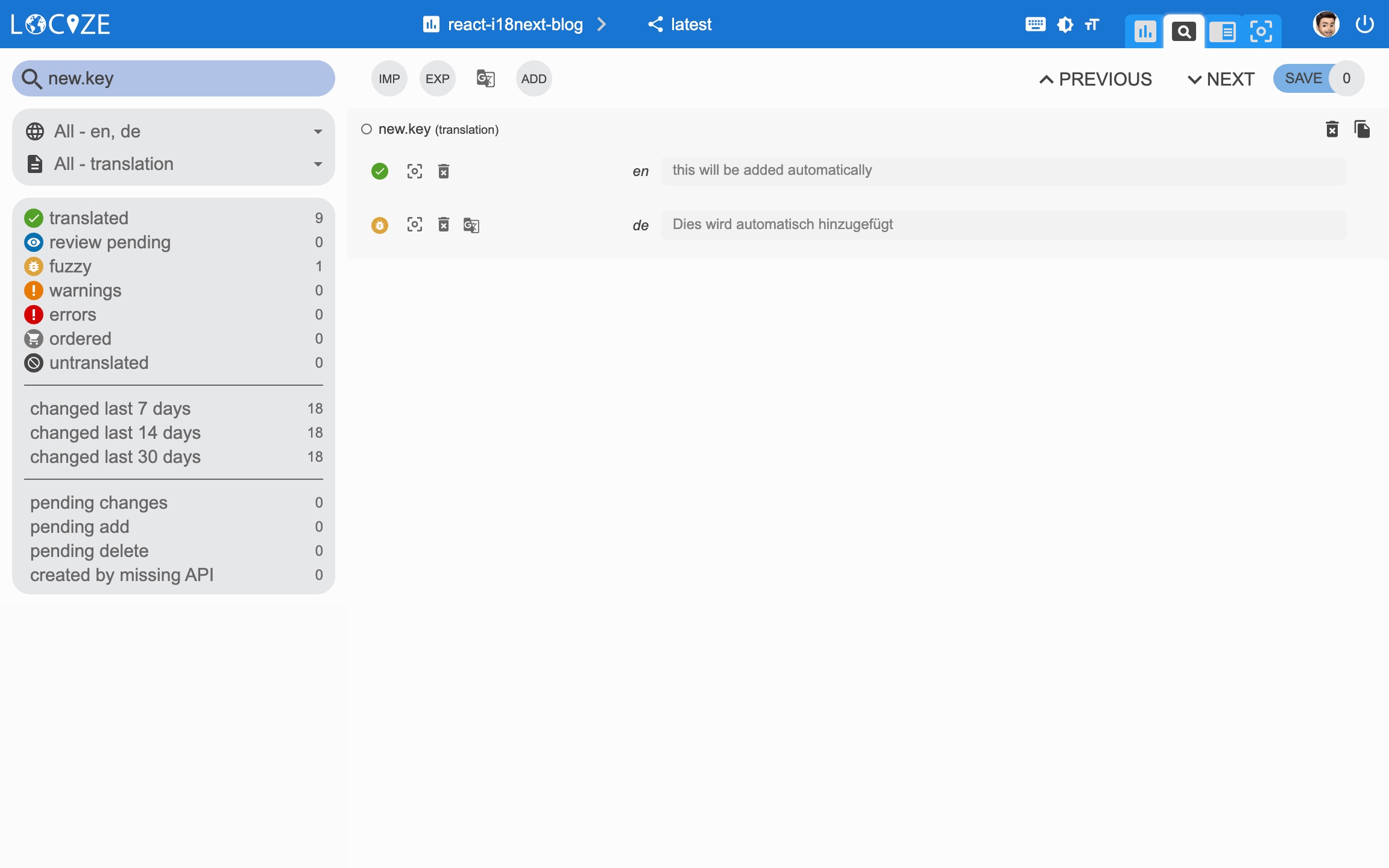
Filtro delle traduzioni usate per ultime:
📦 Prepariamoci per la produzione 🚀
Ora prepariamo l'app per andare in produzione.
Prima, in Locize, create una versione dedicata per la produzione. Non abilitate l'auto-publish per quella versione; pubblicate manualmente, via API o via CLI. Infine, abilitate Cache-Control max-age per quella versione di produzione.
Sfruttiamo la funzionalità environment di react-scripts.
Creiamo un file di environment di default, uno per development e uno per production:
.env:
SKIP_PREFLIGHT_CHECK=true

REACT_APP_VERSION=$npm_package_version

## locize
REACT_APP_LOCIZE_PROJECTID=0bbc223a-9aba-4a90-ab93-ab9d7bf7f780
REACT_APP_LOCIZE_REFLNG=en.env.development:
REACT_APP_LOCIZE_VERSION=latest
REACT_APP_LOCIZE_APIKEY=aaad4141-54ba-4625-ae37-657538fe29e7.env.production:
REACT_APP_LOCIZE_VERSION=productionAdattiamo ora il file i18n.js:
import i18n from 'i18next';
import { initReactI18next } from 'react-i18next';
import LanguageDetector from 'i18next-browser-languagedetector';
import Backend from 'i18next-locize-backend';
import LastUsed from 'locize-lastused';
import { locizePlugin } from 'locize';
import { DateTime } from 'luxon';

const isProduction = process.env.NODE_ENV === 'production';

const locizeOptions = {
  projectId: process.env.REACT_APP_LOCIZE_PROJECTID,
  apiKey: process.env.REACT_APP_LOCIZE_APIKEY, // YOU should not expose your apps API key to production!!!
  referenceLng: process.env.REACT_APP_LOCIZE_REFLNG,
  version: process.env.REACT_APP_LOCIZE_VERSION
};

if (!isProduction) {
  // locize-lastused
  // sets a timestamp of last access on every translation segment on locize
  // -> safely remove the ones not being touched for weeks/months
  // https://github.com/locize/locize-lastused
  i18n.use(LastUsed);
}

i18n
  // locize-editor
  // InContext Editor of locize
  .use(locizePlugin)
  // i18next-locize-backend
  // loads translations from your project, saves new keys to it (saveMissing: true)
  // https://github.com/locize/i18next-locize-backend
  .use(Backend)
  .use(LanguageDetector)
  .use(initReactI18next)
  .init({
    debug: true,
    fallbackLng: 'en',
    interpolation: {
      escapeValue: false,
    },
    backend: locizeOptions,
    locizeLastUsed: locizeOptions,
    saveMissing: !isProduction // you should not use saveMissing in production
  });

// new usage
i18n.services.formatter.add('DATE_HUGE', (value, lng, options) => {
  return DateTime.fromJSDate(value).setLocale(lng).toLocaleString(DateTime.DATE_HUGE)
});

export default i18n;
Durante lo sviluppo continuerete a salvare le chiavi mancanti e a usare la funzionalità lastused. => npm run start
In produzione invece saveMissing e lastused sono disabilitati e anche l'api-key non viene esposta. => npm run build && npm run serve
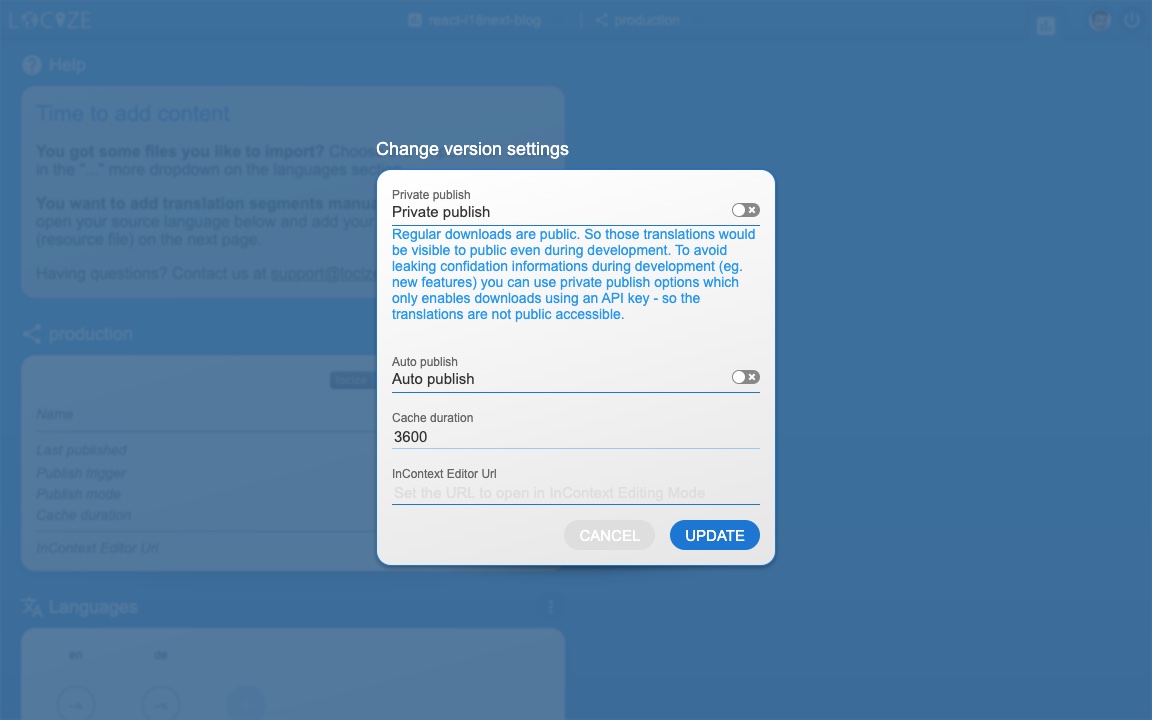
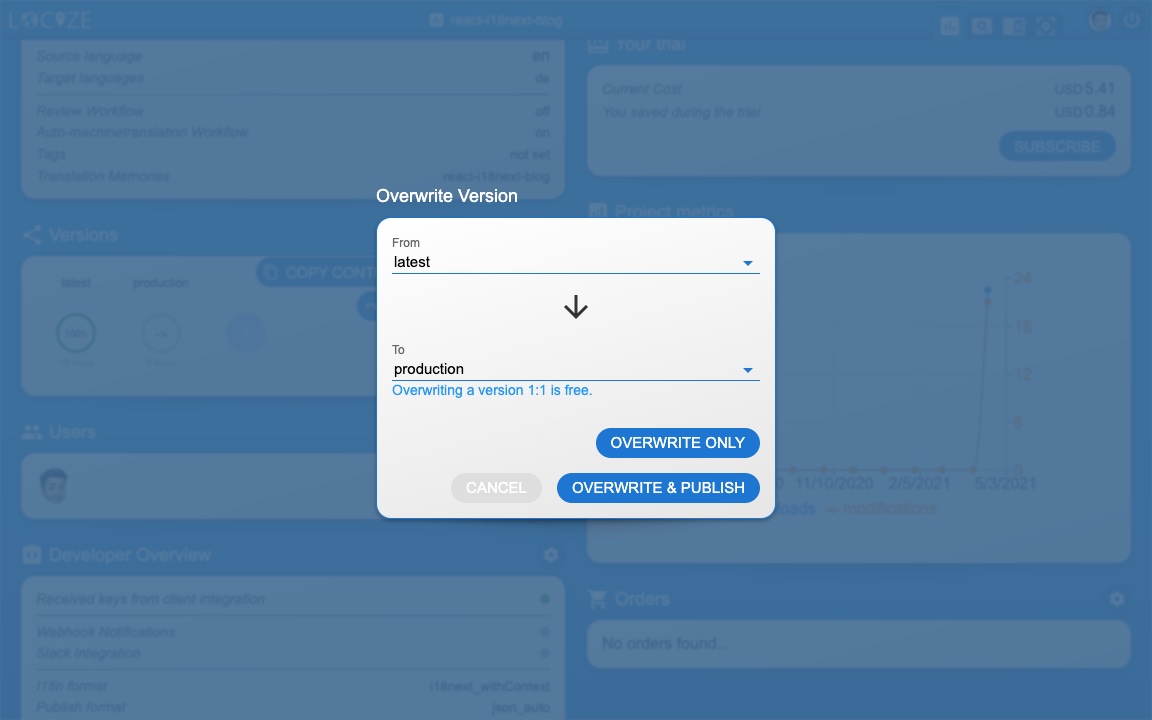
🧑💻 Il codice completo di questo esempio React si trova qui. E una versione TypeScript qui.
Guardate anche la parte sull'integrazione del codice in questo video YouTube.
C'è anche un video crash course su i18next.
C'è anche una traduzione spagnola di questo articolo.
🎉🥳 Complimenti 🎊🎁
Spero abbiate imparato qualcosa di nuovo su i18next, la localizzazione di React.js e i moderni workflow di localizzazione.
Quindi, se volete portare il vostro tema i18n al livello successivo, vale la pena provare la piattaforma di gestione delle traduzioni Locize.
I fondatori di Locize sono anche i creatori di i18next. Usando Locize sostenete direttamente il futuro di i18next.
👍
Stanco di gestire le traduzioni a mano?
Locize è il backend di gestione delle traduzioni creato dal team di i18next: distribuzione via CDN, traduzione con AI, editing in-context, senza nuovi deploy.
Inizia la prova gratuita di 14 giorni