On this page
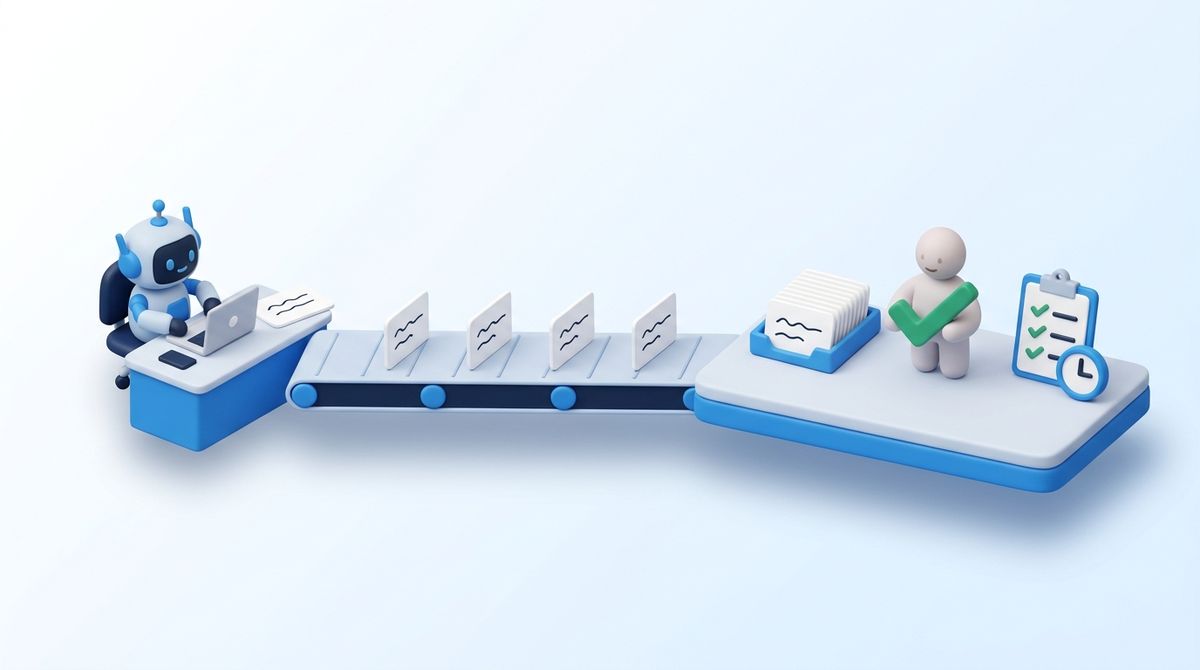
A translation routine is a coding-agent job that runs on a schedule or in CI: it finds the strings that changed, drafts them in every target language, writes the locale files and opens a pull request. With Claude Code, Codex or another coding agent it takes a skill file and a cron line, and some teams build one to replace their translation management system.
So the question is fair: do you still need a TMS? For some teams, no. For most teams the answer is not "the TMS instead of the routine" but "the routine on top of one". This post covers when the routine is enough, what it has to rebuild once it is not, and three ways to keep it.
- A routine is a good drafter: it sees the code, the placeholders and the neighbouring copy, and it needs no handoff.
- It is enough while the team reads every language and nobody outside the repository has to touch the copy.
- After that it has to rebuild a memory across runs, an enforced glossary, review per language with a record, checks over the whole language, delivery without a redeploy, and evidence for whoever asks who approved a text.
- You do not have to choose: with a project API key the routine adds a sync step and its drafts arrive marked for review; over the MCP server it reads the glossary and the memory first, and its writes are recorded as the agent's.
- Signing off on translations? What the person who approves the text gets, and the one step to take.
What the routine looks like
A routine usually has three parts:
- A skill or instruction file with the rules: keep placeholders, add every plural form the language needs, match the tone, never touch the source language.
- A trigger: a cron schedule, a merge to the main branch, or a label on a pull request.
- The run: the agent compares the source-language file with the target files, drafts the missing values, writes them and opens a pull request.
What it does well is real. The agent drafting the German label of a button knows it is a button, that {{count}} is a number and not a name, what the neighbouring strings say and how much room the layout leaves. There is no export, no handoff and no waiting for a translation round, and features that used to ship in English only now ship in every language the project has.
When the routine alone is enough
Keep it as it is, without a TMS, while all of these hold:
- the team reads every target language, or there are few enough to check by hand;
- nothing depends on the copy: no checkout flow, no legal text, no regulated content;
- one team owns the product, and nobody outside the repository has to change a string.
That describes plenty of projects. If it describes yours, the rest of this post is the list of things to watch for.
What it has to rebuild after that
Each run of a routine is stateless: it knows what is in the repository today and what its prompt says. The gaps do not show in a pull request; they show across releases. Why each of them drifts is in when coding agents translate your app; this is the build list.
| What the work needs | What the routine does | What your team then keeps running, every release |
|---|---|---|
| Memory across runs | Sees the current files, but nothing tells it which translations were approved, and AI drafting varies between runs, ours included: in our own test the same keys and context came back in German once as "Zurückstellen" and once as "Schlummern", until a glossary entry settled it | A store of approved translations that every run looks up, kept current whenever someone corrects one |
| Terminology | A glossary pasted into the prompt, growing, never enforced | A glossary per language, a check on every output, and someone who owns the terms |
| Review per language | A pull request reviewer reads one or two of the languages | A reviewer per language, a queue they work through, and a record of each decision |
| Checks over the whole language | Looks at the diff | Checks for placeholders, plural forms, tags and consistency that run after every merge, and someone who fixes what they flag |
| Fixes without a release | A corrected string waits for the next deploy | Delivery at runtime, with caching that never serves a stale string (how that works) |
| Evidence | git blame shows a bot | An origin and a review state per string, and an export an auditor accepts |
| People outside the repository | A product manager or a translator needs repository access | An editor with accounts, roles and access control |
None of these is hard on its own. Together they are a translation management system, written and maintained by the team that wanted to stop running one.
Three ways to keep the routine
The alternative to rebuilding is to keep the routine and let it write into a system that already has those parts. In Locize there are three set-ups, from the smallest change to the most context, and all three run unattended in CI.
| 1. Add a sync step | 2. Let Locize draft | 3. Read the project first | |
|---|---|---|---|
| Who drafts | your routine, as today | Locize's automatic translation | your routine |
| Credential | project API key | project API key | personal access token |
| Change to the routine | a sync command after it | its drafting step goes away | MCP tools instead of files |
| Glossary, style guide, memory | not used while drafting | used while drafting | read before drafting |
| Recorded as machine or agent output | no, only marked for review | yes | yes, with the agent's name |
Which one fits:
| Your situation | Fits |
|---|---|
| Two or three languages the team reads, nothing depends on the copy | the routine alone |
| The routine works, but nobody on the team reads some of the languages | 1 |
| A context sentence per key is enough, and the glossary and memory should be used while drafting | 2 |
| The strings need the code to be translated well, or the record has to show what an agent wrote | 3 |
| Legal, a customer or an auditor asks who approved the text | 2 or 3, with review on |
The routine keeps paying its own model tokens; translations Locize drafts run on Locize AI tokens or your own provider key (pricing).
All three end in the same place: a review queue per language, where every draft waits until someone who reads the language confirms it.
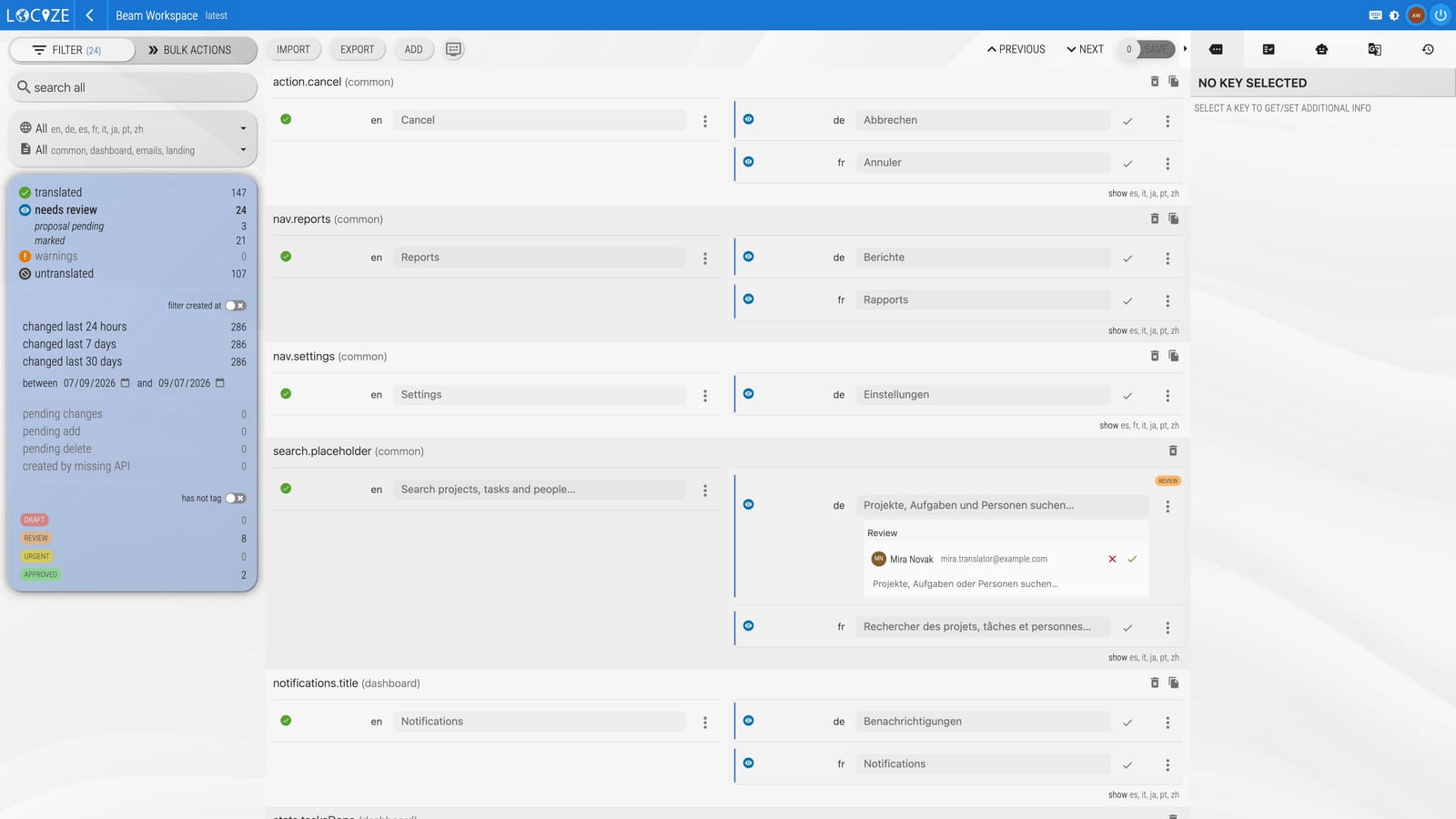
What that catches, from a real run with set-up 2: an agent reported 11 English keys, and Locize's automatic translation came back with 69 values in six languages in about eleven seconds, each with a confidence score and a reason, and with the plural forms each language needs (three in French, one in Japanese) where the English has two. The scores pointed at the literal "Wake up" in German, Spanish and Japanese. And the German used two terms for the same action, which a score per string cannot see and a reviewer of that language does. Drafts your routine sends itself, in set-ups 1 and 3, arrive without a score; an AI review run scores them.
1. Add a sync step
Keep the routine as it is. After it has written the files, send the new target values to Locize, marked for review:
locize sync --api-key $LOCIZE_API_KEY --project-id $LOCIZE_PROJECTID \
  --reference-language-only false --needs-review true \
  --skip-delete true --auto-translate false
--reference-language-only falsecompares the target languages too, so the routine's drafts are sent.--needs-review truemarks every value the sync sends: it goes live and stays in the reviewers' queue until someone confirms it (locize-cli 12.8.0 or newer). With--review trueinstead, the values arrive as review proposals and only go live once accepted.--auto-translate falsekeeps Locize from translating the new source keys itself, so it does not race the routine's drafts.--skip-delete truekeeps a value that someone added in Locize, and that the files do not have yet, from being deleted (keys removed from the source then stay in Locize until you remove them there).
A reviewer's correction is not undone by the next run: Locize keeps the value it has for an existing key, and the sync writes it back into the files. One thing to set before the first run: if your team edits English texts in the repository, run locize sync --update-values true before the routine, or the sync writes Locize's English back over them. The sync compares against the published files, so use a version with auto-publish; the rest is in the locize-cli sync reference.
Try it on the routine's next run: start a free 14-day trial, create a project with your languages, store its API key as a CI secret, add the command after the routine, and open the needs-review filter in the editor once it has run. The first sync sends every target value the routine has written so far, so the queue shows what the earlier runs shipped without a second look. Already on Locize? Use your project's API key and add the step; nothing else changes.
The limit: the values arrive marked for review, but in the history and the provenance export they look like any other value sent with the API key. That is enough for review, but not when the record has to tell an agent's text from a person's; set-up 3 does that.
2. Let Locize draft
The routine keeps writing the feature and the source text, and the translation step moves to Locize. The Locize GitHub Action extracts the new keys, syncs them, has them translated and downloads the result, with the same project API key:
- uses: locize/translate@v2
  with:
    project-id: ${{ secrets.LOCIZE_PROJECTID }}
api-key: ${{ secrets.LOCIZE_API_KEY }}- Automatic translation uses the project's style guide, glossary and translation memory as context, and checks every result against its source (syntax, placeholders, tags, the plural forms the language needs) before storing it; AI results are also held to the glossary.
- With Quality Estimation every AI translation gets a confidence score, and the review settings decide whether all machine translations are marked for review or only those the score does not trust.
- On a pull request,
command: synctranslates only the keys the pull request changed.
The action expects an i18next.config file (run npx i18next-cli init once). Outside i18next, locize sync --auto-translate true does the same with the CLI. This set-up fits when a context sentence per key is enough, and it leaves the agent the part it is best at.
3. Let the routine read the project first
When a string needs what only the code shows, keep the agent drafting, but over the Locize MCP server instead of into files. The run reads before it writes:
find_missing_translationsper language: what is missing or stale.get_glossary,get_styleguideandsearch_translation_memory: the terms, the voice and the earlier decisions;get_screenshot_contextfor an ambiguous key.- The agent drafts, with the code in view.
update_translationswithquality: "AI": the drafts are declared as AI output and marked for review by the project's rule.
On a schedule in GitHub Actions, with Claude Code:
name: nightly translations
on:
  schedule:
    - cron: '0 3 * * 1-5'
  workflow_dispatch:

permissions:
  contents: read

jobs:
  translate:
    runs-on: ubuntu-latest
    steps:
      - uses: actions/checkout@v7
      - run: npm install -g @anthropic-ai/claude-code@2.1.317
      - run: |
          claude mcp add --transport http locize https://mcp.locize.app --header "Authorization: Bearer $LOCIZE_PAT"
        env:
          LOCIZE_PAT: ${{ secrets.LOCIZE_PAT }}
      - run: >
          claude -p "Translate the missing keys of the Locize project $LOCIZE_PROJECTID, version latest.
          Call get_project_stats for version latest to see its languages and namespaces (if it answers with totals only, call it again per language),
          then call find_missing_translations per language and namespace.
          Before drafting call get_glossary, get_styleguide and search_translation_memory, and reuse a translation memory match with a high score.
          Read the namespace's existing translations with get_translations to match their tone. Look up where each key is used in the code to see what it labels.
          Push the drafts with update_translations and quality AI. Never send a null value, never publish, delete or rename anything.
          End with a list of what you pushed and what you were unsure about."
          --disallowedTools "Bash,Edit,Write,WebFetch,WebSearch,Read(~/.claude.json),Read(~/.claude/**)"
          --allowedTools "mcp__locize__get_project_stats,mcp__locize__find_missing_translations,mcp__locize__get_translations,mcp__locize__get_glossary,mcp__locize__get_styleguide,mcp__locize__search_translation_memory,mcp__locize__get_screenshot_context,mcp__locize__update_translations,Read,Grep,Glob"
        env:
          ANTHROPIC_API_KEY: ${{ secrets.ANTHROPIC_API_KEY }}
LOCIZE_PROJECTID: ${{ vars.LOCIZE_PROJECTID }}- The token: create a personal access token with the
readandwritescopes only, set an expiry, and store it as a repository secret. A token reaches every project its owner can reach, so let it belong to a user who is a member of this project only. Name it after the routine, for example "Nightly translation routine": every write over MCP carries the agent mark with the token's name, so the history names the agent, and the provenance export lists the drafts as machine output with the agent's name, not as a person's edit. - What it may do: the tool list leaves out the structural tools (deleting or renaming namespaces, publishing, branches).
update_translationscan still delete a key when it is sent a null value, and only the prompt says not to; if the token's owner has the translate-only permission, the server itself refuses key deletions and structural changes. - What it reads: the agent reads text other people wrote (translations, the glossary, key contexts). The workflow denies it the shell, file edits and the web explicitly, because
--allowedToolsonly adds to what Claude settings already allow, including a.claude/settings.jsonin the checked-out repository. It also denies reads of its own configuration (whereclaude mcp addstores the token), and its drafts go to review. - Around it: the source keys still reach Locize as before (saveMissing,
locize syncorreport_missing_keys), and the app gets the reviewed translations from the CDN or alocize downloadin the build. If automatic translation is on for the project, Locize drafts the new keys first and the routine finds little missing; switch it off when the routine is meant to draft. - Other agents: a coding agent that speaks MCP over HTTP takes the same URL and the same header in its MCP settings. The convention files in locize-agents carry the read-before-drafting rules for interactive sessions too.
What a run looks like: on a test project with three new keys and German, French and Russian as targets, the routine read the stats, the missing keys, the glossary, the style guide and the translation memory, looked up each key in the code, and pushed nine drafts as AI output, for under a dollar of model tokens. It ended with what it was unsure about: it had rendered "Wake up" as "reactivate" or "resume", not literally, which drops the snooze metaphor. All nine drafts were in the needs-review queue, and the history named the token as the agent next to each one.
For one complete interactive run with the real output (the confidence scores, what they missed, the review and the export), see a coding agent localizes a feature, step by step.
If you are the one who signs off
The routine is a developer's tool; the question "who approved this text?" usually reaches someone else: the localization lead, the product owner, or whoever answers legal or a customer's procurement. In all three set-ups this is what they get:
- Reviewers per language. A reviewer can be restricted to their languages, and the translate-only permission edits values without deleting keys or changing the project's structure (roles and permissions).
- One queue, whatever wrote the draft. Values from the routine, from automatic translation and from people land in the same needs-review queue per language (review workflow); on a plan with notifications, one can go out when a language's queue crosses a threshold.
- A record per string. The history keeps who or what wrote each value and who confirmed it, and when.
- Evidence on request. The provenance export (CSV and JSON per version, language or namespace, from the Growth plan like review proposals) packages the review state for an auditor. The Article 50 workflow guide shows the setup, and our explainer covers when Article 50 applies.
- A second look, on demand. An AI review run over a version scores the translations a project already has, whoever wrote them, and marks the ones it doubts for review or turns them into review proposals with a reason and a suggested fix. An agent can start one with
start_ai_reviewand a budget cap, with a token that has themanagescope and an admin or manager role.
Your step: set up the review per language as the Article 50 workflow guide describes, let the routine run once, then download the provenance export of that version and check it against what your auditor or your customer asks for. A project's 14-day trial includes review and the export; after it, both come with the Growth plan and up.
Signals that the routine needs a system under it
- the first language nobody on the team reads;
- the first terminology complaint from a customer, from sales or from support;
- the first "who changed this string, and why?";
- the first fix that has to reach users before the next release;
- the first question from legal or a customer's procurement about AI-generated text.
The agent keeps drafting; that part was never the problem. What it needs underneath is a memory, a reviewer and a record. If your routine already runs, start a free 14-day trial, give the routine a project API key, add the sync command, and look at the review queue after the first run. Already on Locize? Your project's API key is all the routine needs.
Frequently asked questions
Do I still need a translation management system if a coding agent translates my app?
Not always. A routine that lets Claude Code, Codex or another coding agent draft the missing strings and open a pull request is enough while the team reads every target language, nothing depends on the copy, and nobody outside the repository has to change a string. Past that point the routine has to rebuild a translation memory, an enforced glossary, review per language with a record, checks over the whole language and delivery without a redeploy. The cheaper path is usually not to replace the routine but to let it write into a translation management system that already has those parts, while the agent keeps drafting.
Can a scheduled Claude Code or Codex routine write into Locize?
Yes, unattended. With the Locize CLI or the Locize GitHub Action it uses a project API key: on a version with auto-publish, locize sync with --reference-language-only false and --needs-review true sends the drafted target values marked for review and does not overwrite values that already exist in Locize. Over the Locize MCP server at https://mcp.locize.app it uses a personal access token as a Bearer header, reads the glossary, style guide and translation memory before drafting, and pushes its drafts declared as AI output with update_translations.
How do I keep a record of which translations an agent wrote?
Write through the Locize MCP server and push the drafts with quality "AI": they are marked for review by the project's rule, and every write over MCP carries the agent mark with the name of the token, so the history and the provenance export do not report the drafts as a person's. A reviewer restricted to their language confirms or edits each value, and the decision is recorded. The CLI can mark pushed values for review, but it does not declare who wrote them.
Should the coding agent translate, or should the TMS translate?
Both work, and both drafts go to the same review queue. Let the agent draft when a string needs what only the code shows: what a label sits on, how much room it has, what a placeholder holds. Let the TMS draft when a context sentence per key is enough; Locize's automatic translation uses the style guide, the glossary and the translation memory as context and checks every result against its source before storing it.
Does the EU AI Act change anything for agent-translated strings?
Article 50 of the EU AI Act applies since August 2, 2026. Under the European Commission's final guidelines of July 20, 2026, a faithful AI translation is exempt from the machine-readable marking duty of Article 50(2); the visible disclosure duty of Article 50(4) only covers text published to inform the public on matters of public interest, and it falls away where the text has undergone substantive human review or editorial control under a person holding editorial responsibility. A pull request approval shows that someone approved a diff, not who reviewed each language; a review per language and per string, recorded with the reviewer's name, does. This is not legal advice.
Tired of managing translations by hand?
Locize is the translation management backend by the i18next team: CDN delivery, AI translation, in-context editing, no redeploys.
Start your free 14-day trial