
Missing Translations in i18next: Fallbacks, Detection & Fixes
Missing translations in i18next are translation keys that exist in your source code but have no entry in your translation files, so users see raw keys like welcome_message instead of real text. The modern fix is two-layered: catch them at build time with i18next-cli (extract + status --ci) so they never reach production, and configure i18next at runtime (fallback languages, default values, saveMissing) so the few that slip through degrade gracefully.
- What is missing: a key used in code but absent from one or more translation files
- Symptom: users see the raw key (welcome.title) instead of translated text
- Build-time fix: i18next-cli extract adds keys automatically; status --ci fails CI when locales are incomplete
- Runtime safeguards: fallbackLng, default values, saveMissing, custom missingKeyHandler
- Type safety: i18next-cli types generates TS definitions so mistyped keys fail to compile
- TMS workflow: saveMissing + Locize captures missing keys in production for translators to fill in
Why missing translations happen
In a typical i18next setup, translations are stored as JSON files (one per language and namespace), each containing key/value pairs. The t() function in your code looks up a key, finds the value for the active language, and renders it. A translation is "missing" when:
- The key is referenced in code but does not exist in any loaded translation file
- The key exists in your primary language file but not in a secondary language
- The namespace containing the key fails to load (404, CORS, wrong path)
- The key is misspelled in code or in the translation file
The default i18next behavior is to return the key itself as the rendered string. Users see welcome.title instead of "Welcome". This breaks the multilingual experience and damages trust, especially when it ships to production unnoticed.
The fix is layered: prevent missing keys at build time with static analysis (so they never reach production), and configure i18next's runtime fallbacks (so anything that slips through still renders something reasonable).
Catch missing translations at build time with i18next-cli
The most effective place to catch missing translations is before code ever runs. i18next-cli is the official static-analysis toolchain for the i18next ecosystem. It walks your source code, identifies every t() call, and keeps your translation files and types in sync. For a full walkthrough of the toolchain, see Supercharge Your i18next Workflow with the All-New i18next-cli; here we focus on the missing-translation parts.
Extract every key from your code
npx i18next-cli extractextract parses your source files (.ts, .tsx, .js, .jsx, and more via plugins), finds every t() call, and adds any missing keys to your JSON translation files automatically. Run it during development with --watch for instant feedback as you write new components:
npx i18next-cli extract --watchThis alone prevents the most common cause of missing translations: a developer adding a new t('feature.title') to code but forgetting to add the key to the translation files.
Gate CI on translation completeness
npx i18next-cli extract --ciIn CI/CD, extract --ci exits with a non-zero status code if extraction would change any translation file, meaning there is a new key in code that has not been added to the JSON. This blocks merges of code that would produce missing translations in production.
For a full health-check report:
npx i18next-cli statusstatus reports each locale's translation completeness, exiting non-zero when any locale is incomplete. Add --hide-translated to see only the gaps:
npx i18next-cli status de --hide-translatedBoth commands can run side-by-side in your pipeline: extract --ci catches "new keys not yet in files", status catches "files exist but values are blank".
Catch misspelled keys with TypeScript
npx i18next-cli typestypes reads your translation files and generates TypeScript definitions for every key. With strict mode enabled, calling t('nonexistent.key') becomes a compile error: typos are caught before code is even committed. Pair with extract to keep types and translations in lockstep.
Sync secondary languages
npx i18next-cli syncsync aligns secondary language files against your primary language: adds missing keys, removes orphans. This catches the case where the English file (primary) is still missing a key that was added directly in the German file, or where deleted code left stale keys behind.
Detect and handle missing translations at runtime
Even with build-time gates, missing translations can still occur in production: a server-side rendering edge case, a dynamic key that was not statically analyzable, a translation file that fails to load over the network. i18next provides several runtime mechanisms to detect and handle these gracefully.
Enable debug mode in development
Set debug: true in your i18next config to log warnings to the browser console whenever a key is missing:
i18next.init({
  debug: true,
  // ...
});
This is the simplest first-line detection mechanism. Review the console during local development and integration testing to surface keys you have missed.
Fall back to another language
Use fallback languages to display the primary language when a translation is missing in the user's locale:
i18next.init({
  fallbackLng: 'en',
  // ...
});
Instead of seeing welcome.title, the user sees "Welcome": recognizable English text rather than a raw key.
Provide inline default values
Pass a default value directly in the t() call:
t('welcome.title', { defaultValue: 'Welcome' })The default value is shown when the key is missing in the active language. This is more granular than fallbackLng, useful when a specific call needs a custom fallback regardless of the project-wide setting.
Capture missing keys at runtime with saveMissing
Set saveMissing: true and provide a missingKeyHandler to capture missing keys as they happen:
i18next.init({
  saveMissing: true,
  missingKeyHandler: (lng, ns, key, fallbackValue) => {
    // forward to your backend, logger, etc.
  },
  // ...
});
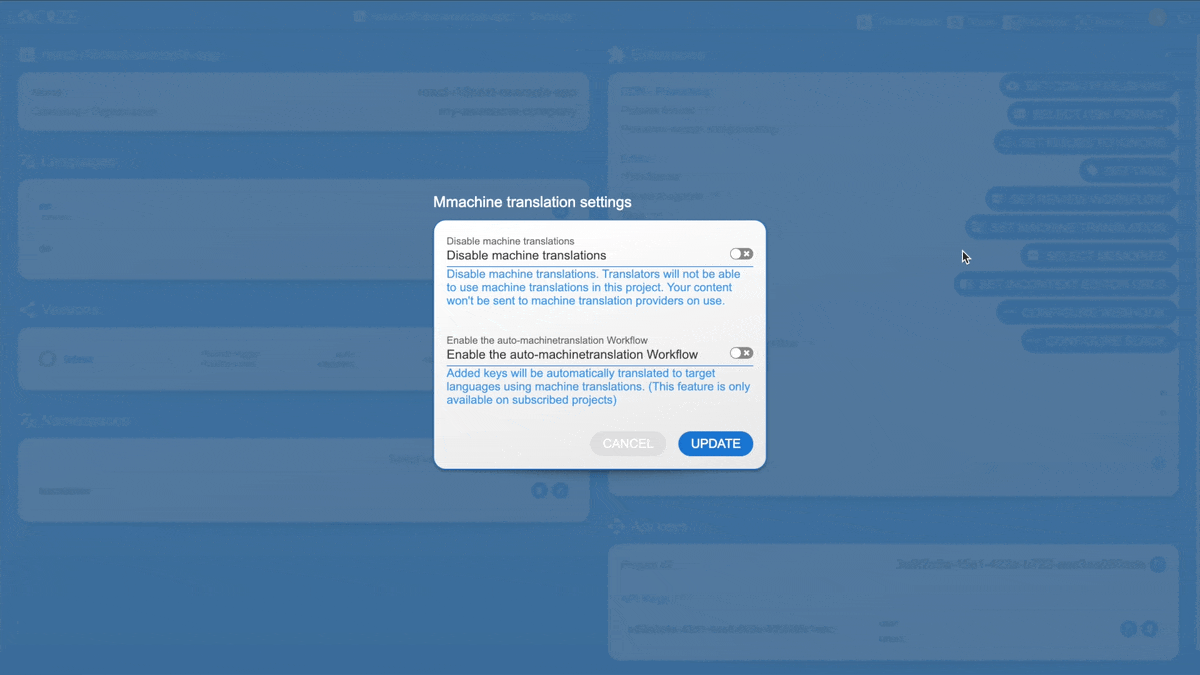
When paired with a translation backend like Locize, missing keys are automatically POST'd to the project. Translators fill them in (or Automatic Translation pre-fills them with AI) and the new translations are served via CDN with no redeploy. See Automating i18next Translations with saveMissing and Locize AI for the full setup. This is how Locize closes the loop between code and translation:
Customize the missing-key behavior
i18next provides additional configuration options for missing-key handling: parseMissingKeyHandler for transforming the rendered output, appendNamespaceToMissingKey for diagnostics, and event handlers like missingKey for richer instrumentation.
Best practices for the i18next localization workflow
A handful of practices keep missing translations from compounding over time:
1. Establish a clear translation process. Define when keys are added, who translates them, and how updates are reviewed. See our guide on keeping track of new translations.
2. Maintain a glossary and style guide. Translators need consistent terminology, especially for product names and technical vocabulary. Locize integrates a glossary directly into the translation workflow.
3. Use consistent formatting and placeholders. Follow consistent formatting conventions and use placeholders effectively so translators know what is interpolated.
4. Version your translations. Use versioning and history so you can revert if a translation regresses and track changes over time.
Improve user experience when translations are missing
How you handle the missing case affects how users perceive the app:
Communicate clearly. If a translation is not available, an informative placeholder is better than a raw key. Use parseMissingKeyHandler or default values to render something readable.
Provide context and use variables properly. Translators do better work with context, and consistent variable usage prevents bugs where a placeholder is translated as literal text.
Watch text length. Translated text is often longer than the source: German is typically ~30% longer than English. Test your layout with realistic translations to avoid truncation or overflow.
Optimize i18next performance
As your translation footprint grows, performance considerations come into play:
1. Cache translations. Caching translations locally or via CDN reduces network requests on subsequent loads.
2. Bundle or split language files. Minify and bundle for smaller payloads, or use lazy loading to defer translations until they are needed.
3. Lazy-load namespaces. Load translations dynamically so the initial bundle stays small.
Frequently Asked Questions
It means i18next could not find a translation for that key, usually because the key is not in any of the loaded translation files, the namespace failed to load, or the file path is wrong. By default i18next returns the key itself as a fallback. Fix the underlying cause (extract the key, fix the loadPath, add the namespace) or configure a fallbackLng so users see a translated default instead of a raw key.
At build time, run i18next-cli status to get a completeness report across locales and namespaces, or status --hide-translated to see only the gaps. At runtime, enable debug: true to log warnings to the console when a key is missing, or set saveMissing: true to capture missing keys via a missingKeyHandler (or send them to a managed backend like Locize for translators to fill in).
Wire i18next-cli extract --ci or i18next-cli status into your CI pipeline. extract --ci exits non-zero if there are new keys in code that are not yet in your translation files. status exits non-zero if any locale has missing entries. Either gate blocks merges that would ship missing translations to production.
saveMissing: true tells i18next to call a missingKeyHandler whenever it encounters a key with no translation. The handler can log the key, write it to a file, or POST it to a backend. With Locize, missing keys are automatically captured into the project so translators can fill them in, closing the loop between code and translation without manual key entry.
fallbackLng tells i18next which language to fall back to when a key is missing in the user's current language, e.g. show English text when the German translation is not ready yet. A default value is passed inline in the t() call and is shown when the key is missing in the active language. Default values are more granular; fallback languages are the project-wide safety net.
Yes, when you generate types with i18next-cli types. The command reads your translation files and produces TypeScript definitions, so referencing a key that does not exist becomes a compile error. Combined with a strict tsconfig, CI catches misspelled keys before they ship.
i18next captures missing keys at runtime via saveMissing and sends them to Locize. Locize stores them as untranslated entries, optionally pre-fills them with AI translation, and notifies translators. Once translations are added, they are served via the Locize CDN to your app with no redeploy needed. Missing keys flow from code to translators and back to the app automatically.
Yes, treat them like any other source artifact. Commit the JSON files produced by extract so your repo is the source of truth and CI can verify completeness with status or extract --ci. If you use Locize, you can also configure locize-download to pull production translations as part of your build, but committing the extracted keys keeps the team in sync about what needs translating.
Conclusion
Missing translations are an inevitable part of multilingual development: keys get added, languages lag behind, files fail to load. What makes the difference is having both layers in place: build-time prevention with i18next-cli so missing keys never reach production, and runtime safeguards (fallbackLng, default values, saveMissing) so anything that slips through still renders something reasonable. Combine that with a translation management system like Locize, which captures saveMissing payloads, lets translators fill them in, and serves the result via CDN without a redeploy, and you have a workflow where missing translations get closed automatically.
For codebases that do not yet have i18next instrumentation in place, see From Hardcoded Strings to Global-Ready: The Modern React i18n Journey: the upstream version of "missing translations" is "missing t() calls entirely", and i18next-cli instrument can help.