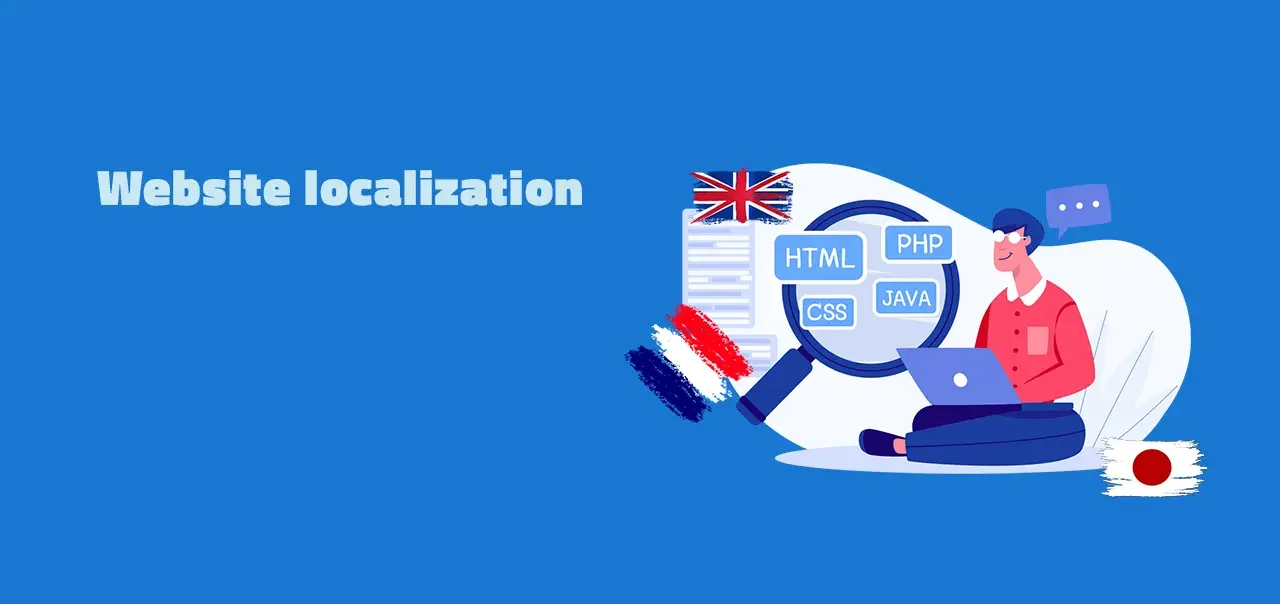
Website localization is the process of adapting a website (language, formats, currencies, images, layout, SEO, and legal compliance) for a specific target market. It goes beyond translation: a localized website feels native to its target audience, not just translated into their language. A typical localization project covers 12+ elements (date and time formats, units of measurement, currencies, payment methods, address formats, holidays, plurals, gendered language, images and gestures, reading direction, privacy policies, regional SEO metadata) plus the underlying engineering work (i18n) that makes the codebase support any language at all. Done well, website localization expands a company's addressable market and builds trust with international users; done poorly, it creates a translated-looking site that converts worse than the original.
- What it is: adapting a website (language + culture + formats + SEO + legal) for a target market
- vs translation: translation = words; localization = whole experience
- vs internationalization (i18n): i18n = engineering preparation; localization = market-by-market adaptation
- What it covers: language, dates, currencies, payment methods, addresses, images, RTL layout, legal compliance, regional SEO
- Why it matters: 76% of online shoppers prefer to buy products with information in their native language (CSA Research, 2020 survey)
- SEO basics: one URL per language version, hreflang annotations with return links, translated metadata, no automatic redirects between languages
- Workflow today: AI drafts, glossary and translation memory keep terms consistent, people review what matters most
- Common triggers: international launch, new market entry, franchise model, lower conversion in some regions
This is a comprehensive guide to website localization. It covers what it is, when to do it, how to prepare, the step-by-step process, real-world examples, and how to choose the right platform. For more general information about software localization beyond websites, check out our blog post about software localization.
Table of contents
- What is website localization?
- Why should you be interested in a positive outcome?
- When is it appropriate to localize your website?
- Prepare the localization of your website
- A step-by-step process for web localization
- Examples: Popular and from our clients
- How to measure the quality
- Choose the right platform
- Conclusion
What is website localization?
Website localization is the market-facing part of internationalization and localization, and it entails much more than simple text translation: it must take into account all language and cultural variables. If you sell a good product in your home market, there is a good chance you can sell it in other countries too. If you want to sell in Spain, for example, your content must be adapted into a message that reads naturally in Spanish, with local formats, prices, and references.
Now that you know what website localization is, let's find out why it's important.
Why should you be interested in a positive outcome?
A good website localization may help multinational businesses establish significant brand awareness outside of their home country.
People on the internet clearly prefer to buy from websites in their own language. In CSA Research's 2020 "Can't Read, Won't Buy" survey of 8,709 consumers in 29 countries, 76% of online shoppers preferred to buy products with information in their native language, and 40% said they will never buy from websites in other languages (CSA Research press release).
At the same time, English is the content language of about half the websites W3Techs surveys (49.5% of those whose content language is known, as of October 2026). A site available only in English leaves out every visitor who would rather read and buy in another language.
Many firms use a single landing page per region that only provides basic corporate information. This is not the strategy to take, since the target audience may perceive a lack of interest in their location and requirements. Local customers expect a website that is as complete as the one in your primary market.
The localization of a website can increase the revenue of your company. It may look like an administrative concern, but it is an investment in your organization.
When is it appropriate to localize your website?
You're wondering when to start localizing a site. This varies from company to company, and a variety of factors can influence when the ideal time is reached.
However, there are a few scenarios that should make you start thinking about it:
- Your business is launching a new product.
- You must adhere to market standards.
- Your company is expanding internationally.
- Your company establishes a new branch in another country.
- Your business follows the franchising model.
- Your business figures are lower in some areas than in others.
- Your company acts as a global platform.
- Your company's global branding strategy is shifting.
Prepare the localization of your website
Prepare your localization strategy well, because it involves much more than translating some sentences. This process should be part of your overall business strategy, because there are many non-technical aspects to consider when going into new markets:
A step-by-step checklist for the business questions
➡️ Examine the market: is there a possible audience?
➡️ Determine the local compliance needs. In the EU, for example, the European Accessibility Act applies to certain digital services, such as e-commerce, since June 28, 2025 (see EU Accessibility Act and localization).
➡️ Determine the best technology for localization
➡️ Determine how you will market in the new place
➡️ Decide who is part of the team (lead project manager, marketing expert, developer, reviewers, etc.)
➡️ Construct a list of quality assurance criteria
Once you have a strong plan that covers all of the above checkpoints, it's time to go into the details of the website itself.
A step-by-step process for web localization
- Define the strategy of your website localization
- Design the content of all pages with internationalization in mind
- Execute i18n on your website
- Arrange your team the right way
- Translate your webpages: AI or machine translation for first drafts, a glossary and translation memory for consistent terms, human review for what matters most
- Measure the quality and strategy
- Keep up localization with the right software, ideally as continuous localization that ships new content in every language as you go
Keep the following techniques in mind for a successful implementation:
- Place the language selector where users expect it, and let users switch languages on every page
- Change the formatting design: a sentence in some languages can be substantially longer
- The currency should be according to customer need
- Think about the update of graphics and videos
- Ensure a proper information architecture
- Make it easy to update content
- Plan localized SEO alongside development, not after launch (see below)
- Allow website integrations
- Verify the translations and results
Localized SEO: what Google recommends
These points are based on Google Search Central's guidance on multi-regional and multilingual sites and localized versions:
- Give each language version its own URL. Country domain (example.de), subdomain (de.example.com), or subdirectory (example.com/de/) all work; URL parameters (?loc=de) are not recommended.
- Use one language per page. Google determines a page's language from its visible content, not from the
langattribute or the URL, so avoid side-by-side translations. - Add hreflang annotations. Every version lists itself and all other versions, as HTML link tags, HTTP headers, or in the sitemap. If two pages don't point to each other, Google ignores the annotations. Use
x-defaultfor the fallback page. - Don't redirect automatically. Google advises against automatic redirects between language versions. Suggest the matching version instead and link to the other language versions.
- Translate the whole page. Google treats localized versions as duplicates only if the main content stays untranslated.
Beyond Google's guidance, translate page titles and meta descriptions too, and research keywords for each market instead of translating English keywords literally.
Elements to consider on website
This list gives you an overview of what you need to keep an eye on when you internationalize your website:
- the text
- the date and time formats
- the unit of measurement
- the holiday seasons
- the local currency
- the methods consumers can pay with
- the way an address is written
- the local letters, symbols, grammar, etc.
- the plurals
- the phone numbers
- the privacy policy and other legal text
- the images, including their alt text
- the videos, including their captions
All information must be presented in a genuine manner so that local visitors feel it is tailored to them. Also, the website's navigation may vary, as visitors from different regions engage differently with your website. Gender-specific words are another aspect, which we do not discuss in detail here, but keep them in mind.
Understanding the language is frequently insufficient: as the CSA Research figures above show, many people will not buy from a website that is not in their language. The material must reflect all of their familiar conditions, not just the language.
Best practices
➡️ More about the topic? Check the website internationalization best practices
The article highlights effective practices for companies entering foreign markets and requiring website translation. There is a significant distinction between translation and localization. With these ideas, you may save a lot of money and time when your website goes international. Furthermore, the best practices article provides a system for translating content and managing these translations.

Examples
There are well-known examples all across the world of companies that have effectively implemented multilingual websites as part of their overall business strategy. www.tesla.com was one of the most well-known examples we checked out when we first wrote this guide in January 2023; the site may have changed since.
They offer a large number of regions from which to choose. They also adjust things like privacy policies and graphics to meet the needs of different locations. They do an excellent job of localizing their website, but it isn't perfect, and there are certain areas where they could improve.
The following findings are general areas that, in the author's view, could be improved; they are not based on a deep analysis of Tesla's situation.
First finding
In the author's opinion, the language selector is difficult to discover and therefore not well placed for a good website experience. Suggesting a region based on the visitor's location is helpful, as long as it stays a suggestion: Google advises against automatic redirects between language versions.
Second finding
In the author's opinion, although switching languages is possible, the user does not receive sufficient tailored information for their intended location. The available Tesla store locations are hidden in a bottom menu and are difficult to find. It may help to direct the user's attention to these locations, so the customer feels more at home.
Third finding
In the author's opinion, some product description information is tailored to a larger geographic area, such as Europe. It isn't specific to different areas of Europe; they used the same data across many countries. However, this may be intentional, because the effort could be excessive compared to the results. "The product speaks for itself".
The author is unable to conduct a thorough analysis of the technical localization aspects as part of this article.
Locize examples
We, at Locize localization management platform, have assisted many customers in achieving their goals with website localization. The following examples can assist you:
1) globalfinreg.com
Global Finreg localized two websites with Locize. Their CTO describes Locize as an "easy interface to administer translations", where they can control exactly what each translator sees, see which translations are missing, and split the application into separate namespaces.

2) www.redcross.ch
The Swiss Red Cross uses Locize for its headless websites. According to their Head of Web Office, the sites "can be translated into different languages within a short time".

Quality assurance
The quality check is essential for the team to measure where the project stands and to provide the right website experience. It helps you improve project milestones and refine website content. It should also include a check of whether the translations are accurate and fit the context.
AI and machine translation can produce first drafts in minutes. Quality comes from what surrounds them: a glossary and style guide for terminology and tone, translation memory for consistency, and human review before important content goes live. People should check not only the language on the website, but also its functionality and the overall site experience.
We have the following two areas of testing for localization on the web:
Language Testing
Is the language properly tested, and are all words correct and understood? Ensure consistency, since success and failure can be determined by trust. This list might be useful for testing the local language:
- Wrong use of language
- Spelling mistakes
- Words that are inappropriate or restricted in a culture
- Unreadable sentences
- Inconsistent terminology (check against your glossary)
- Grammar errors
Localization Testing
Testing the localization ensures that your various language site versions work properly. Distribute your testers across the newly targeted markets.
Check the operation of all web forms and checkout functionality, and fix any broken design. A short list you can find below:
- Check for untranslated strings
- Long website loading times
- Wrong date and time formats
- Check for truncated or broken strings
- Check different devices and browsers
- Ensure hyperlinks work, including links to the other language versions
- Test forms and checkout features
Choose the right platform
A multilingual website is typically a large undertaking, and using a well-established localization management solution will help you complete it more quickly. When choosing a platform, make sure it fits your needs. You will be able to provide a better user experience and add the right tools as a result.
➡️ Read the introduction in our docs
➡️ Create a new user account for free
➡️ Check out how to add a new project
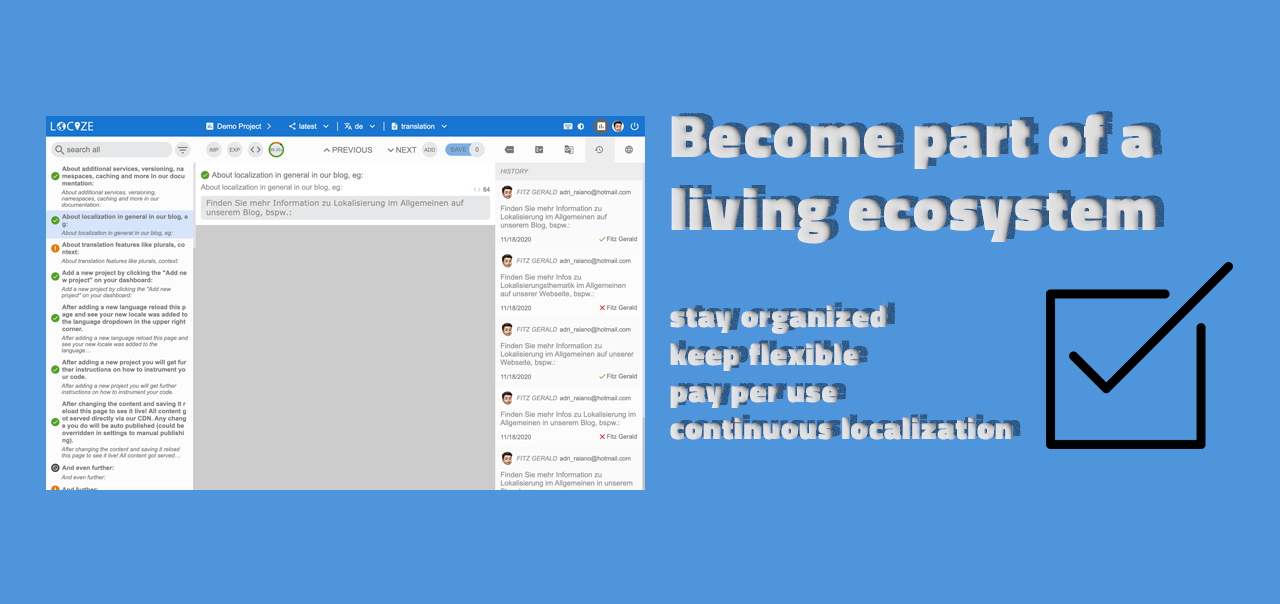
With Locize, a localization management platform built by the creators of i18next, you can bridge the gap between translation and development. Translations are delivered via a global CDN, so updates go live without redeploying your website. AI translation (the built-in Locize AI service, or your own provider key on qualifying plans) works together with translation memory, a glossary, a style guide, and a review workflow, so drafts are fast and quality stays under control. This makes your site, app, game, or whatever project you're working on more global, particularly when you use the continuous localization features.
You can export your translations in standard formats and use them with i18next or other i18n frameworks. If you are a developer, you can also look at our step-by-step guide for JavaScript localization.
Frequently Asked Questions
Website localization is the process of adapting a website (language, content, formats like date, time, currency, address, images, layout, SEO, and legal compliance) for a specific target market. It goes beyond translation: a localized website feels native to its target audience, not just translated into their language.
Translation converts the words. Localization adapts the whole experience: text plus date and number formats, currency, address layouts, plurals, gendered language, images, regional payment methods, legal references, and sometimes layout direction (RTL for Arabic and Hebrew). Translation makes a website understandable; localization makes it feel native.
Common triggers: launching a new product internationally, expanding into new markets, opening a new branch in another country, following a franchise or global-platform model, or noticing lower conversion in some regions. The earlier in the development cycle you internationalize, the cheaper localization becomes: retrofitting i18n into an existing codebase is usually more work than building it in from the start.
A typical process: (1) define your strategy and target markets, (2) internationalize the codebase (extract strings, locale-aware formatting, RTL support), (3) translate content in a translation management system: AI or machine translation can produce the first draft, while a glossary, style guide, translation memory, and human review keep quality, (4) adapt images, currencies, payment methods, and legal references per market, (5) localize SEO (one URL per language version, hreflang annotations, translated metadata), (6) test in every locale for layout, broken links, and form behavior, (7) ship and maintain: treat localization as continuous, not a one-off project.
Beyond text: date and time formats, currencies, units of measurement, address formats, phone-number formats, payment methods, holidays and seasonal references, images and gestures (cultural appropriateness), reading direction (LTR / RTL), plurals, gender-specific words, alt text and captions, privacy policy and other legal text, and SEO metadata (URL slugs, hreflang annotations, regional keywords).
Localization is central to international SEO. Google recommends a separate URL per language version (country domain, subdomain, or subdirectory; URL parameters are not recommended), one language per page, and hreflang annotations in which every version lists itself and all other versions (annotations without return links are ignored). Use locally researched keywords instead of literal translations, and translate titles and descriptions. Translated pages are not a duplicate-content problem: Google treats localized versions as duplicates only if the main content stays untranslated.
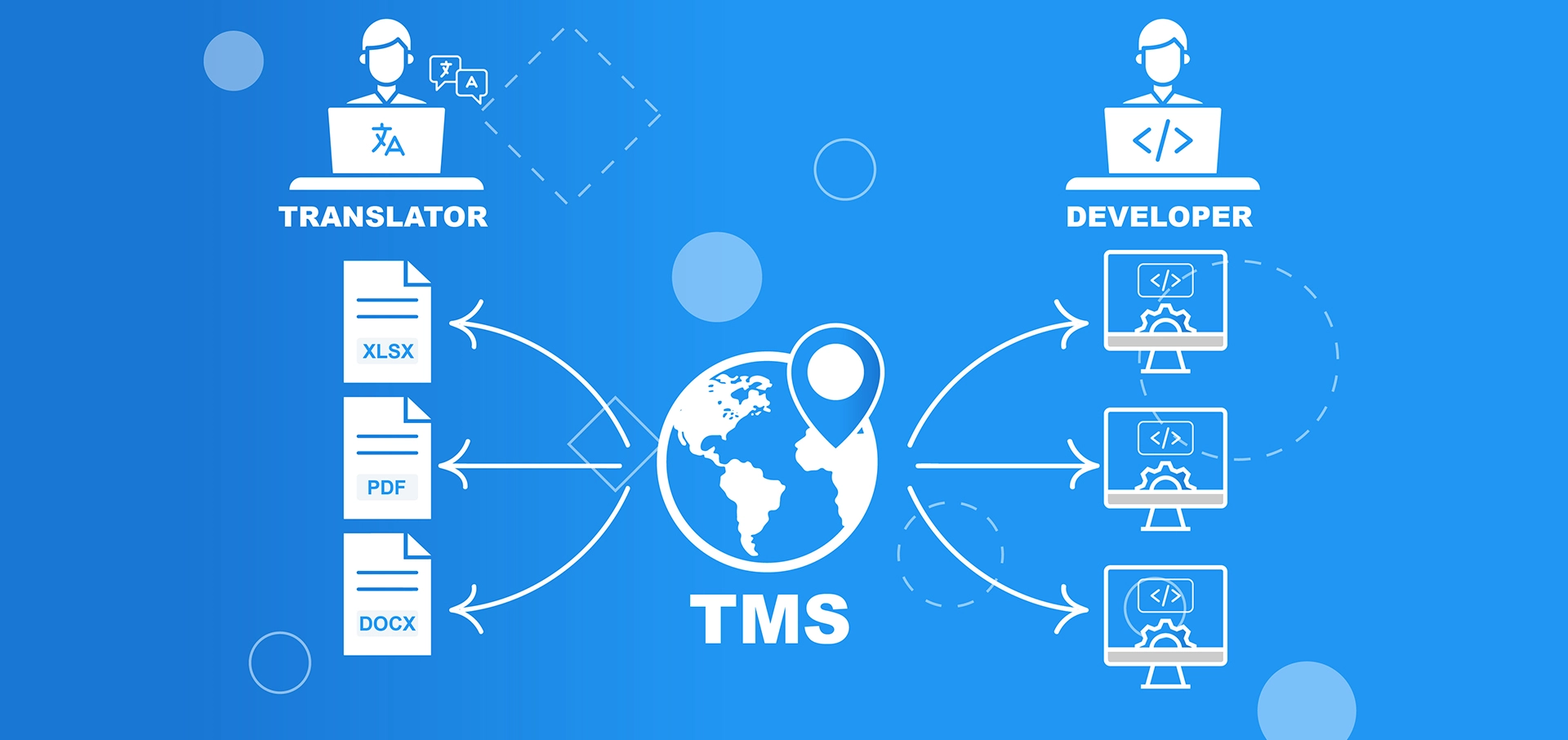
Translation management systems (TMS) such as Locize, Phrase, Crowdin, or Lokalise coordinate translators and AI translation, store translation memory and glossary, and integrate with your build pipeline. Some, Locize included, deliver translations via CDN so updates ship without redeploying code. For technical implementation, JavaScript projects use frameworks like i18next; PHP uses gettext or Laravel translation files; Ruby on Rails uses YAML translation files.
Yes, as a fast first draft. AI and machine translation can miss brand terms, tone, and context, so give the AI your glossary, style guide, and translation memory, and have people review high-visibility content (checkout, legal text, key marketing pages) before it goes live.
No. Google Search Central advises against automatic redirects between language versions, because they can keep users and search engines from seeing all versions of your site. Suggest the matching version instead (for example with a banner), link each page to its other language versions, and use hreflang annotations, with x-default as the fallback.
Conclusion
Consumers clearly want websites with customized, localized content. As a result, website localization is the technical part of any company's expansion into new regions or market segments. As we have laid out, it must start from a good business strategy, which is the starting point for a solid technical implementation.
Global brands do it
As you can see from our real-world examples, well-known organizations in many industries have used website localization. As a result, you should address it as soon as possible in your company's internationalization process. It shows the commitment your organization makes to potential customers in the newly targeted area.
Users will appreciate it
Your target audience will thank you by buying your product or service. Your brand awareness in the market will grow as well, which is essential for online business success.
Use this guide
"How do I localize my website?" is easy to answer: select the right platform for your needs and plan all steps needed for the language localization in advance.
Keep it organized
The localization management platform can help you stay organized and adaptable as you move to continuous localization.
Why Locize should be your choice
- Built by the i18next team: Locize is made by the same team that created i18next.
- No redeploys: translations are served via a global CDN, so updates go live without a new release.
- AI with control: AI translation with translation memory, glossary, style guide, and review workflow.
- Transparent: pricing is public, no sales call is needed, and every account starts with a 14-day full-feature trial.
See how customers use it and what Locize offers for website localization.
Tired of managing translations by hand?
Locize is the translation management backend by the i18next team: CDN delivery, AI translation, in-context editing, no redeploys.
Start your free 14-day trial