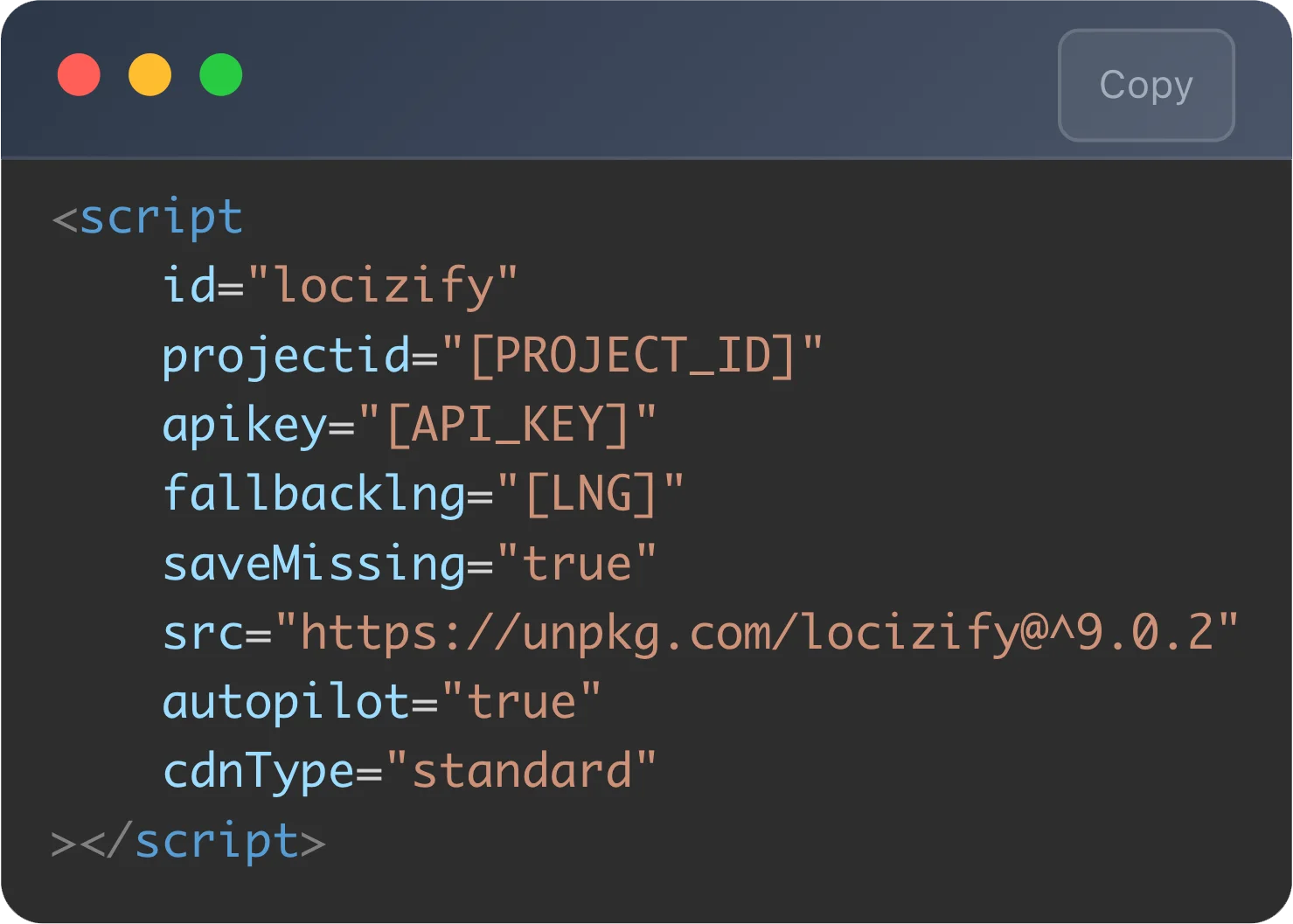
Works with React, Vue, Next.js, Angular, Svelte: anywhere i18next runs. Add the i18next-locize-backend plugin and you're sending and receiving translations.
Other formats welcome too: JSON, XLIFF, YAML, PO, RESX, Fluent, Properties.

Website localization services adapt your site (text, formats, currencies, dates, layouts, sometimes images) for users in different languages and regions. Where traditional agencies treat this as a project (intake → translate → integrate → deploy), Locize runs it as continuous engineering: translations flow from your code into a CDN-backed editor, and changes go live without redeploying.
Built by the creators of i18next. Also covers the software side (web apps, SaaS, desktop), the JavaScript stack end to end, and the multilingual side of EU Accessibility Act compliance.
Trusted by Swiss Red Cross, ABB, Zürcher Kantonalbank, RealAdvisor, and roughly a thousand other product teams. CDN delivery means new translations go live without a code redeploy.

And what changes when translations stop being a deploy-blocking handoff between engineering and translators.
✖ Translators send updates over email or spreadsheet; a developer pastes them into JSON files and ships a release.
✖ Adding a language means a feature branch, a translation contract, and a coordinated launch.
✖ A typo on a live page is a deploy. So is a price update in five locales.
✖ AI translation runs in someone's ChatGPT tab, with no glossary, no review trail, no rollback.
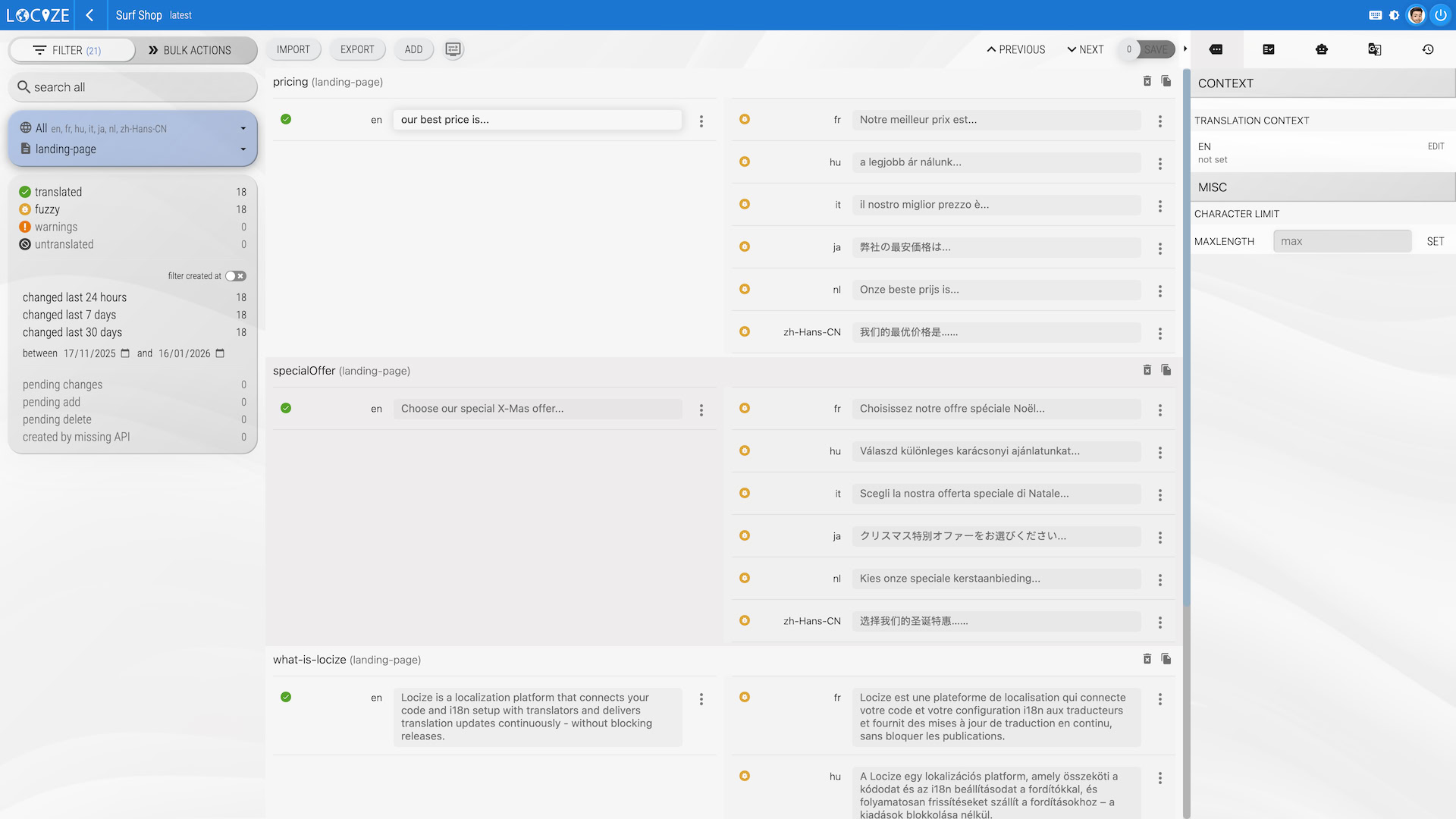
✔ New keys flow from your code to Locize automatically via i18next's saveMissing.
✔ Adding a language is minutes: pick the locale, optionally auto-translate, publish.
✔ Edits go live on the CDN without redeploying. Need to roll back? One click on the published namespace history.
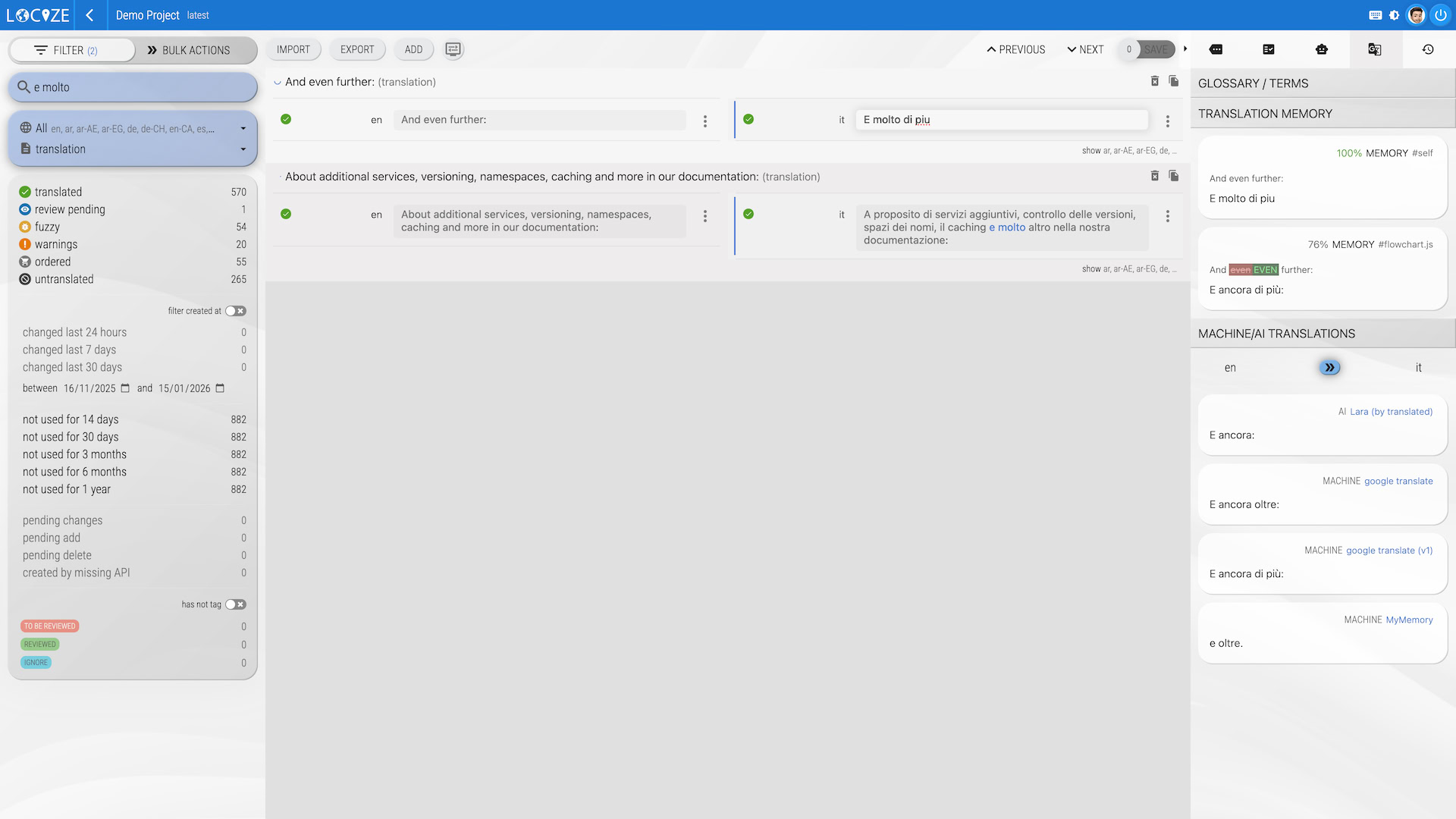
✔ AI translation is built in (BYOK or managed) with your style guide, glossary, and TM injected into every prompt.
Three ways to localize a website. Pick whichever matches how your team actually works.
| Localization agency | Locize | DIY (i18next files in repo) | |
|---|---|---|---|
| Cost model | Per-word fees, project minimums | Flat monthly plan, or usage-based | Free + engineering time |
| Time to ship a new language | Weeks (intake → translation → integration) | Hours for the first integration; minutes per new language thereafter | Days (parse, translate, commit, deploy) |
| Who edits translations | Agency translators (gated workflow) | Your translators or non-developers, in a dedicated UI with role-based access | Whoever has repo write access |
| Deploys per translation update | Depends on contract | Zero: translations publish to CDN | One per change |
| AI translation | Sometimes (quality varies) | Built in. BYOK (OpenAI, Gemini, Mistral, DeepL) or managed Locize AI/MT, with glossary + style guide + TM context | DIY scripting |
Comparing Locize to a specific competitor instead? See side-by-side comparisons with Lokalise, Phrase, Crowdin, Transifex, Tolgee, and others.
Six things every multilingual website team eventually needs. All of them are built in.
Works with React, Vue, Next.js, Angular, Svelte: anywhere i18next runs. Add the i18next-locize-backend plugin and you're sending and receiving translations.
Other formats welcome too: JSON, XLIFF, YAML, PO, RESX, Fluent, Properties.

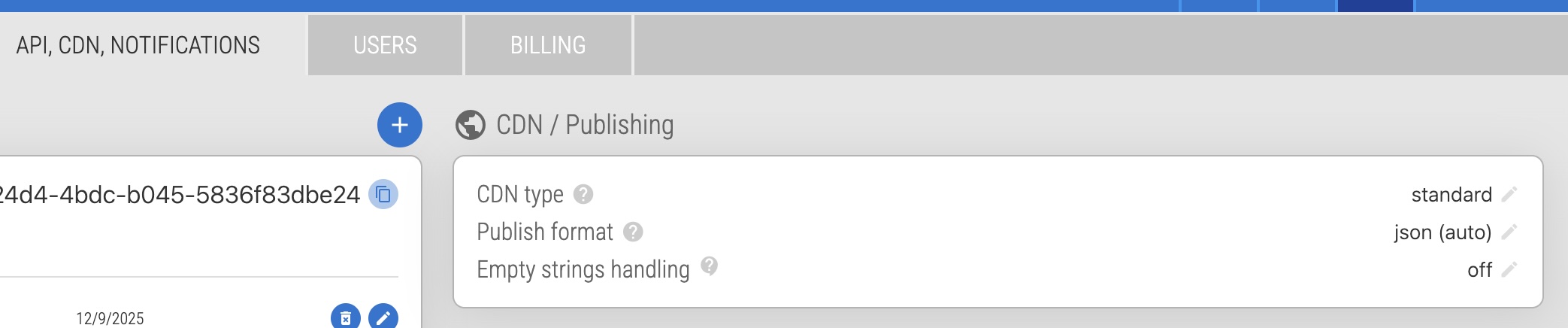
Every other TMS gives you a file you have to redeploy. Locize gives you a URL: published translations are served from a global CDN (BunnyCDN or AWS CloudFront for pro CDN).
Edit, publish, see the change live, no build, no deploy.

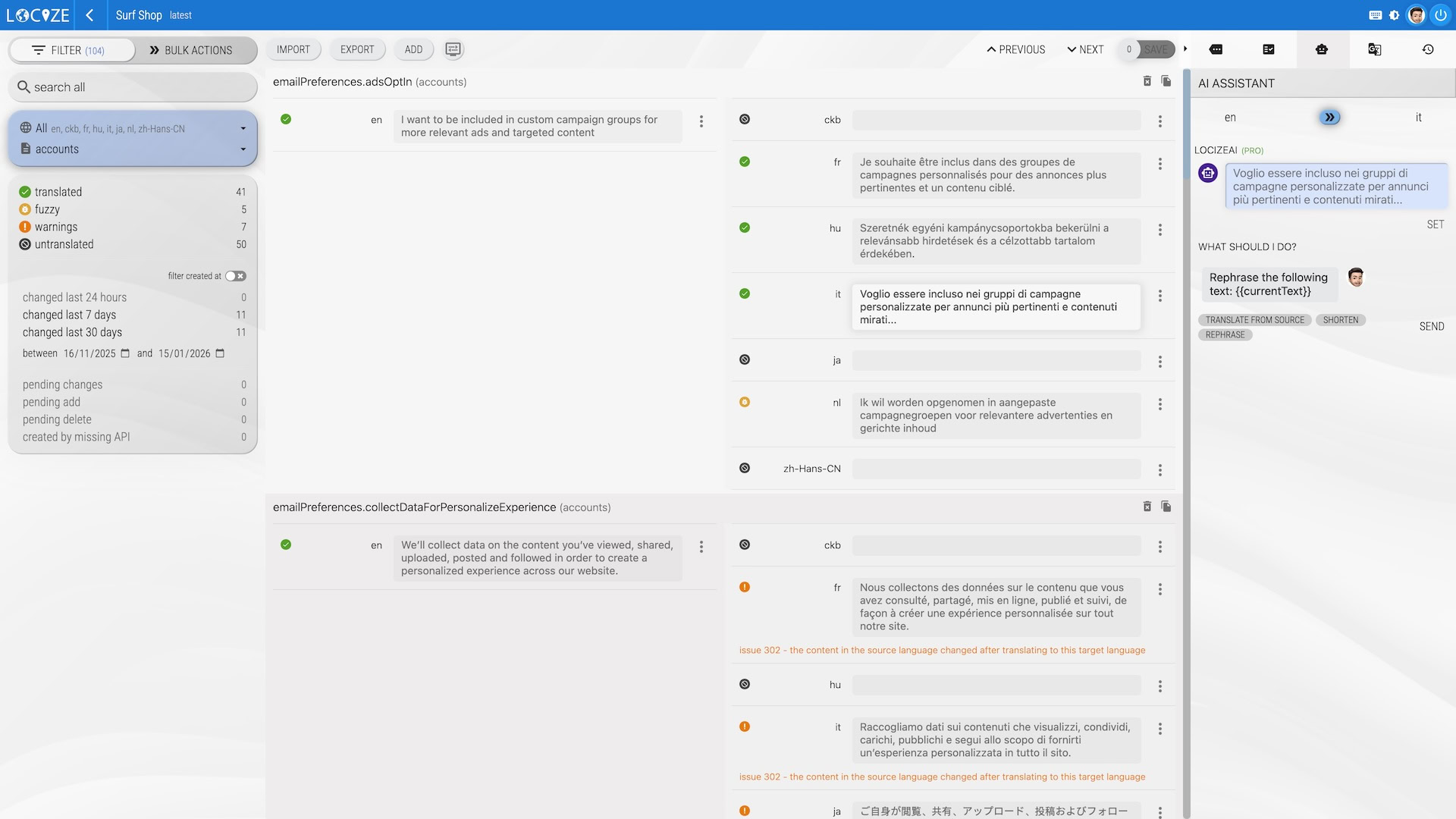
When new keys arrive, Locize can automatically translate them into every target language using your configured AI/MT provider, with your project's style guide, glossary, and translation memory injected as context.
Pre-translate first, route to human review only when it matters.

Reuse what you've already translated. The TM matches on whole strings and fuzzy variants, branches, and even other projects in your account.
Smaller word counts, more consistent voice.

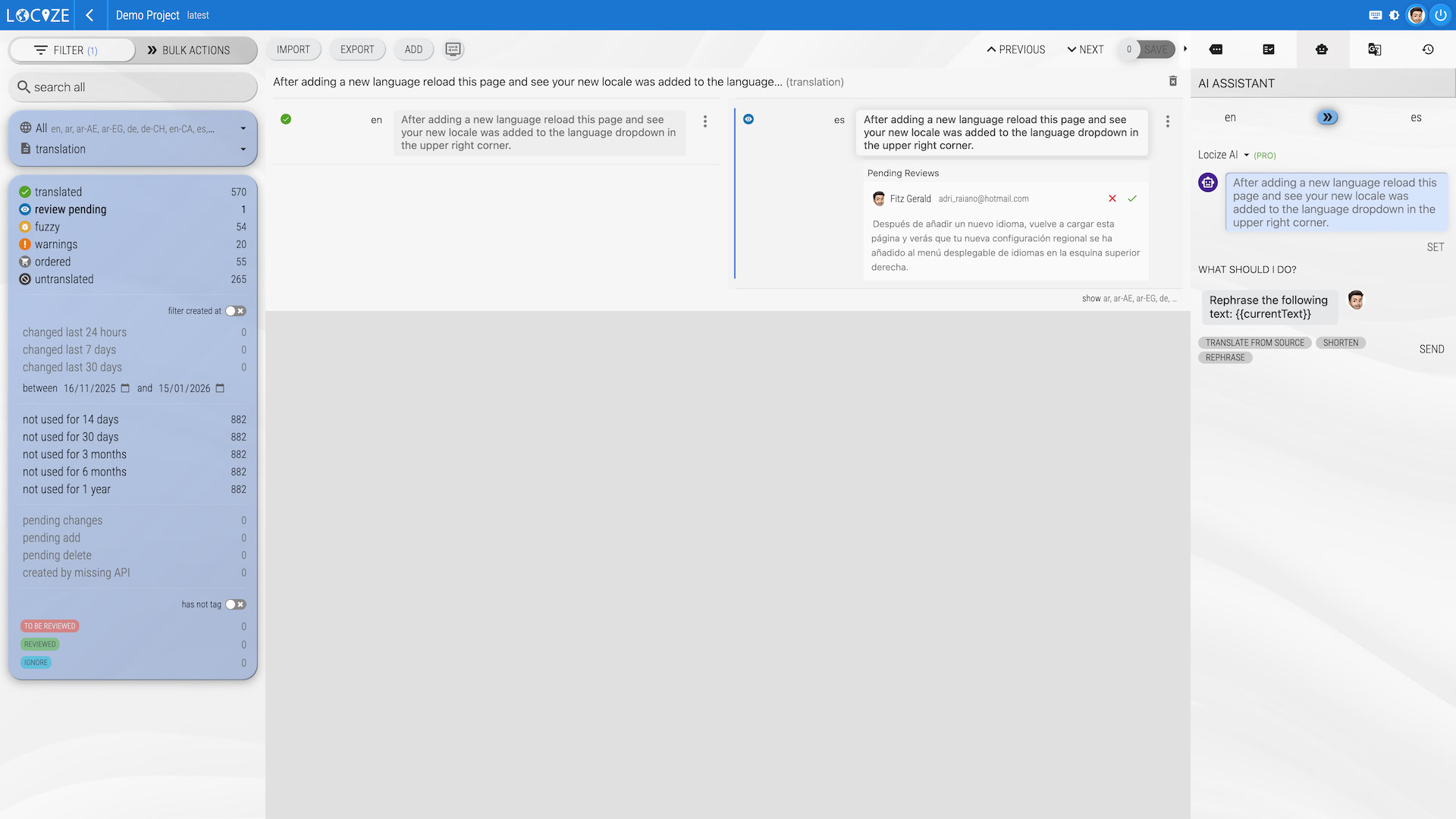
Per-language review states with accept/decline diff visualisation. Keep AI or junior translator output behind a gate before it reaches production.
Audit log captures every change with who, what, when.

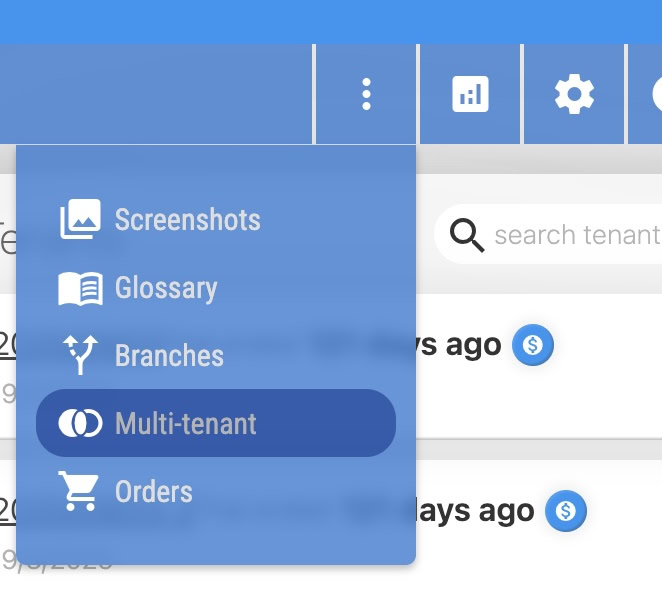
For SaaS websites where each customer or market needs slightly different terminology: every tenant gets its own override layer on top of a shared base, served separately through the CDN.
No duplicate projects, no terminology drift.

Public pricing. No sales call. Pick a plan when the trial ends, or stay on Free if your project is small.
Small personal projects: 1 user, 2 languages, 100k CDN downloads.
5 users, 5 languages, 1M CDN downloads, 50k AI tokens.
10 users, 10 languages, 3 branches, 5 tenants, review workflow, glossary, style guide.
Unlimited users, 20 languages, BYOK AI, SSO add-on.
14 days, all features unlocked, no credit card. There's also a usage-based plan if you prefer paying for what you use.

Being a Swiss Startup, we had to launch our website in several languages at once. We used i18next with React and were translating JSON files by hand, which was really cumbersome.
Locize really changed everything for us because it allowed us to let non-developers translate the website pages.
Decouple the translation process from application deployments.
Use Google Translate straight from within the tool. Really recommended.
Thanks to the generous support and the features of Locize, the headless websites of the Swiss Red Cross can be translated into different languages within a short time!

We're using Locize for several projects, which offers different services for our international partners in the whole world.
Thanks to Locize our localization workflow is faster, more efficient and modern.
If your site already uses i18next, you're a single backend plugin away. If it doesn't, follow the getting started guide.
import i18next from 'i18next'
import Backend from 'i18next-locize-backend'
i18next
.use(Backend)
.init({
fallbackLng: 'en',
saveMissing: true, // sends new keys to Locize automatically
backend: {
projectId: '[PROJECT_ID]',
apiKey: '[API_KEY]', // dev only — drop in production
referenceLng: 'en'
}
})That's the whole integration. New keys appear in Locize as you write code. The video below walks through it end-to-end with auto-translation enabled.
Start your free trialWebsite localization (l10n) is the process of adapting a website (text, formats, currencies, dates, images, and sometimes layout) for users in a different language or region. It goes beyond translation: a localized website feels native to its market, not translated into it.
Translation converts text from one language to another.
Localization adapts the whole experience: text, date and number formats, currency, address layouts, plurals, gendered language, images, and sometimes layout direction (RTL for Arabic and Hebrew).
Internationalization (i18n) is the engineering work that makes localization possible: extracting strings, handling Unicode, ICU formatters, etc. i18next is one of the most-used i18n frameworks for JavaScript.
Localized sites convert better. Visitors trust content in their own language and reject sites that feel machine-translated. For B2B SaaS, localization unlocks markets where English-only is a non-starter (Japan, Germany, France, parts of LATAM).
Beyond conversion: support tickets drop, churn drops, and your sales team can quote in the customer's currency.
saveMissing enabled. Every translation key flows into Locize automatically.The short list, from customers who switched off agencies, off DIY, or off another TMS.
If your stack uses i18next (and most JavaScript stacks do), Locize fits like the missing piece.
Translations are an always-on layer over your CDN, not a release-blocking handoff.
Flat plans or usage-based. No per-seat traps, no per-word surprises, no MAU multipliers.
Real engineering primitives. Per-customer overrides, staging branches, version history.
14-day trial. Public pricing. Read the docs, sign up, ship. Want to know why? See our philosophy.
Operated by a Swiss company, relevant for teams with EU/CH data residency requirements.
If your question is missing, email support@locize.com
Website localization is the process of adapting a website (text, formats, currencies, dates, images, layout) for users in a different language or region. It goes beyond translation: a localized website feels native to its market, not translated into it.
With Locize, the integration itself is typically a single afternoon for an i18next-based site. After that, adding a new language is minutes (not a release cycle) because translations are served via CDN and update without a redeploy.
Locize plans start at $0 (Free, for small projects) and scale through $7 (Starter), $49 (Growth), $99 (Professional), and a usage-based plan. There are no per-seat or per-word surprises. See the pricing page for full details.
Both work in Locize. You can pre-translate with AI (OpenAI, Gemini, Mistral, DeepL, Google Translate, or Locize's own AI/MT services) using your project's glossary, style guide, and translation memory as context. For brand-critical content, route through a review workflow before publishing.
Yes. Locize is built by the creators of i18next, which has bindings for every major JavaScript framework: react-i18next, next-i18next, vue-i18next, angular-i18next, svelte-i18n, and more. The integration is a single backend plugin.
Translation converts the text. Localization adapts the whole experience: text, date and number formats, currency, address layouts, plurals, gendered language, images, and sometimes layout direction (RTL). Locize handles all of this through i18next.
Yes. Locize has a multi-tenant override system. Each of your customers (or each market segment) can have its own translation overrides on top of a shared base, served separately through the CDN. No need for separate projects per customer.