i18next-native + multi-format
Drop-in plugin for any i18next stack: React, Vue, Next.js, Angular, Svelte, Node.js, Electron, Tauri. For mobile and desktop, the CLI handles XLIFF, Android XML, iOS .strings, RESX, .po, Fluent, JSON, YAML, and more.

Software localization services adapt a software product (UI text, formats, plurals, date and number conventions, sometimes layout direction) for users in different languages and regions. Locize delivers software localization as a continuous platform: developers write t('new.key') once, translations sync automatically, AI pre-translates with your glossary, and updates ship to running apps without a redeploy.
Built by the creators of i18next. Also see the website side (marketing sites, CMS-driven content), the JavaScript stack guide, and the multilingual side of EU Accessibility Act compliance.
Trusted by ABB, Zürcher Kantonalbank, Swiss Red Cross, The Booking Factory, and roughly a thousand other product teams. Translations land via CDN at runtime, or via CLI at build time, whichever fits how your software ships.
Most software teams discover localization is hard the second time they need to ship a typo fix.
✖ Translation strings live in JSON, .strings, .resx, or XLIFF files in the repo. Every edit is a PR.
✖ Adding a language is a coordinated launch: feature branch, contract, integration, deploy.
✖ Translators ping engineers with edits over email or spreadsheet; engineers paste them in.
✖ AI translation runs in someone's ChatGPT tab: no glossary, no review trail, no rollback.
✔ Strings flow from your code into Locize automatically via i18next's saveMissing.
✔ Adding a language is minutes: pick the locale, optionally auto-translate, publish.
✔ Translators work in a dedicated UI. Reviews, glossary, style guide, audit log: built in.
✔ AI translation is built in (BYOK or managed) with your style guide, glossary, and TM injected into every prompt.
Three ways to localize software. Pick whichever fits how your engineering team ships.
| Localization agency | Locize | DIY (files in repo) | |
|---|---|---|---|
| Cost model | Per-word fees, project minimums | Monthly plan with usage-based steps | Free + engineering time |
| How translations ship | Files delivered back, you commit and deploy | CDN at runtime, or CLI at build time: your call | Commits + redeploys |
| Time to ship a typo fix | Days (intake → re-export → integrate → release) | Seconds: edit, publish, live on the CDN | One full deploy |
| CI/CD integration | Manual hand-offs | GitHub Actions, CLI, REST API, MCP server for AI agents | Whatever you script |
| AI translation | Sometimes (quality varies) | Built in. BYOK (OpenAI, Gemini, Mistral, DeepL) or managed Locize AI/MT, with glossary + style guide + TM context | DIY scripting |
Comparing Locize to a specific competitor instead? See side-by-side comparisons with Lokalise, Phrase, Crowdin, Transifex, Tolgee, and others.
Six things every software team eventually needs. All of them are built in.
Drop-in plugin for any i18next stack: React, Vue, Next.js, Angular, Svelte, Node.js, Electron, Tauri. For mobile and desktop, the CLI handles XLIFF, Android XML, iOS .strings, RESX, .po, Fluent, JSON, YAML, and more.
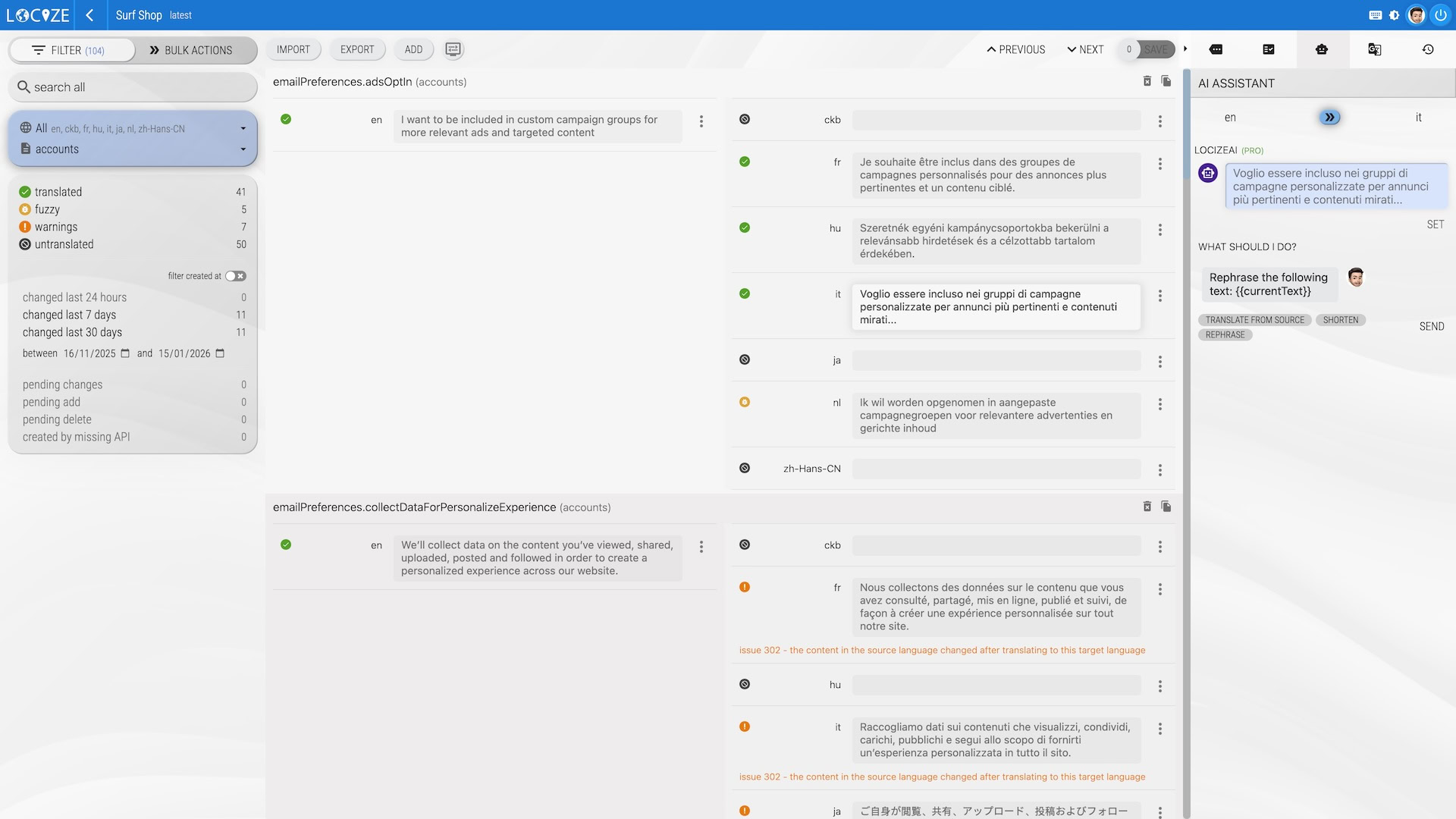
Web/SaaS apps fetch translations from a global CDN. Every typo fix is one publish, no redeploy. Mobile, desktop, and air-gapped builds sync via CLI / GitHub Action and ship strings inside the build artifact.
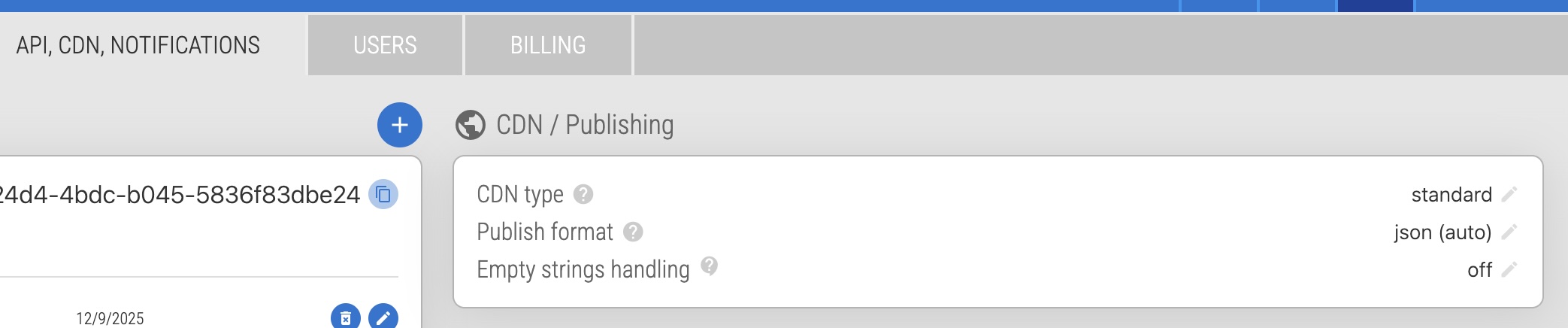
When new keys arrive, Locize can automatically translate them into every target language using your configured AI/MT provider, with your project's style guide, glossary, and translation memory injected as context.
Pre-translate first, route to human review only when it matters.
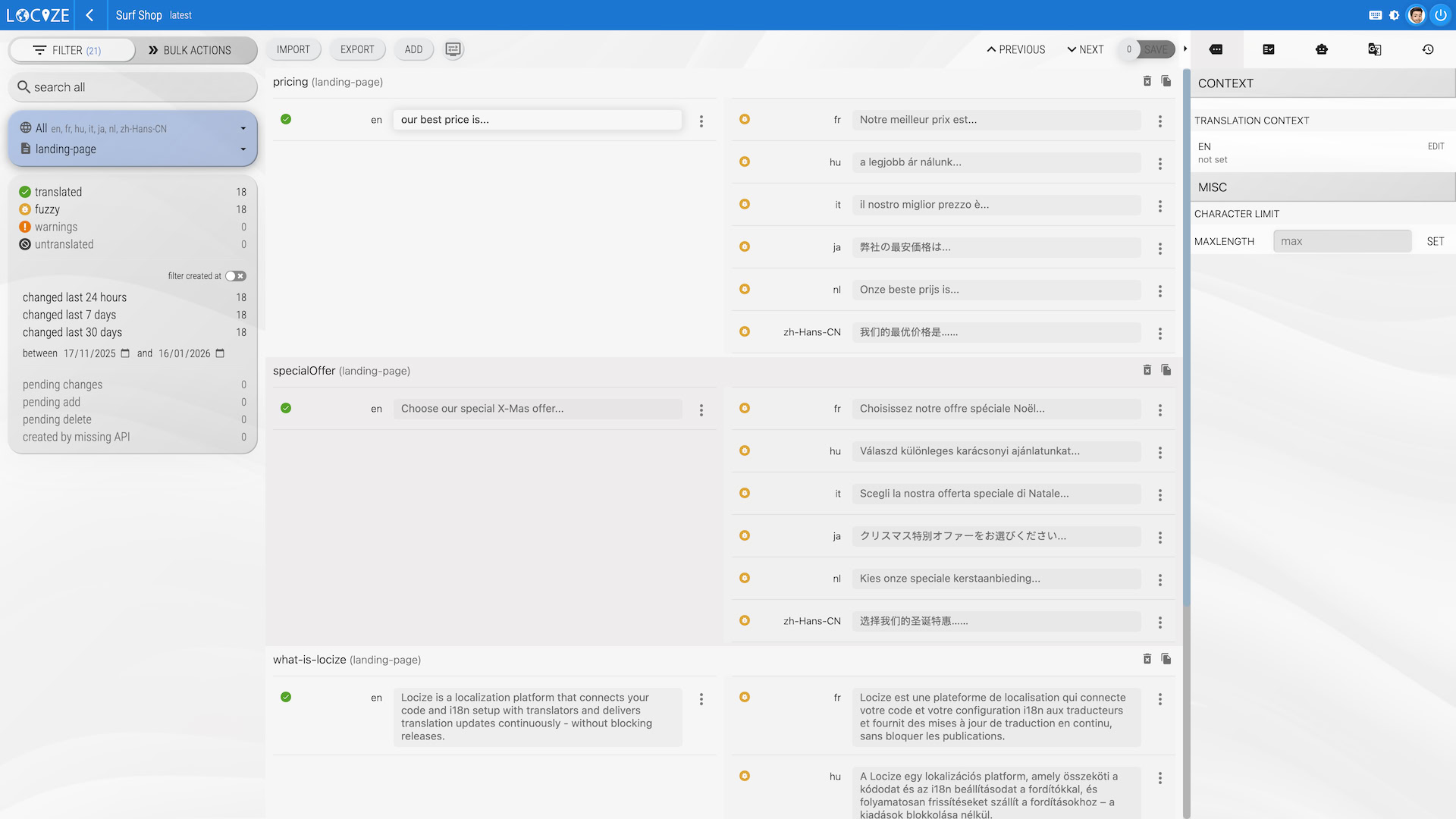
Reuse what you've already translated. The TM matches on whole strings and fuzzy variants, across versions, branches, and other projects in your account.
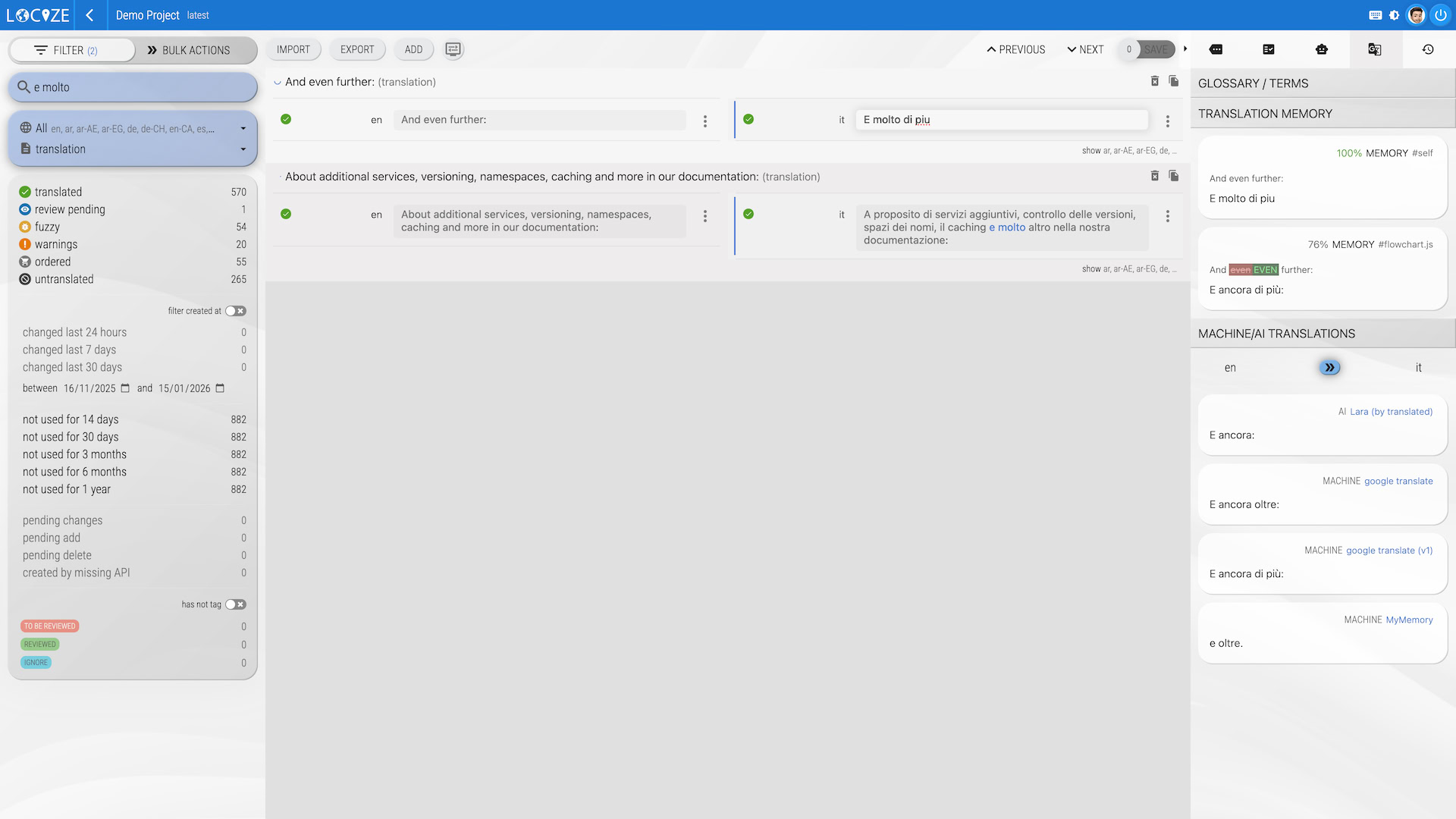
Translation branches mirror your feature branches. Review workflow gates AI or junior translator output before it reaches production. Audit log captures every change with who, what, when.
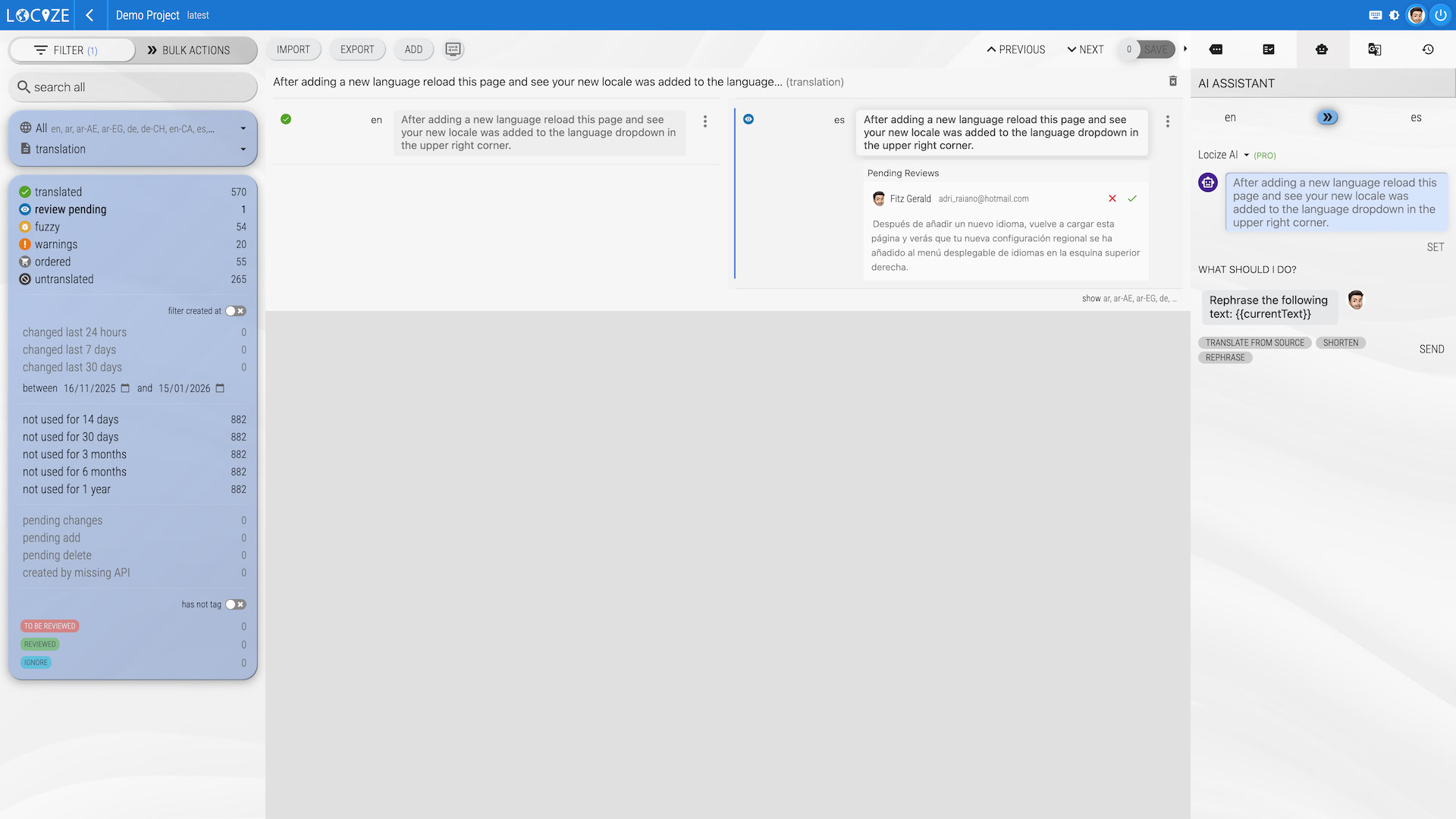
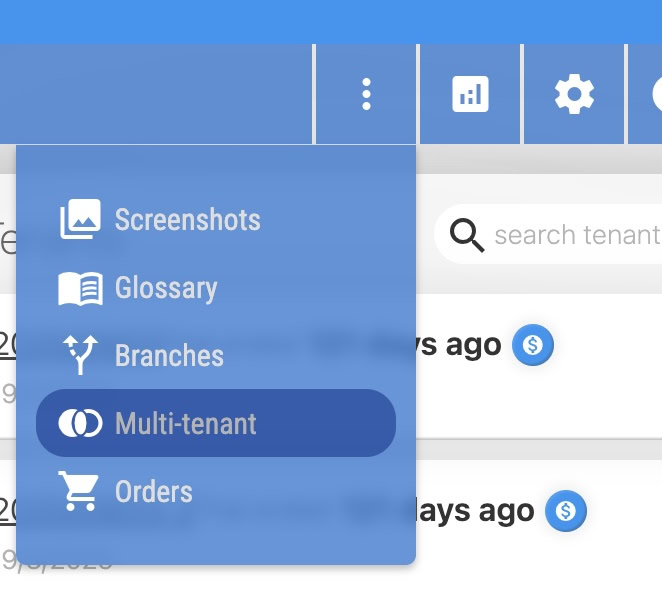
Each customer (or each market) gets its own override layer on top of a shared base, served separately through the CDN. No duplicate projects, no terminology drift.
Anything from a single-page app to a multi-tenant SaaS or a banking app that builds locally. The integration model adapts.
React, Vue, Angular, Svelte, Next.js. CDN at runtime: typo fixes are one publish, no redeploy.
iOS (.strings, .stringsdict), Android XML, React Native. CLI sync at build time.
Electron, Tauri, .NET (RESX), Qt, gettext (.po). Fetch with the CLI in your build pipeline.
Translate emails, push notifications, server-rendered pages. Same i18next, same backend.
Building a website specifically? See the website localization page. Localizing for global markets? Read the market expansion guide.
Public pricing. No sales call. Pick a plan when the trial ends, or stay on Free if your project is small.
Small personal projects: 1 user, 2 languages, 100k CDN downloads.
5 users, 5 languages, 1M CDN downloads, 50k AI tokens.
Unlimited users, 10 languages, 3 branches, 5 tenants, review workflow, glossary, style guide.
Unlimited users, 20 languages, BYOK AI, SSO add-on.
14 days, all features unlocked, no credit card. Pricing is usage-based but stepped: a predictable monthly plan plus capacity in blocks when you need more.

Locize is a great tool for us to localise our hotel software solution into multiple languages for both users and their guests. We chose Locize because of their flexible pricing structure that is based on usage instead of a large monthly fee.
We already have some great early results and now our users can translate themselves into their local language!

With the introduction of Locize, we had an overview of the status of translations or which text content still needed to be translated from the very beginning.
Thanks to the very flexible API, the current texts are integrated in every build (for technical reasons, ZKB cannot use an external CDN).
The handling is self-explanatory for translators.
Locize also has excellent support and very reasonable conditions.

We're using Locize for several projects, which offers different services for our international partners in the whole world.
Thanks to Locize our localization workflow is faster, more efficient and modern.
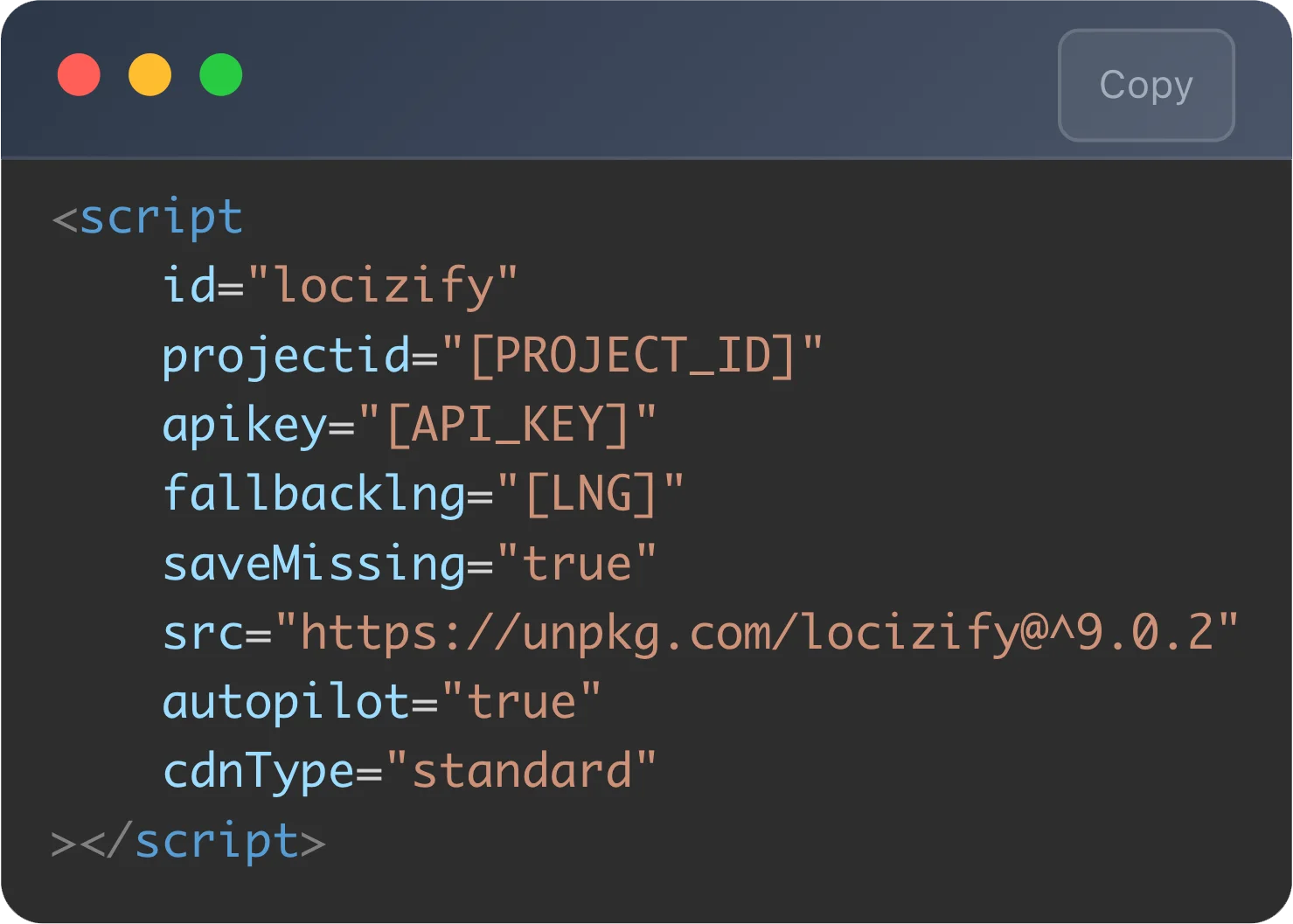
If your stack already uses i18next, you're a single backend plugin away. Mobile and desktop builds use the CLI instead.
import i18next from 'i18next'
import Backend from 'i18next-locize-backend'

i18next
  .use(Backend)
  .init({
    fallbackLng: 'en',
    saveMissing: true, // sends new keys to Locize automatically
    backend: {
      projectId: '[PROJECT_ID]',
      apiKey: '[API_KEY]', // dev only — drop in production
      referenceLng: 'en'
    }
  })
New keys appear in Locize as you write code. The video walks through it end-to-end with auto-translation enabled.
Start your free trialSoftware localization (sometimes shortened to l10n) is the process of adapting a software product (its text, formats, currencies, dates, layouts, and sometimes assets) for users in a different language or region. It goes beyond translation: a localized product feels native to its market, with the right plurals, gendered language, sort orders, and number/date conventions.
Translation converts text from one language to another.
Localization (l10n) adapts the whole experience: text, formats, plurals, layouts, RTL where needed.
Internationalization (i18n) is the engineering work that makes localization possible: extracting strings, using ICU formatters, handling Unicode. i18next is one of the most-used i18n frameworks for JavaScript, and Locize is its native backend.
Software strings are scattered across components. New ones arrive every sprint. Engineers don't want to babysit translations; translators don't want to learn Git.
And every market has rules: German plurals, Japanese kana, Arabic RTL, Brazilian formality. A localization platform turns those concerns into infrastructure instead of release-blocking work.
saveMissing enabled. Every translation key flows into Locize automatically.Want a deeper dive? What is software localization (long-form) · Mobile app localization specifically · Globalization vs. localization.
The short list, from customers who switched off agencies, off DIY, or off another TMS.
If your stack uses i18next (and most JavaScript stacks do), Locize fits like the missing piece.
Translations are an always-on layer. Edit, publish, see the change live. No release cycle for typos.
Usage-based pricing, in steps. No per-seat traps, no per-word surprises, no MAU multipliers.
GitHub Actions, CLI, REST API, MCP server for AI agents. Translations integrate into your pipeline like any other dependency.
14-day trial, public pricing. Read the docs, sign up, ship. Want to know why? See our philosophy.
Operated by a Swiss company, relevant for teams with EU/CH data residency requirements.
If your question is missing, email support@locize.com
Software localization is the process of adapting a software product (its text, formats, currencies, dates, layouts, and sometimes assets) for users in a different language or region. It goes beyond translation: a localized product feels native to its market, with the right plurals, gendered language, sort orders, and number/date conventions.
Translation converts text from one language to another. Localization adapts the whole experience: text, date and number formats, currency, address layouts, plurals, gendered language, images, and sometimes layout direction (RTL for Arabic and Hebrew). Software localization additionally needs engineering: extracting strings from code, handling Unicode, ICU formatters, build-time vs. runtime delivery, and CI integration.
Web apps and SaaS (any framework that uses i18next, react-i18next, vue-i18next, next-i18next, angular-i18next, svelte-i18n), Node.js servers, desktop apps via Electron or Tauri, and mobile apps (iOS, Android, React Native, Flutter) via the CLI for build-time string fetching. Locize also supports XLIFF, JSON, Android XML, iOS .strings, RESX, .po, Fluent, YAML, and more.
The integration is typically a single afternoon for an i18next-based codebase. After that, adding a new language is minutes (not a release cycle) because translations are served via CDN and update without a redeploy. For mobile and desktop apps, translations sync at build time via the CLI / GitHub Action.
Locize plans start at $0 (Free, for small projects) and scale through $7 (Starter), $49 (Growth), $99 (Professional) to $149 (Professional-Plus) and $199 (Enterprise). Pricing is usage-based in steps: each plan includes a generous volume, and extra capacity comes in blocks. There are no per-seat or per-word surprises. See the pricing page for full details.
Both work. You can pre-translate with AI (OpenAI, Gemini, Mistral, DeepL, Google Translate, or Locize's own AI/MT services) using your project's glossary, style guide, and translation memory as context. For brand-critical content, route through a review workflow before publishing.
Yes. Locize has a multi-tenant override system. Each of your customers (or each market segment) can have its own translation overrides on top of a shared base, served separately through the CDN. No need for separate projects per customer.