
How we eat our own dogfood
A small relaunch, and a simple goal
After relaunching our website with new templates for our documentation and blog posts (plus a new landing page), we decided to translate at least the landing page.
Because we use Hexo to generate static content, it was a natural fit to use our locizify script so we didn’t have to instrument the page ourselves.
A fixed namespace for the landing page
Since we might translate other areas later, we chose a fixed namespace (filename) for the landing page. We used the advanced option to initialize locizify as described here.
We ended up with the following snippet:
<script src="https://unpkg.com/locizify@^10.0.0/locizify.min.js"></script>
<script>
  locizify.init({
    namespace: 'landingpage',
    saveMissing: true,
    fallbackLng: 'en',
    backend: {
      projectId: '3d0aa5aa-4660-4154-b6d9-907dbef10bb2',
      apiKey: '******** private ********',
      referenceLng: 'en',
      version: 'production'
    },

    // ignore some dynamic widgets
    ignoreIds: ['nudgespotInappContainer', 'nudgespotInappMessagesContainer', 'nudgespotInappConversationsContainer', '__bs_notify__'],
    ignoreClasses: ['nudgespot-clean']
  });
</script>
After reloading the page, the source content (English) appeared inside our Locize project. We translated it to German and Italian in no time using our editor.
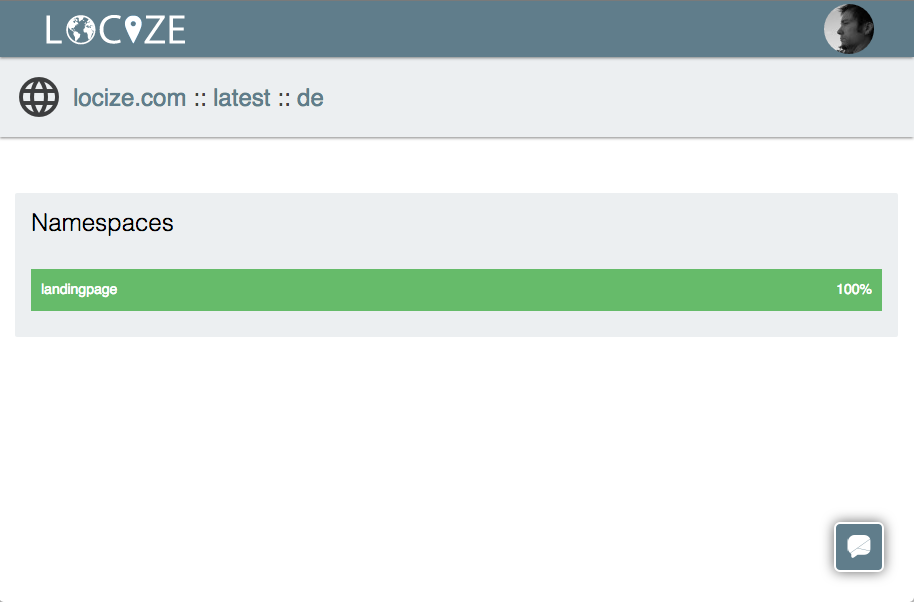
Since the latest version gets auto-published, reloading the page with the additional query string parameter ?lng=de (or switching the browser language) was enough to test the translation.
Using versions for safe releases
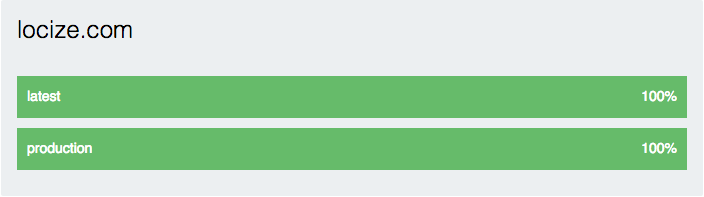
Next, we created a production version (Project settings → Versions) so we could change or prepare new content during development without affecting the currently released page version.
Avoid flickering on the initial load
After that, we wanted to avoid the flicker on initial load where the page first gets displayed in the source language until locizify loads and applies the translations.
To optimize this, we just needed to add display: none to the body (more info):
<body style="display: none">Let users switch language
Finally, we needed a solution to let the user change the language on our page.
We started with a simple list of links:
<ul>
  <a href="/?lng=en">english</a>
  <a href="/?lng=de">deutsch</a>
  <a href="/?lng=it">italiano</a>
</ul>
…but decided a <select> element would fit better with our layout.
We needed to bind to the i18next languageChanged event to select the current language and handle the select onChange event.
We also use locizify.getLanguages to read the available languages from our project so we don’t have to touch code when we add new languages.
The select element:
<select id="languageSelect" onChange="handleSelectChange()" translated>
</select>
The script:
// the select element
var ele = document.getElementById('languageSelect');
var availableLngs = [];

// create select options based on project languages
locizify.getLanguages(function(err, lngs) {
  availableLngs = Object.keys(lngs || {});
  availableLngs.forEach(function(l) {
    var lng = lngs[l];

    // return if not at least 90% is translated
    if (lng.translated.production < 0.9) return;

    // append ele
    var optEle = document.createElement("OPTION");
    optEle.setAttribute('value', l);
    optEle.innerHTML = lng.nativeName;
    ele.appendChild(optEle);
  });

  updateSelect();
});

// selects the value based on i18next lngs
function updateSelect() {
  var selected;
  locizify.i18next.languages.forEach(function(l) {
    if (!selected && availableLngs.indexOf(l) > -1) selected = l;
  });

  ele.value = selected || 'en';
}

// reload page on selection
function handleSelectChange() {
  var value = ele.options[ele.selectedIndex].value;
  window.location = updateQueryStringParameter(window.location.href, 'lng', value);
}

// bind i18next change language event
locizify.i18next.on('languageChanged', function(lng) {
  updateSelect();
});

// just a helper to update uri with new params
function updateQueryStringParameter(uri, key, value) {
  var re = new RegExp("([?&])" + key + "=.*?(&|$)", "i");
  var separator = uri.indexOf('?') !== -1 ? "&" : "?";
  if (uri.match(re)) {
    return uri.replace(re, '$1' + key + "=" + value + '$2');
  }
  else {
    return uri + separator + key + "=" + value;
  }
}
That’s it: our landing page was translated in no time, including a custom language selector:
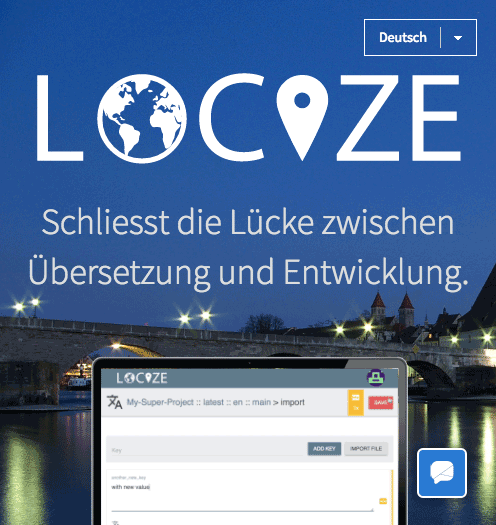
We’re very pleased with the outcome of eating our own dogfood. Next step: ordering professional translations for the languages we can’t translate ourselves.
Tired of managing translations by hand?
Locize is the translation management backend by the i18next team: CDN delivery, AI translation, in-context editing, no redeploys.
Start your free 14-day trial